English - 43
Once you have connected up your various audio and video
systems, you can view different sources by selecting the
appropriate input.
1 Check that all the necessary connections have been made.
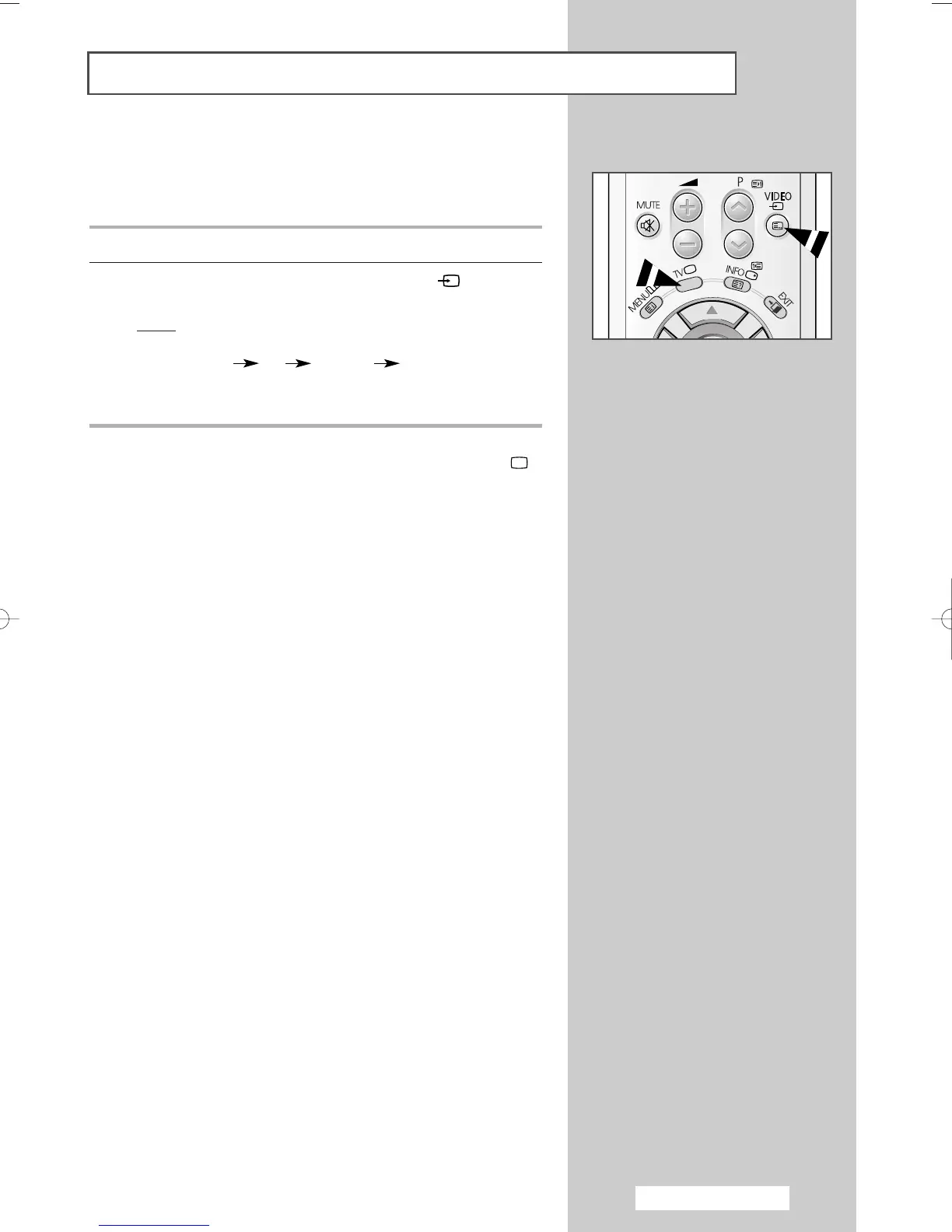
2 Switch your television on, then press the VIDEO
()
button
repeatedly.
Result
: The input sources are displayed in the following
order:
◆
AV1 AV2 S-VIDEO Component
➢
Depending on the source selected, the pictures may appear
automatically.
➢
To watch television programmes again, press the TV()
button and select the number of the channel required.
Viewing Pictures From External Sources
AA68-03701A-00Eng 7/19/05 3:44 PM Page 43







 To Next Page