English - 33
Setting the Preferred Volume Level
The preferred volume can be set for when the timer automatically
turns on the TV.
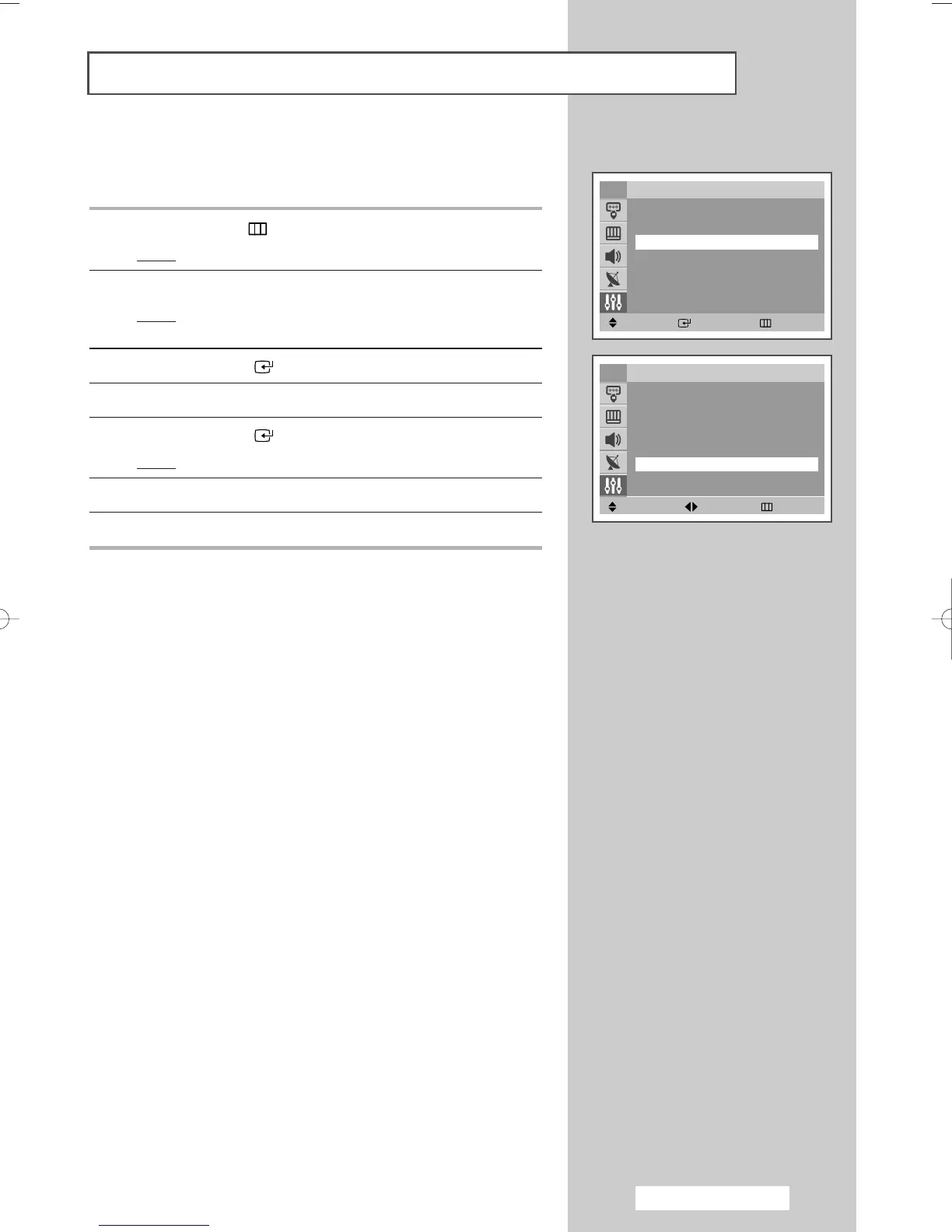
1 Press the MENU () button.
Result
: The main menu is displayed.
2 Press the ▲ or ▼ button to select Setup.
Result
: The options available in the Setup group are
displayed.
3 Press the ENTER ()button.
4 Press the ▲ or ▼ button to select Time
5 Press the ENTER ()button.
Result
: The Time is selected.
6 Press the ▲ or ▼ button to select On Timer Volume.
7 Press the œ or √ button to adjust volume level.
Move Adjust Return
TV Time
Clock 11 : 00 am
Sleep Timer : Off
On Timer 06 : 00 am On
Off Timer 11 : 00 am On
On Timer Volume : 10
h
r
,
y
V
Move Enter Return
Setup
Plug & Play
√√
Language : English
Time
√√
Child Lock
√√
Blue screen : Off
√√
Melody : On
√√
Demonstration
√√
TV
AA68-03701A-00Eng 7/19/05 3:44 PM Page 33







 To Next Page