● RUNNING THE PROGRAM
• Quick save Option
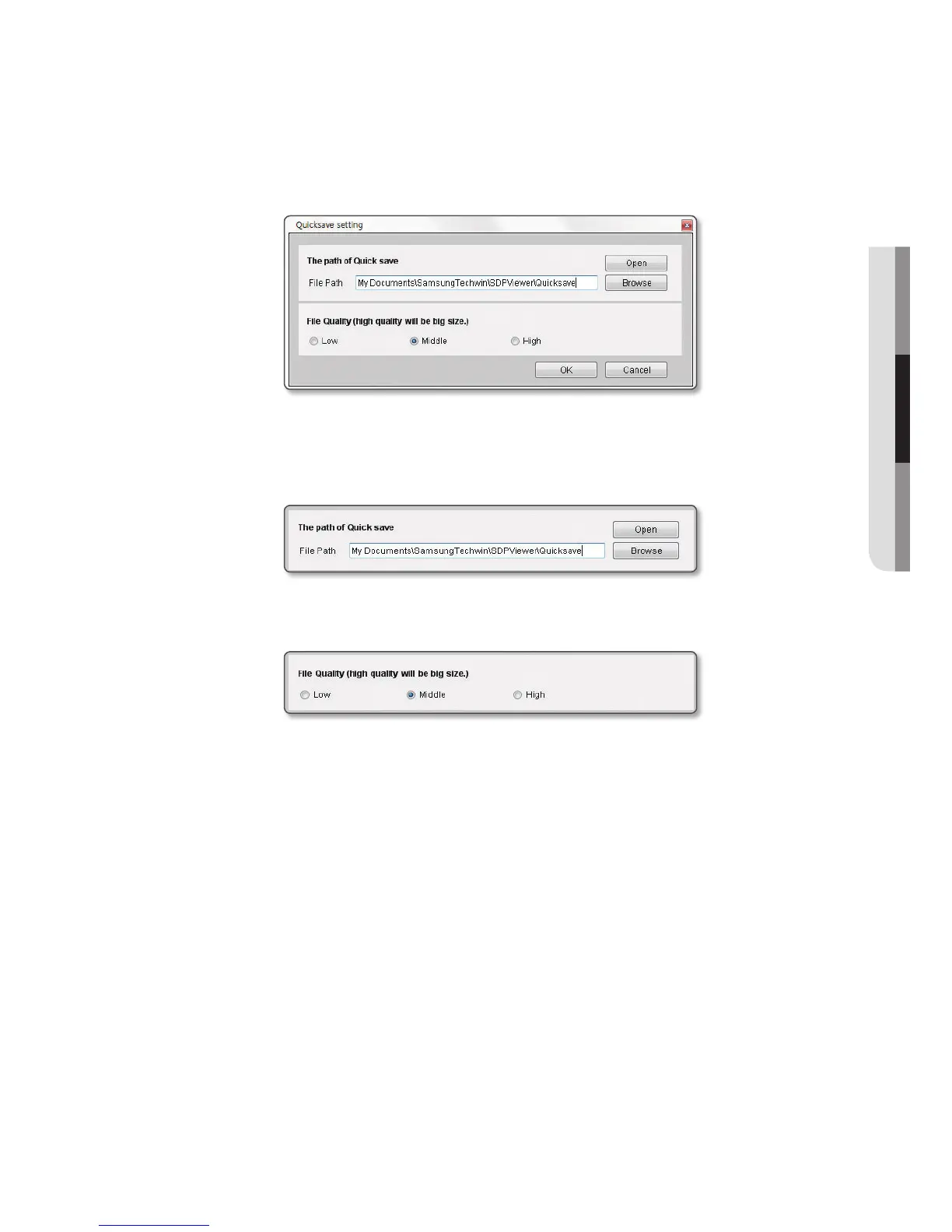
You can specify the saving path and quality of the video that you want to save quickly.
- Specify the saving path of the video.
The default path is set to “My Documents\Samsung Techwin\SDPViewer\QuickSave”.
- Use [Open] button to access the folder currently configured which contains the recorded footages.
- Select a quality of the video that will be saved by Quick Save.
The better the quality is, the greater the file size is.
English
_15



 To Next Page