12
3. Disassembly and Reassembly
3-4 Removing Touch PCB
WARNING
Disconnect power before servicing the range Replace all panels before operating range. Failure to do so
can result in death or electrical shock.
PRECAUTION
When you work on the electric range, be careful when handling the sheet metal parts. Sharp edges may
be present, and you can cut yourself if you are not careful.
Parts Explanation Photo Explanation
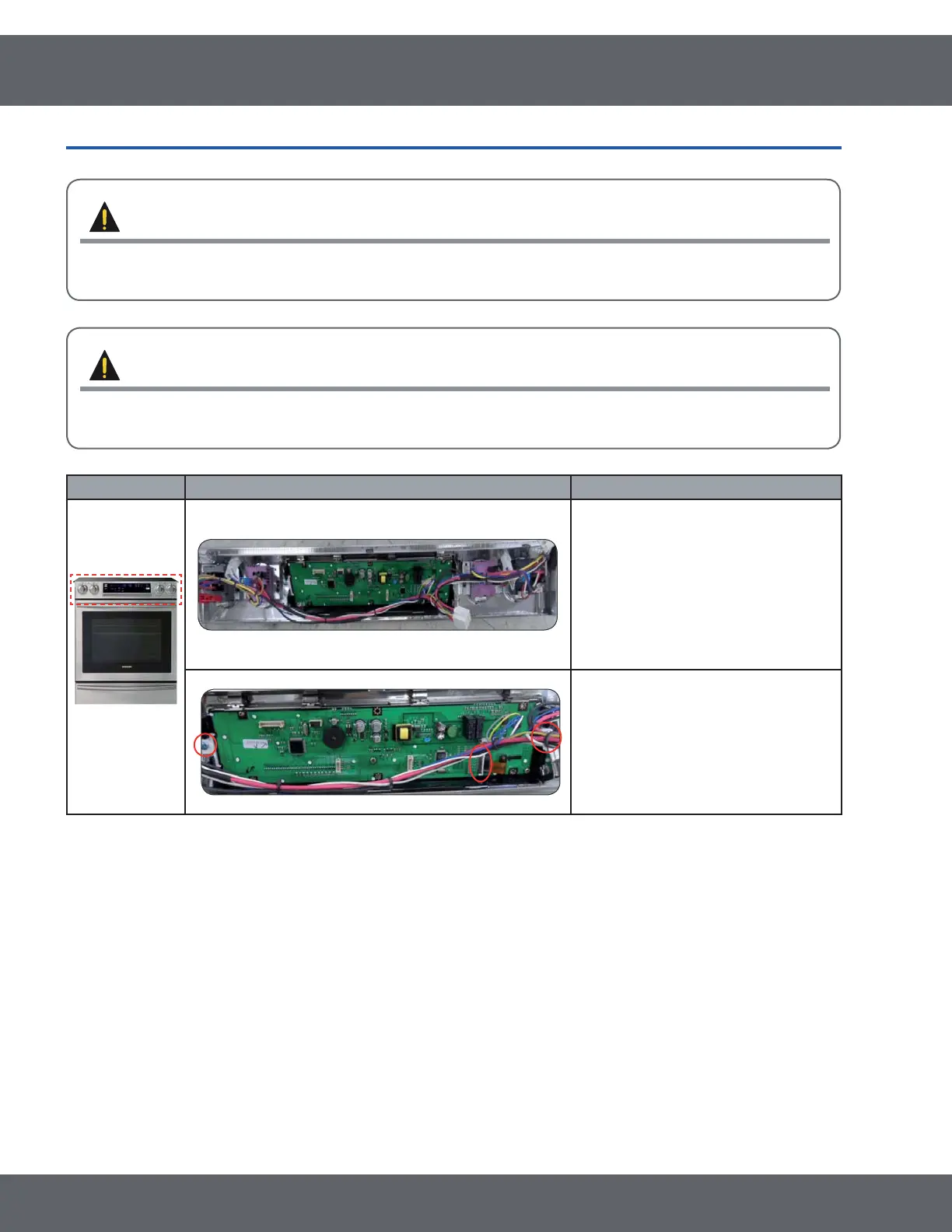
Touch PCB
1. Turn off the electrical supply going
to the range.
2. Remove 4 screws at under the
control box.
(See step 1,2 on page 13)
3. Remove connector on SUB PCB.
4. Remove 2 screws. (Left and Right)
* Reassembly of All part is the reverse order of disassembly.



 To Next Page