100
Gettingstarted
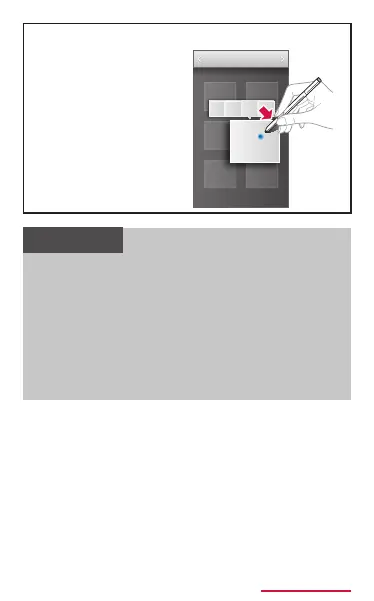
Put stylus pen
closer to the
picture etc. then
press the stylus
button to display
such as share/edit
menu.
• Keep the distance between the nger and
this terminal constant while operating by
S preview. If your nger and this terminal
become distant during operation, operating
by S preview is failed.
• While operating by S preview, if the
distance between your nger and this
terminal, it may be recognized as touch
operation.



















 To Next Page