204
Calling
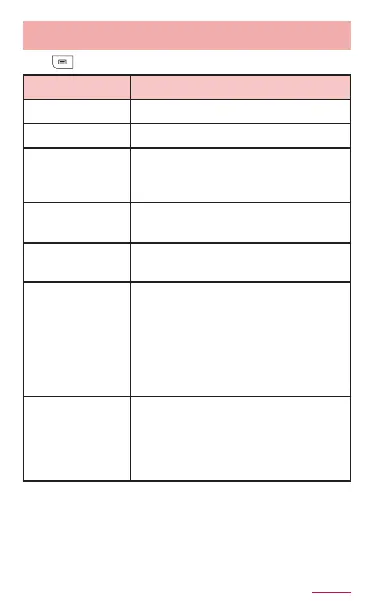
Menuoncalllogs/logdetailsscreen
Tap to display the following items.
Delete all
*1
Delete call logs.
Call settings
*1
→ P.208
Set start-up
screen
*1
Set the displayed screen as a
default when tapping "Phone"
on the Home screen.
*2
Caller ID
notication
*3
Set whether to notify/not to
notify the caller ID.
International
call
*1
Make an international call
(WORLD CALL) (P.206).
Add 2-sec
pause
*1
Enter " , ". Enter a phone
number, pause " , " and
numbers consecutively and
call. The call is connected and
the touch-tone signals are
automatically sent after about
two seconds.
Add wait
*1
Enter a wait " ; ". Enter a phone
number, wait " ; " and numbers
consecutively and call. When the
call is connected, tap "Yes" and
the touch-tone signals are sent
.
*1 Appears only on the Call logs screen.
*2 Depending on the Home application you are
using, the setting may not be eective.
*3 Appears only on log details screen of other
party who is not saved in Phonebook.



















 To Next Page