301
Application
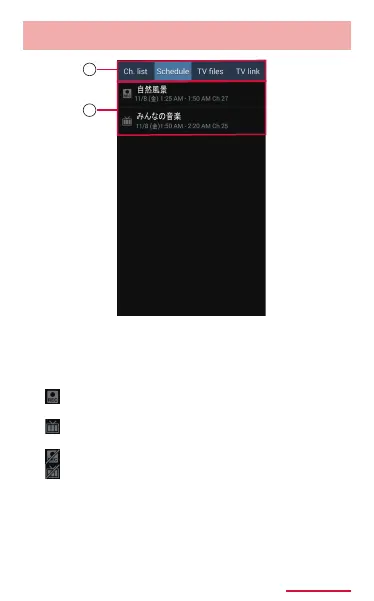
Scheduletab
Operationscreen(Scheduletab)
1
2
a
• Tap to switch tabs.
b
: Recording schedule (including the completed
schedule)
: Watching schedule (including the completed
schedule)
: Failed recording schedule
: Failed watching schedule
• Change the schedule by tapping the
unexecuted schedule.
• Delete the schedule by touching and holding the
unexecuted schedule → Tap "Delete" → "OK".
• Tap the executed schedule to conrm the
result or delete the schedule from the list.



















 To Next Page