ENG
20
19
OPERATION
MP3/WMA-CD Playback
•
Depending on the recording mode, some MP3/WMA-CDs may not play.
•
Table of contents of a MP3-CD varies depending on the MP3/WMA track
format recorded on the disc.
Note
2
In Stop mode, use
to select
the album, and then
press the ENTER
button.
•
The MP3/WMA menu screen will appear
and playback will start.
•
The appearance of the menu depends
on the MP3/WMA disc.
•
WMA-DRM files cannot be played.
•
Use to select the track.
1
Load the MP3/WMA
disc.
4
Press the STOP
button to stop
playback.
•
To select another album and track,
repeat Steps 2 and 3 above.
3
To change the album,
use to
select another album
in Stop mode, and
then press the
ENTER button.
•
Music File Icon
•
Image File Icon
•
Movie File Icon
•
All File Icon
Press the button when it is in
stop status and select a desired icon from
the top part of the menu.
•
To play music files only, select the Icon.
•
To view image files only, select the Icon.
•
To view movie files only, select the Icon.
•
To select all files select the Icon.
To play a file icon in the screen,
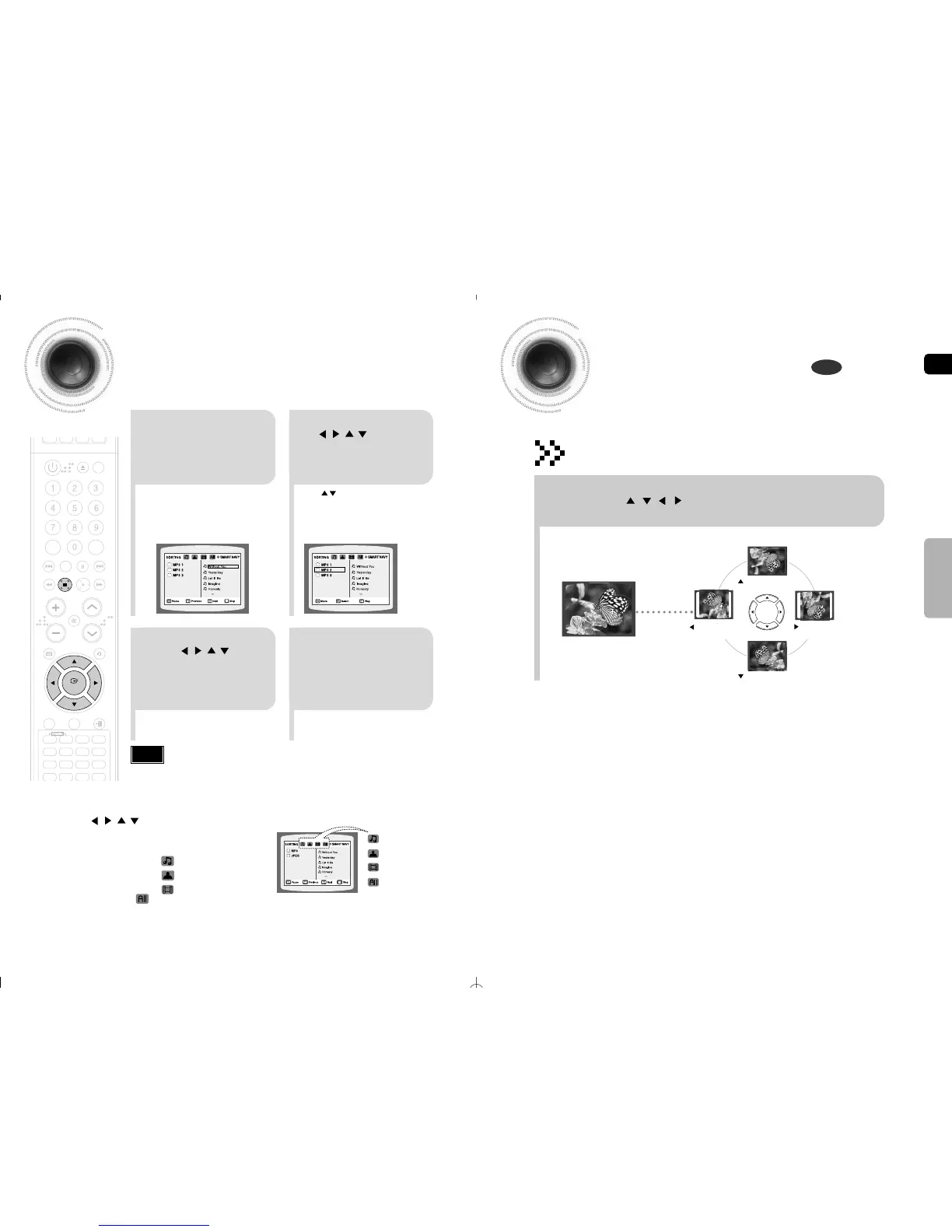
Rotate/Flip Function
button: Flip Vertically
button: Flip Horizontally
button: Rotate 90°
Counterclockwise
button: Rotate 90° Clockwise
Press Cursor , , , buttons during playback.
Original Image
JPEG File Playback
Images captured with a digital camera or camcorder, or JPEG files on a PC can be
stored on a CD and then played back with this DVD player.
JPEG



 To Next Page