EasyManua.ls Logo

Samsung MAX-DA69 - Setting the Wallpaper

Samsung MAX-DA69
36 pages
Print Icon
To Next Page IconTo Next Page
To Previous Page IconTo Previous Page
Loading...
ENG
SETUP
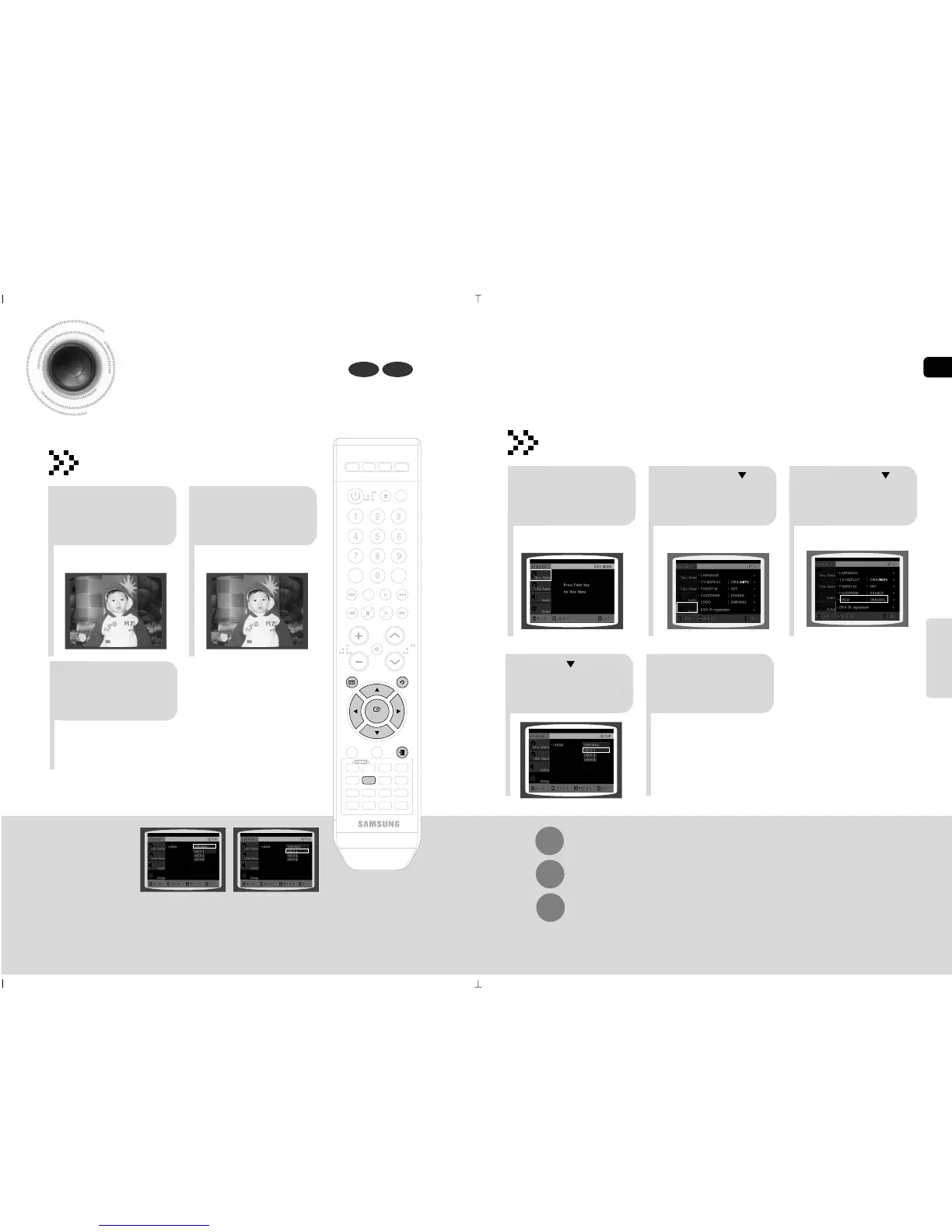
Setting the Wallpaper
While watching a DVD,JPEG CD, you can set the image you like as a wallpaper.
DVDJPEG
21 3
In stop mode,press
MENU button.
Press Cursor
button to move to
Setup and then
press ENTER button.
Press Cursor
button to move to
LOGO and then
press ENTER button.
To Change the Wallpaper
54
Press EXIT
button to exit the
setup screen.
Press to select
the desired USER,
and then press
ENTER.
Select this to set the
Samsung Logo image as
your wallpaper.
Select this to set the desired
image as your wallpaper.
43 44
DEMO/DIMMER
POWER
CD RIPPING
CANCEL
STEP
MUTE
VOLUME
MENU
AUDIO
EXIT
SUB
TITLE
SLEEP
INFO
REPEAT
SLOW
MO/ST
P.SOUND
DSP/EQ
TIMER/CLOCK
TUNER
MEMORY
SD/HD
P.BASS
ECHO
ENTER
RETURN
TUNING
PAUSE
STOP PLAY
DVD TUNER AUX USB
ZOOM
LOGO
REMAIN
TIMER
ON/OFF
MODE
EFFECT
21
During playback, press
the PAUSE button
when an image you
like appears.
Press LOGO
button.
PAUSE
COPY LOGO DATA
Setting the Wallpaper
COPY LOGO DATA will be
displayed on the TV screen.
The selected wallpaper will
be displayed.
You can select up to 3
wallpaper settings.
3
The power will
turn off and then
back on.
Press MENU button to exit the setup screen.
Press RETURN button to return to the previous level.
Press EXIT button to exit the setup screen.

Related product manuals