21
43
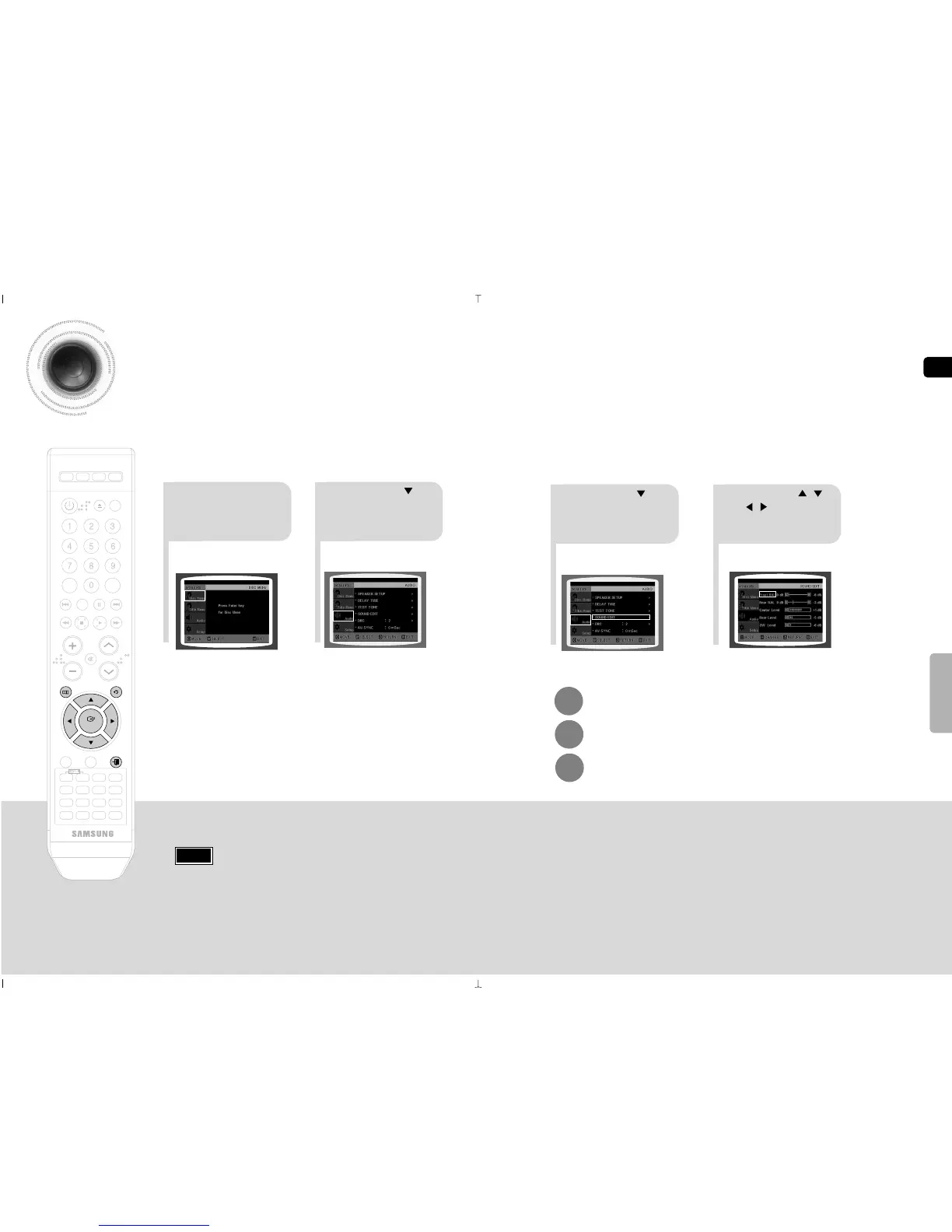
In Stop mode,
press MENU
button.
Press Cursor
button to move to
‘Audio’ and then press
ENTER button.
Press Cursor button
to move to ‘SOUND
EDIT’ and then press
ENTER button.
Press Cursor , ,
, buttons to select
the desired item and then
press ENTER button.
Adjusting Front/Rear Speaker Balance
•
You can select between 00 and –06 and OFF.
•
The volume decreases as you move closer to –6.
Adjusting Center/Rear/Subwoofer Speaker Level
•
The volume level can be adjusted in steps from +6dB to –6dB.
•
The sound gets louder as you move closer to +6dB and quieter as
you get closer to -6dB.
When adjusting the audio quality using the setup screen
Note
SETUP
50
Press MENU button to exit the setup screen.
Press RETURN button to return to the previous level.
Press EXIT button to exit the setup screen.



 To Next Page