ENG
25
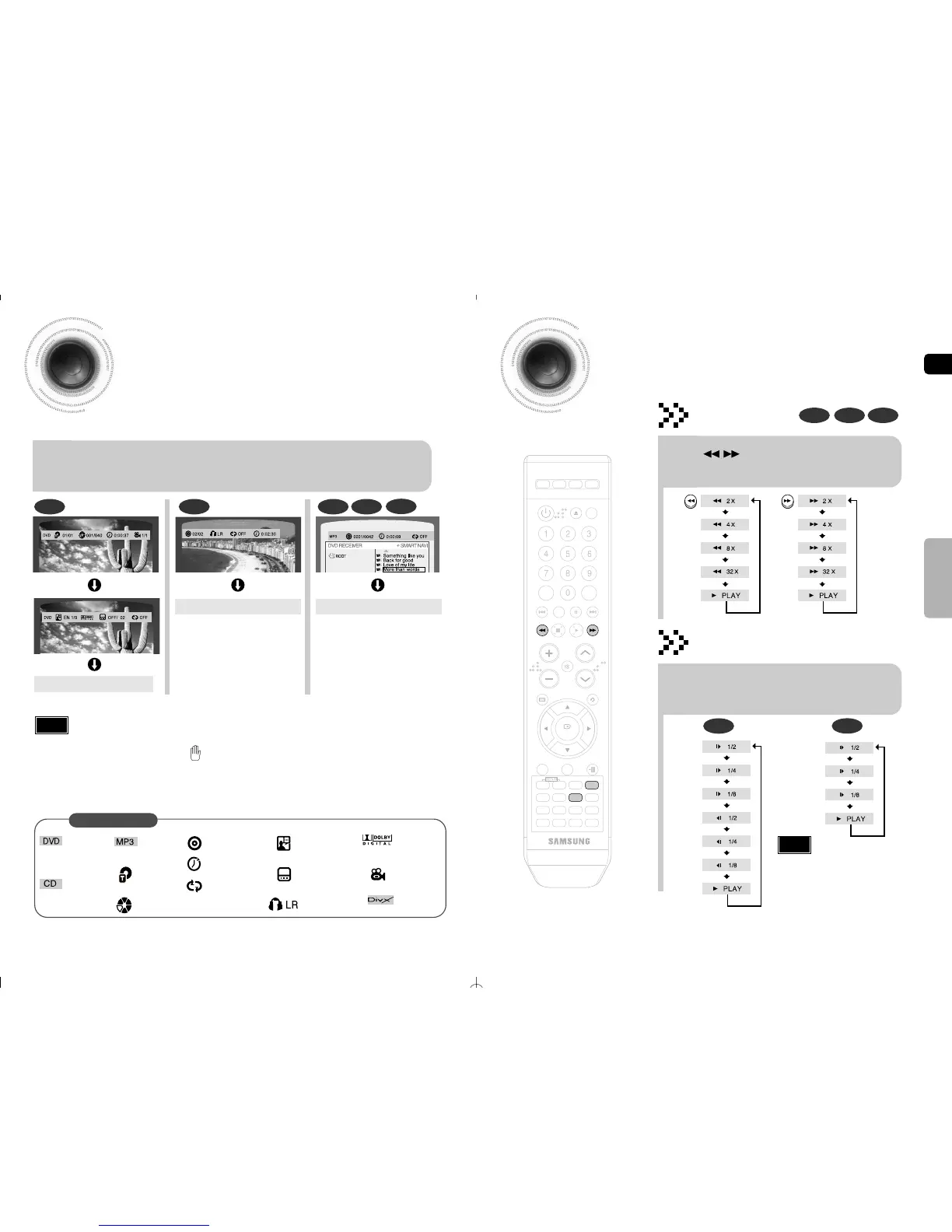
Fast/Slow Playback
Fast Playback
DVD CD MP3
Press button.
•
Each time the button is pressed during playback,
the playback speed changes as follows:
Press SLOW button.
•
Each time the button is pressed during playback,
the playback speed changes as follows:
Slow Playback
DVD
DivX
26
Displaying Disc Information
You can view playback information on the disc on the TV screen.
Press INFO button on the remote control .
•
Each time the button is pressed, the display changes as follows:
DVD
Display disappears
Display disappears Display disappears
CD MP3 JPEG
•
What is a Title?
A movie contained in a DVD disc.
•
What is a Chapter?
Each title on a DVD disc is divided into several smaller sections called "chapters".
•
appears on the TV screen!
If this symbol appears on the TV screen while buttons are being operated, that
operation is not possible with the disc currently being played.
•
What is a Track (File)?
A section of video or a music file recorded on a CD, or MP3-CD.
Screen Display
DVD display
MP3 CD display
TITLE display
CHAPTER display
TRACK (FILE) display
AUDIO LANGUAGE display
SUBTITLE display
STEREO (L/R) display
DOLBY DIGITAL display
ANGLE display
•
Depending on the disc, the disc
information display may appear different.
Note
DivX
DivX display
•
Reverse slow playback does not work with DivX.
Note
•
No sound is heard during slow playback and step motion
playback.
OPERATION
CD display
REPEAT PLAYBACK display
ELAPSED TIME display



 To Next Page