12 English
Microwave oven use
Microwave oven use
Cooking/Reheating
NOTE
1
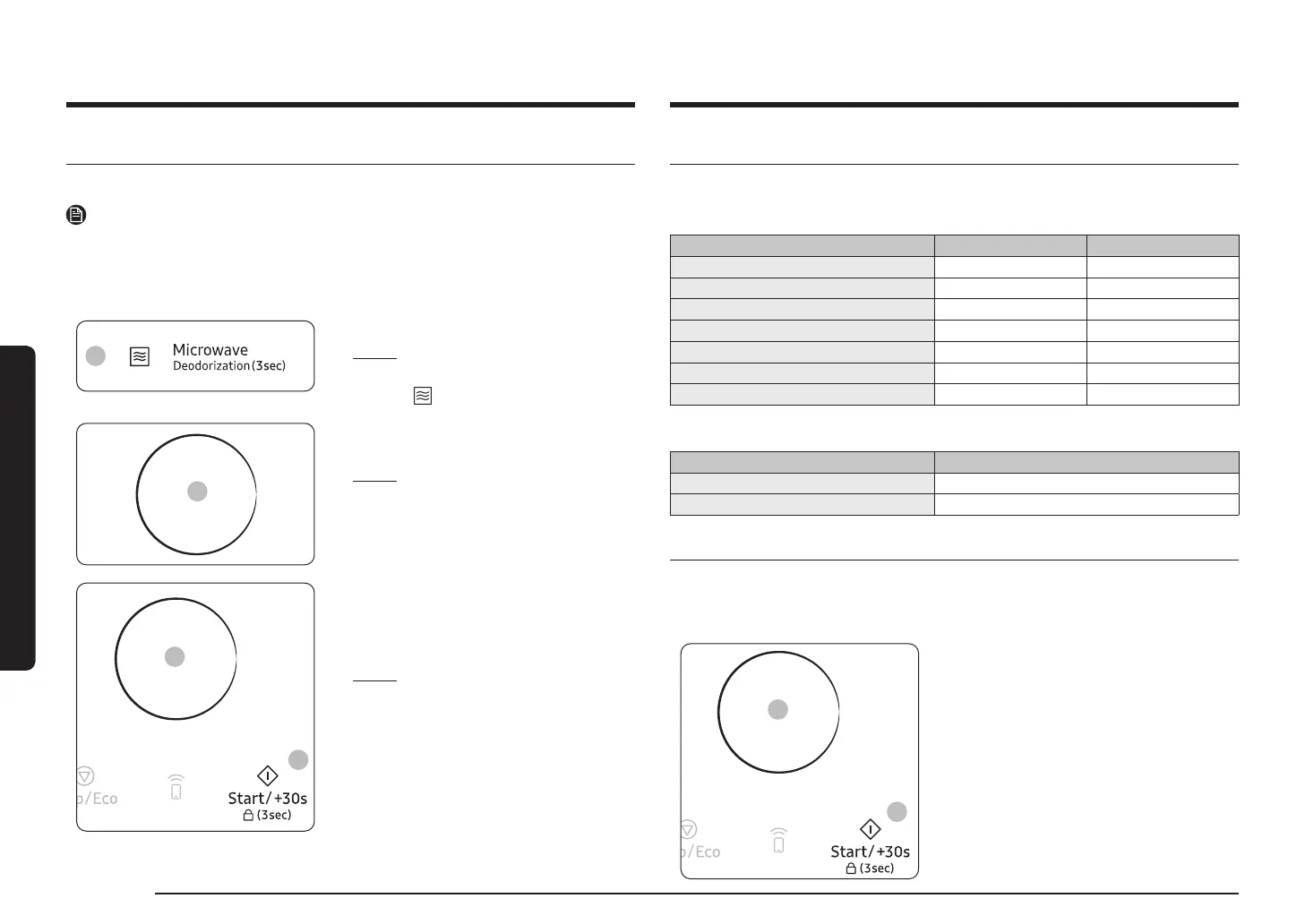
1. Press the Microwave
Result: The following indications are
displayed:
(Microwave mode)
2
2. Set the cooking time by turning the Multi
Function Selector Dial
Result:
that time, press the Multi Function
Selector Dial to set the cooking
3
4
3. Set the power level by turning the Multi
Function Selector Dial until the appropriate
4. Press the Start/+30s
Result: The microwave oven light comes on
3) The end reminder signal will beep 3 times
Power levels and time variations
The power level function enables you to adapt the amount of energy dissipated and thus the
Power level Percentage (%) Output (W)
VERY HIGH 100 900
HIGH 78 700
MEDIUM HIGH 67 600
MEDIUM 50 450
MEDIUM LOW 33 300
DEFROST 20 180
LOW 11 100
If you select a... Then the cooking time must be...
Higher power level Decreased
Lower power level Increased
Adjusting the cooking time
You can increase the cooking time by pressing the Start/+30s button once for each
• Check how cooking is progressing at any time simply by opening the door
• Increase the remaining cooking time
2
1
Method 1.
To increase the cooking time of your food during
cooking, press the Start/+30s button once for
• Example: To add three minutes, press the
Start/+30s
Method 2.
Just turning Multi Function Selector Dial to
• To increase cooking time, turn to right and to




 To Next Page