SmartThings app
12
SmartThings app
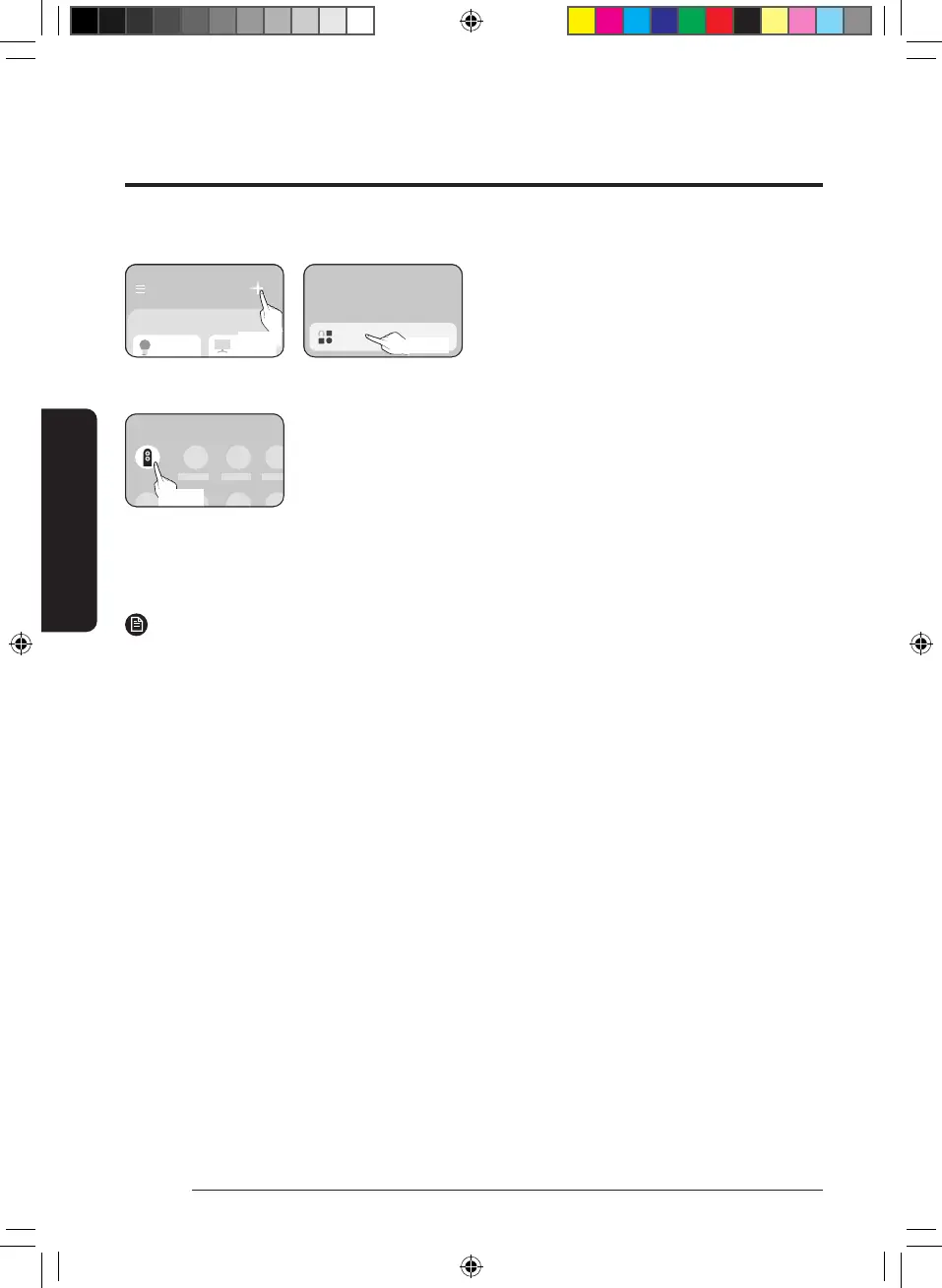
2) If the pop-up window does not appear, select "+", "Add" and then "Device".
Add
>
What do you want to add to this location?
Device
Select
You can add a product you want to connect to by selecting it manually.
• Select manually: Samsung > Air conditioner > Heat pump
Air conditioner
Samsung
Select
2 Connecting the SmartThings app to your product
• Follow the instructions displayed on the SmartThings app to connect to your product.
• For information on how to use the SmartThings app, select the How To menu on the app.
NOTE
• If any pop-window appears on the top of the smartphone while connecting to your product, do not select
it.
• If a Samsung account-related country error occurs during connecting to your product, log out of your
current Samsung account, log in to your previous Samsung account, and then delete all devices that have
been connected previously. Then, log in to your current Samsung account again, and then configure the
settings.
• If a failure message appears while adding a device, see "Setting up and connecting to a Wi-Fi access point
using your smartphone" on page 10. The connection may fail temporarily due to an installation location
problem of the access point or other problems.
• If the number of added indoor units is incorrect after adding devices, run the tracking again and then try
adding the devices again.
• For security protocols for wireless/wired access points, WPA-PSK and WPA2-PSK are recommended. For
authentication methods, AES is recommended. New Wi-Fi authentication specifications and Wi-Fi non-
standard authentication methods are not supported.
• If your Internet service provider permanently have registered the MAC address (a unique identification
number) of your PC or modem, you may not be able to connect your product to the Internet. Contact your
Internet service provider and ask how to connect devices other than your PC (such as an air conditioner and
an air purifier) to the Internet.
• Since the APP version will be continuously updated, there may be differences between the operation
interface in the manual and the actual APP, please refer to the actual APP operation.
DB68-12922A-02_IB_24Y EHS AE7000D_EU_EN_.indd 12DB68-12922A-02_IB_24Y EHS AE7000D_EU_EN_.indd 12 2024-12-11 오전 10:04:392024-12-11 오전 10:04:39



 To Next Page