72
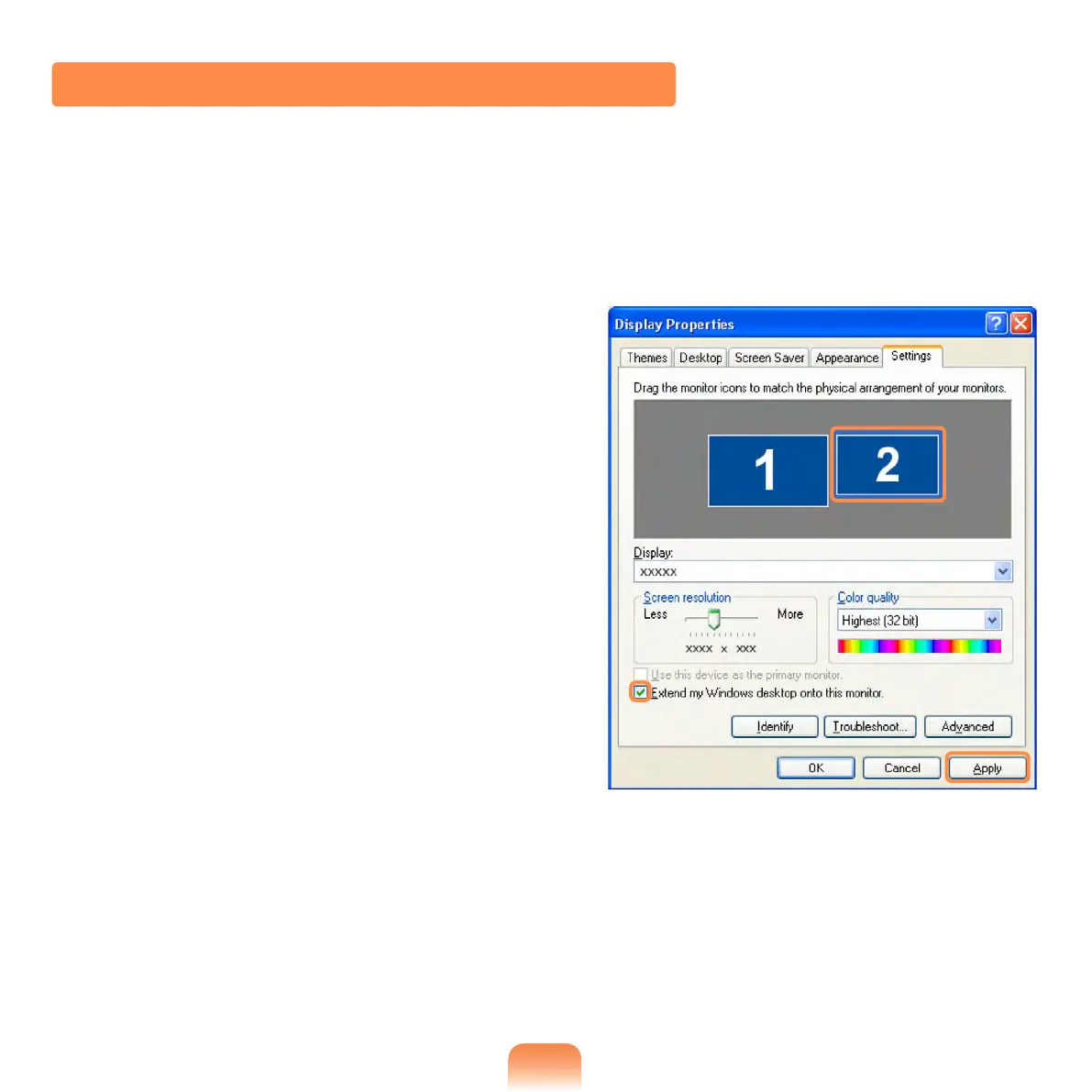
Using Dual View to View Extended Screen
Dual View is a function that enables you to view a computer screen over two display
devices. This is convenient when needing a wide screen for work.
In Dual View mode, you can select the screen resolution and colour quality for each
display device, as if there were two separate graphics cards.
1
Connect the external display device
(e.g. a monitor or a projector) to the
corresponding port of the system. To
connect a TV, connect the TV to the
TV output port of the system.
2
Press touchpad right button on the
desktop, click Properties, and then
click the Settings tab.
3
Click the monitor 2 icon, select the
Extend my Windows desktop onto
this monitor check box, and then
click Apply.



 To Next Page