●
Turning the OSD on / off
1. Press the DISPLAY button. Each press of the button toggles the OSD function on and off.
2. When you turn the OSD off,
In REC mode: The STBY, REC, EASYQ modes are always displayed on the LCD monitor even when the OSD is turned off
and key input is displayed for 3 seconds before disappearing.
In PLAY mode: When you press any function button, the function is displayed on the LCD monitor for 3 seconds before it
disappears.
●
Turning the DATE/TIME on / off
1. The DATE/TIME is not affected when the OSD function is switched ON or OFF.
2. To turn the DATE/TIME on or off, access the menu and change the DATE/TIME mode
(refer to page 39).
3. You may also use the Navigation Wheel (Quick Menu) to turn the DATE/TIME on or off.
(refer to page 68) (in REC mode)
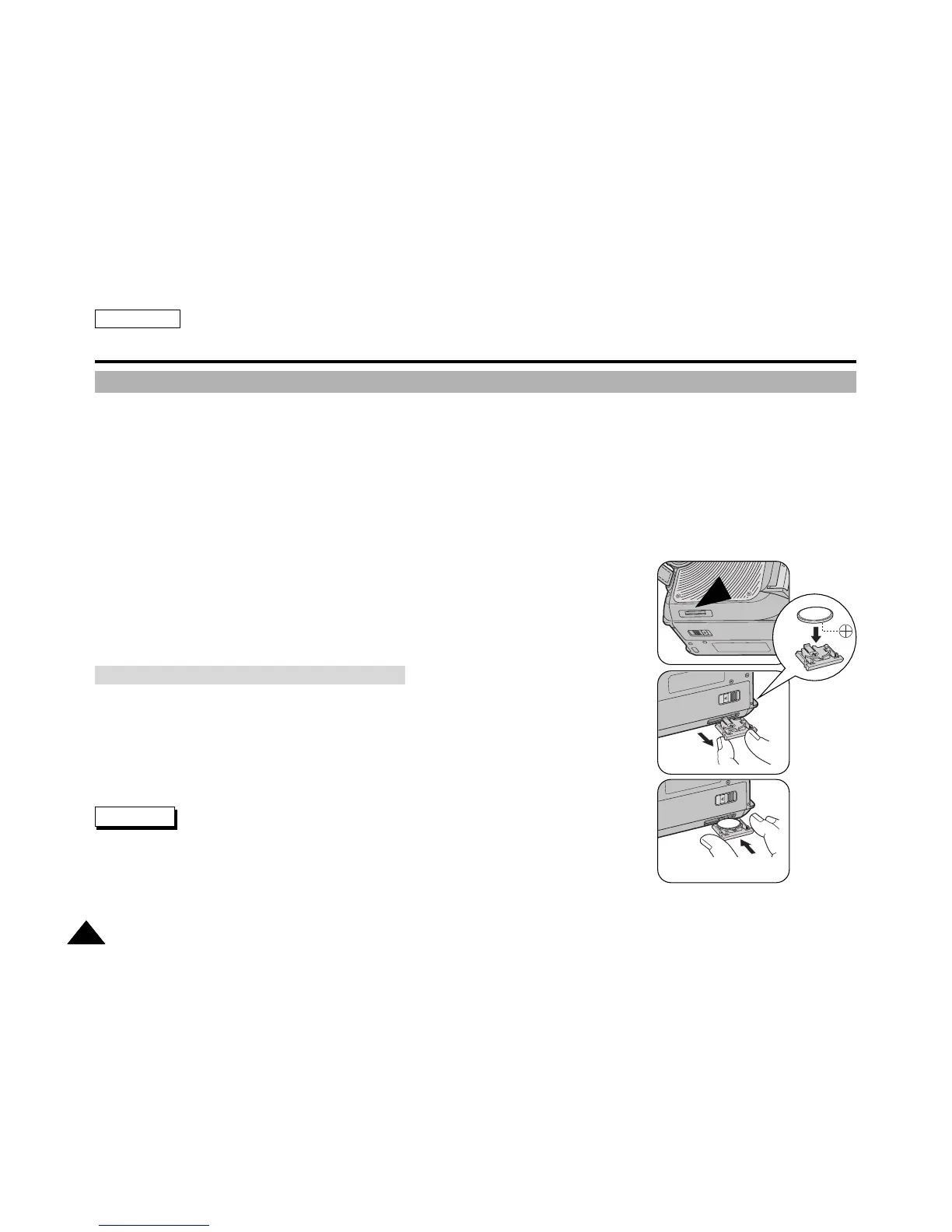
✤ You need to insert or replace the Lithium battery when:
✓
You purchase the camcorder
✤ Ensure that you insert the Lithium battery cell correctly, matching the + and —
markings.
✤ Be careful not to reverse the polarity of the battery.
✤ Keep the Lithium Battery out of the reach of the children. Should any battery be
swallowed, consult a doctor immediately.
✤ Use a suitable tool to draw out the Lithium Battery Holder such as tip of a ball point pen.
Do not use your fingernails, otherwise it may hurt your fingernails.
ENGLISH
2424
Getting to Know Your Device
Turning the OSD (On Screen Display) On / Off
Battery Installation for the Internal Clock
Warning



 To Next Page