ENGLISH
2525
The Camcorder : Preparation
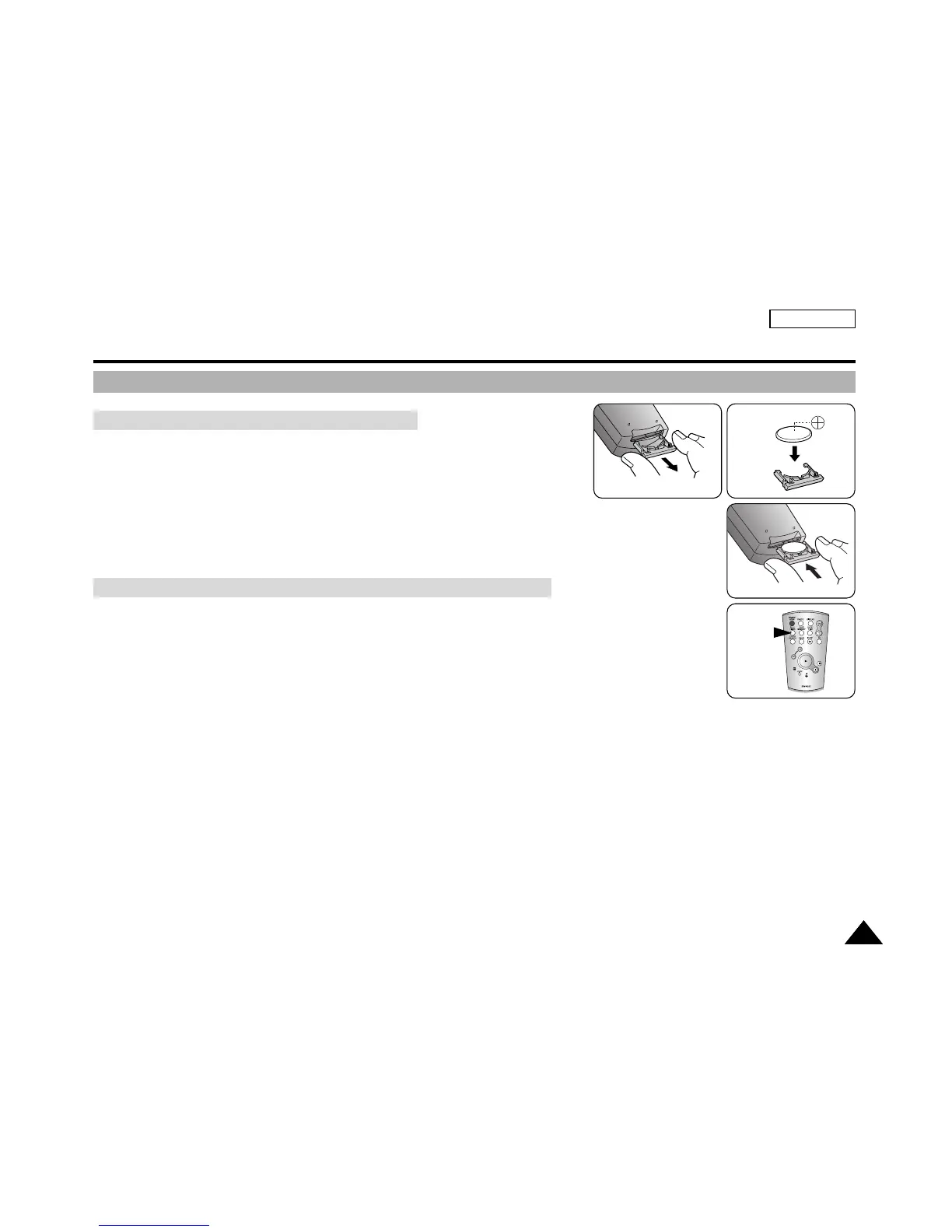
How to Use the Remote Control
✤ You need to insert or replace the Lithium battery when:
✓
You purchase the camcorder
✓
The remote control does not work
✤ Ensure that you insert the Lithium battery cell correctly, matching the + and —
markings.
✤ Be careful not to reverse the polarity of the battery.
When you use the Self Timer function on the remote control, the recording begins
automatically after 10 seconds.
1. Turn on your device by setting the Power Switch to REC mode.
2. Press the SELF TIMER button until the appropriate indicator is displayed on
the LCD monitor or in the viewfinder.
3. Press the START/STOP button for recording to start the timer.
✓
After 10 seconds, recording or photography begins.
✓
Press the START/STOP button again when you want to stop recording.
Battery Installation for the Remote Control
Self Timer Recording Using the Remote Control in REC Mode
SELF
TIMER



 To Next Page