87
ENGLISH
✤
You can copy images on the SMC or built-in memory to a cassette.
✤
There are 2 ways to copy images from a card or memory to a cassette
■
Single
■
ALL
1. Set the mode switch to CAMCORDER.
2. Set the power switch to PLAYER mode.
3. Locate the point on the cassette where you want to start copying and set it to stop.
4. Set the mode switch to DSC.
5. Using the (MEM.
+
) and (MEM.
_
) buttons, find the first still image that you want to copy.
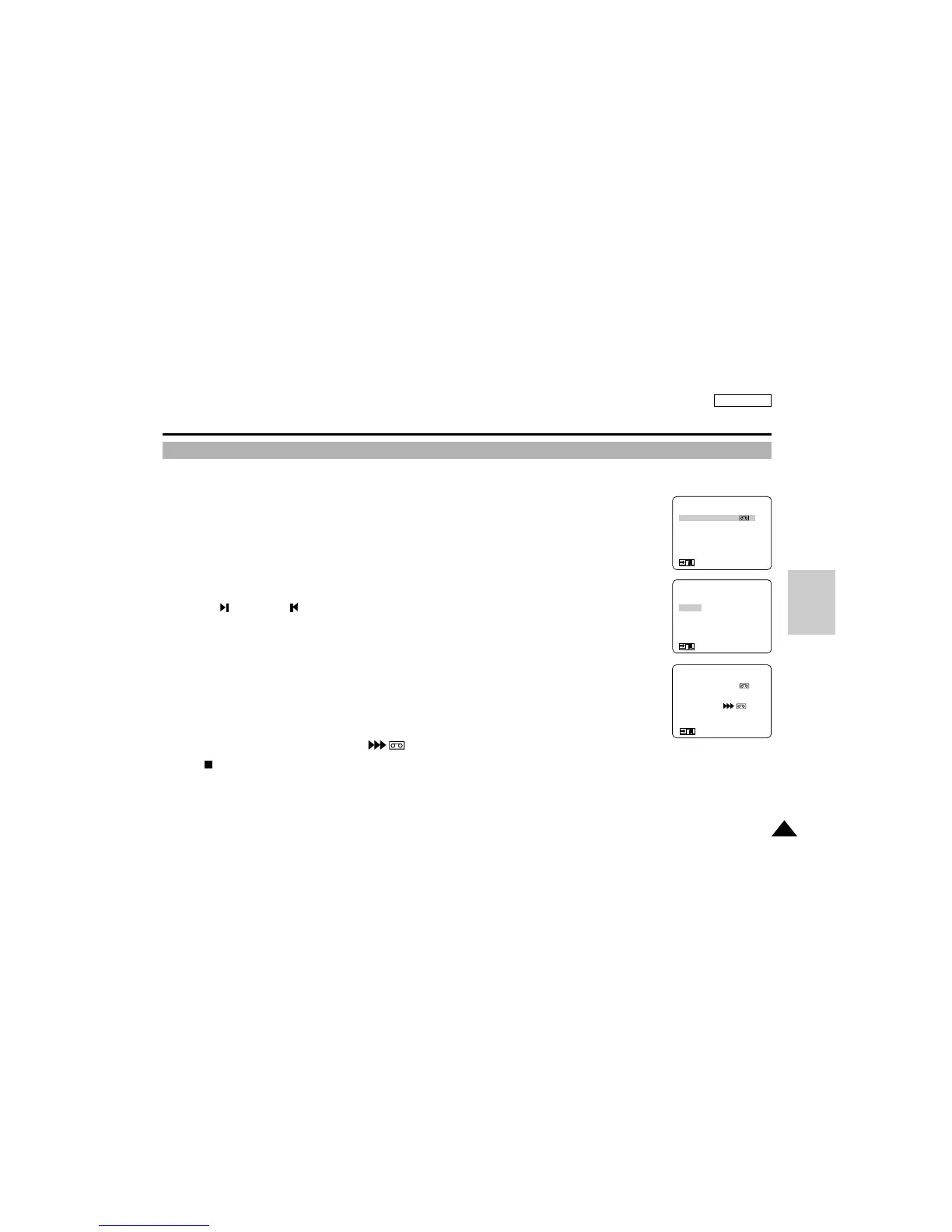
6. Enter the menu and select the FILE COPY.
7. To select the FILE COPY mode, press ENTER.
8. Select the item and press ENTER.
■
SINGLE:To record a single image to a cassette.
■
ALL: T o record all still images that are recorded on the SMC or memory to a cassette.
■
RETURN:To return to main menu.
9. Copying starts.
■
Each image is copied for about 8 seconds on the cassette.
■
The currently copying image and [
MEMORY
] appears on the screen.
10.Press (STOP) or MENU ON/OFF button to stop copying.
■
Copying stops when all images have been copied or the tape reaches its end.
Digital Still Camera mode (SCD75/D77 only)
Copying still images to a cassette
(MENU)
FILE COPY (MEMORY→ )
FILE DELETE
PROTECT SET
DPOF
LCD ADJUST
DISPLAY...................LCD
: MENU
●
FILE COPY
●
SINGLE
ALL
RETURN
SEL : ENTER
: MENU
SP REC
0:00:00:00
63MIN
FILE COPY
MEMORY
: MENU/STOP
D
S
C



 To Next Page