1, PresstheMENUbuttontodisplaythemenu.PresstheAorTbuttontoselect"Setup",thenpressthe_ button.
2. Pressthe_ buttonagaintoselect"Plug&Play".Forfurtherdetailsonsettingupoptions.
The"Plug&Play"featureisonlyavailableintheIVmode.
cJ
cJ
M
Configuringthe ChannelMenu
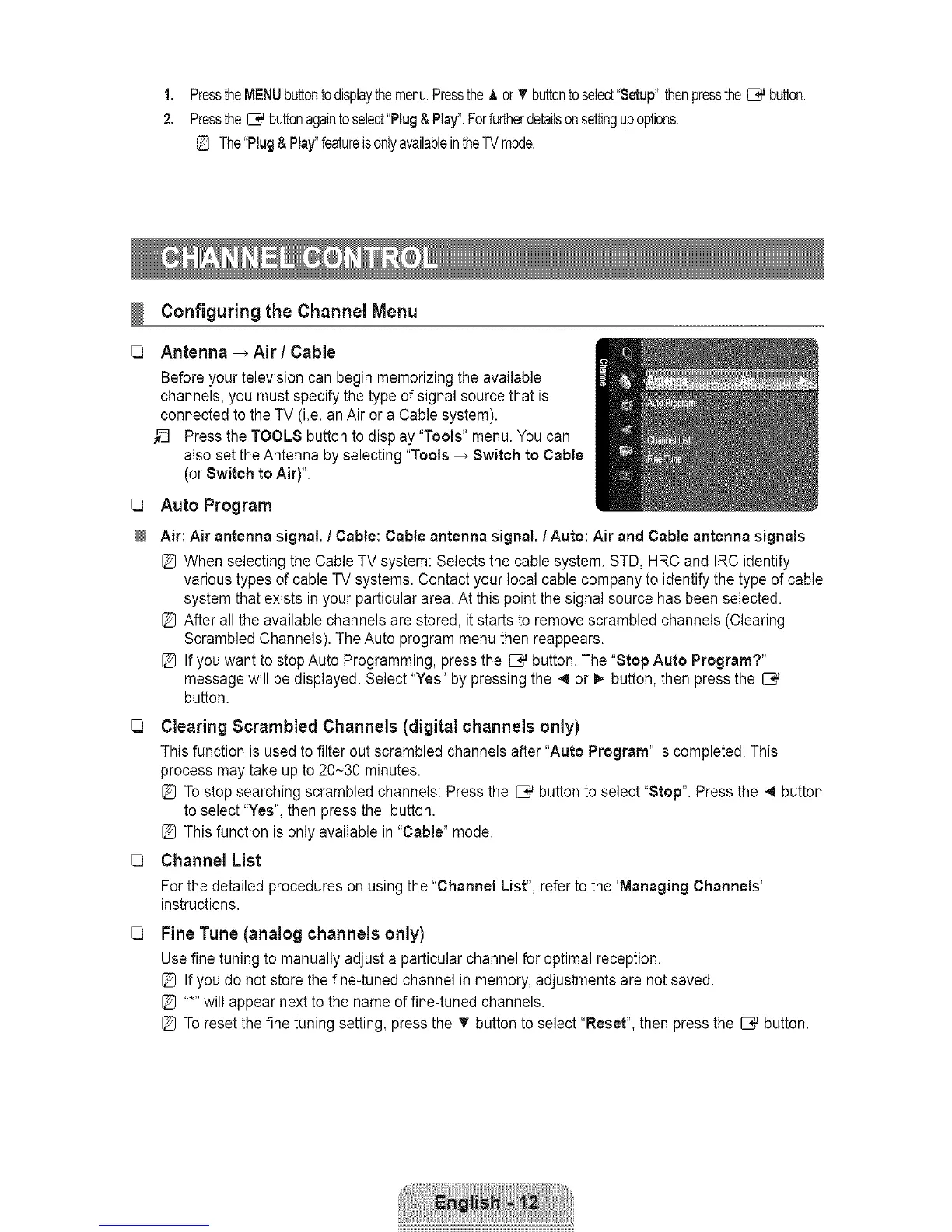
Antenna _ Air / Cable
Before your television can begin memorizing the available
channels, you must specify the type of signal source that is
connected to the TV (i.e. an Air or a Cable system).
_-_ Press the TMMLS button to display "Tools" menu. You can
also set the Antenna by selecting "Tools _ Switch to Cable
(orSwitch to Air)".
Auto Program
Air: Air antenna signal. / Cable: Cable antenna signal, / Auto: Air and Cable antenna signals
[_ When selecting the Cable TV system: Selects the cable system. STD, HRC and IRC identify
various types of cable TV systems. Contact your local cable company to identify the type of cable
system that exists in your particular area. At this point the signal source has been selected.
After all the available channels are stored, it starts to remove scrambled channels (Clearing
Scrambled Channels). The Auto program menu then reappears.
[_ If you want to stopAuto Programming, press the _ button. The "Stop Auto Program?"
message will be displayed. Select "Yes" by pressing the 4 or _ button, then press the
button.
13 Clearing Scrambled Channels (digital channels only)
This function is used to filter out scrambled channels after "Auto Program" is completed. This
process may take up to 20~30 minutes.
[_ Tostop searching scrambled channels: Press the _ button to select "Stop". Press the _ button
to select "Yes", then press the button.
[_ This function is only available in "Cable" mode.
Q Channel List
For the detailed procedures on using the "Channel List", refer to the 'Managing Channels'
instructions.
cJ
Fine Tune (analog channels only)
Use fine tuning to manually adjust a particular channel for optimal reception.
[_ If you do not store the fine-tuned channel in memory, adjustments are not saved.
[_ .....will appear next to the name of fine-tuned channels.
[_ Toreset the fine tuning setting, press the T button to select "Reset", then press the _ button.









 To Next Page