[_ The v symbol will be displayed and the channel will be set as a favorite.
[_ All favorite channels will be shown in the Favorite menu.
Timer Viewing
Ifyou reserve a program you want to watch, the channel is automatically switched to the reserved
channel in the Channel List; even when you are watching another channel. To reserve a program,
set the current time first.
[_ Only memorized channels can be reserved.
[_ You can set the channel, month, day, year, hour and minute directly by pressing the number
buttons on the remote control.
[_ Reserving a program will be shown in the Programmed menu.
[_ Digitat Program Guide and Viewing Reservation
[_ When a digital channel is selected, and you press the I_ button, the Program Guide for the
channel appears. You can reserve a program according to the procedures described above.
Channel Name Edit (analog channels only)
Channels can labeled so that their call letters appear whenever the channel is selected.
[_ The names of digital broadcasting channels are automatically assigned and cannot be labeled.
Select All I Deselect All
® Select All: You can select all the channels in the channel list.
Deselect All: You can deselect all the selected channels.
You can only select Deselect All when there is a selected channel.
Auto Program
[_ For further details on setting up options, refer to page 12.
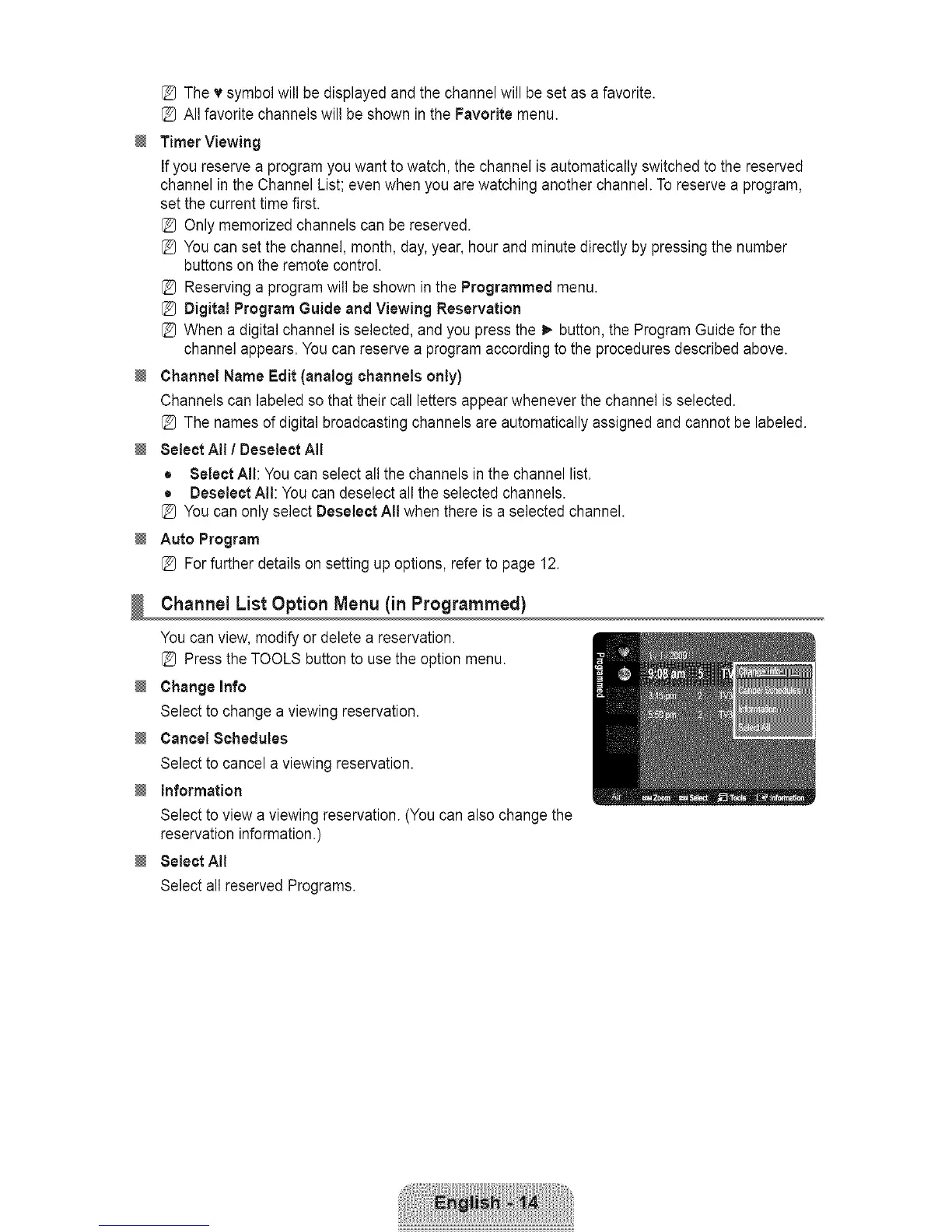
ChannelListOption Menu(in Programmed)
You can view, modify or delete a reservation.
[_ Press the TOOLS button to use the option menu.
Change Info
Select to change a viewing reservation.
Cancel Schedules
Select to cancel a viewing reservation.
Information
Select to view a viewing reservation. (You can also change the
reservation information.)
Select All
Select all reserved Programs.









 To Next Page