[_TheV-Chipwillautomaticallyblockanycategorythatis'Morerestrictive'.Forexample,ifyou
blockGcategory,thenPG,14+and18+willautomaticallybeblockedalso.
Canadian French
® G:General
® 8 arts+: Programming generally considered acceptable for children 8 years and over to watch
on their own.
® 13 ans+: Programming may not be suitable for children under the age of 13.
® 1Garts+: Programming is not suitable for children under the age of 16.
18 ans+: Programming restricted to adults.
The V-Chip will automatically block any category that is 'More restrictive'. For example, if you
block 8 arts+ category, then 13 arts+, IG arts+ and 18 arts+ will automatically be blocked also.
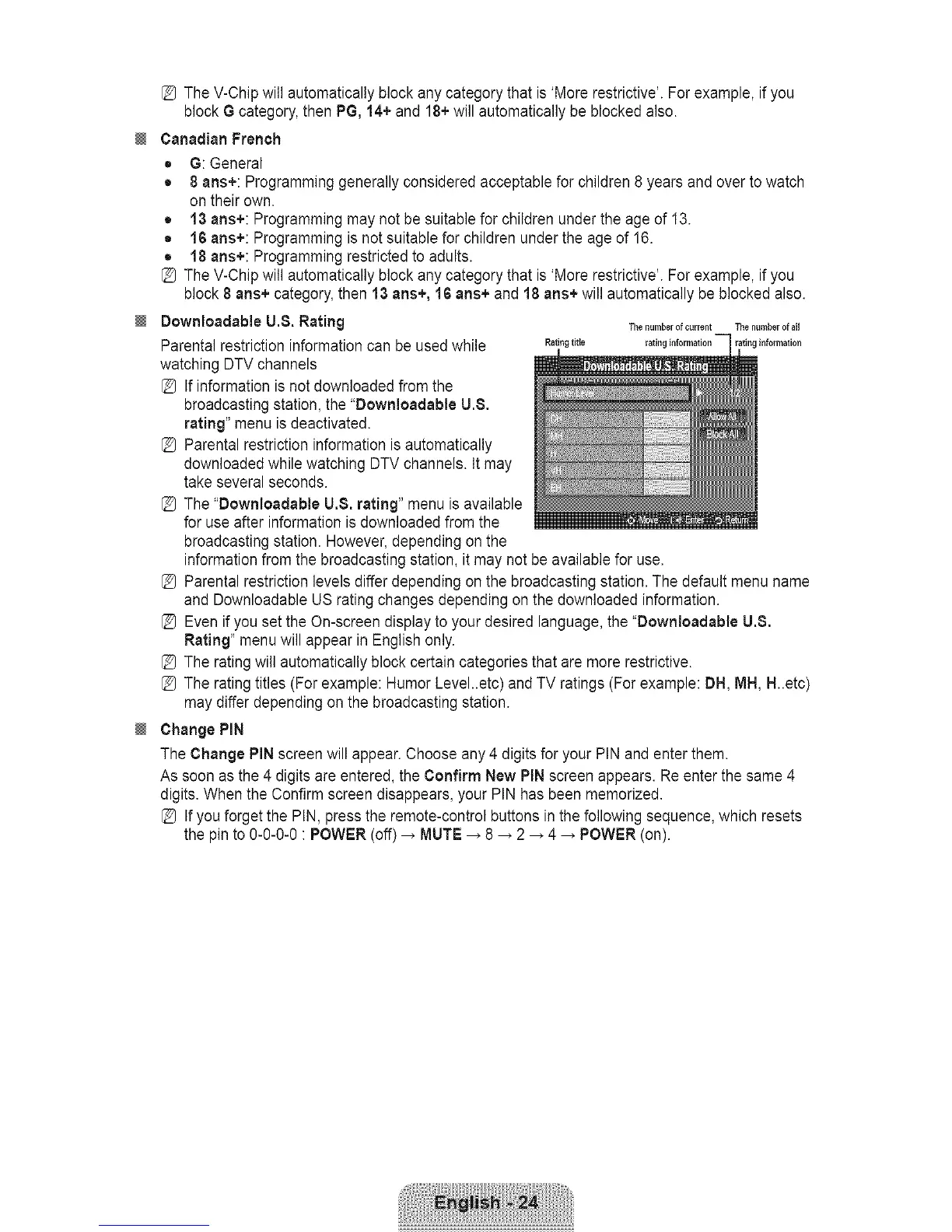
Dowrtloadable U,8. Rating Thenurnberof ......t Thenumberofall
Parental restriction information can be used while Ratingtitle rating information rating information
watching DTV channels
[_ If information is not downloaded from the
broadcasting station, the "Dowrtloadable U.8.
rating" menu is deactivated.
[_ Parental restriction information is automatically
downloaded while watching DTV channels. It may
take several seconds.
[_ The "Downloadable U.8. rating" menu is available
for use after information is downloaded from the
broadcasting station. However, depending on the
information from the broadcasting station, it may not be available for use.
[_ Parental restriction levels differ depending on the broadcasting station. The default menu name
and Downloadable US rating changes depending on the downloaded information.
[_ Even if you set the On-screen display to your desired language, the "Dowrtloadable U.8.
Rating" menu will appear in English only.
[_ The rating will automatically block certain categories that are more restrictive.
[_ The rating titles (For example: Humor Level..etc) and TV ratings (For example: DH, MH, H..etc)
may differ depending on the broadcasting station.
Change PiN
The Change PiN screen will appear. Choose any 4 digits for your PIN and enter them.
As soon as the 4 digits are entered, the Confirm New PIN screen appears. Re enter the same 4
digits. When the Confirm screen disappears, your PIN has been memorized.
[_ If you forget the PIN, press the remote-control buttons in the following sequence, which resets
the pin to 0-0-0-0 : POWER (off) _ MUTE _ 8 _ 2 _ 4 _ POWER (on).









 To Next Page