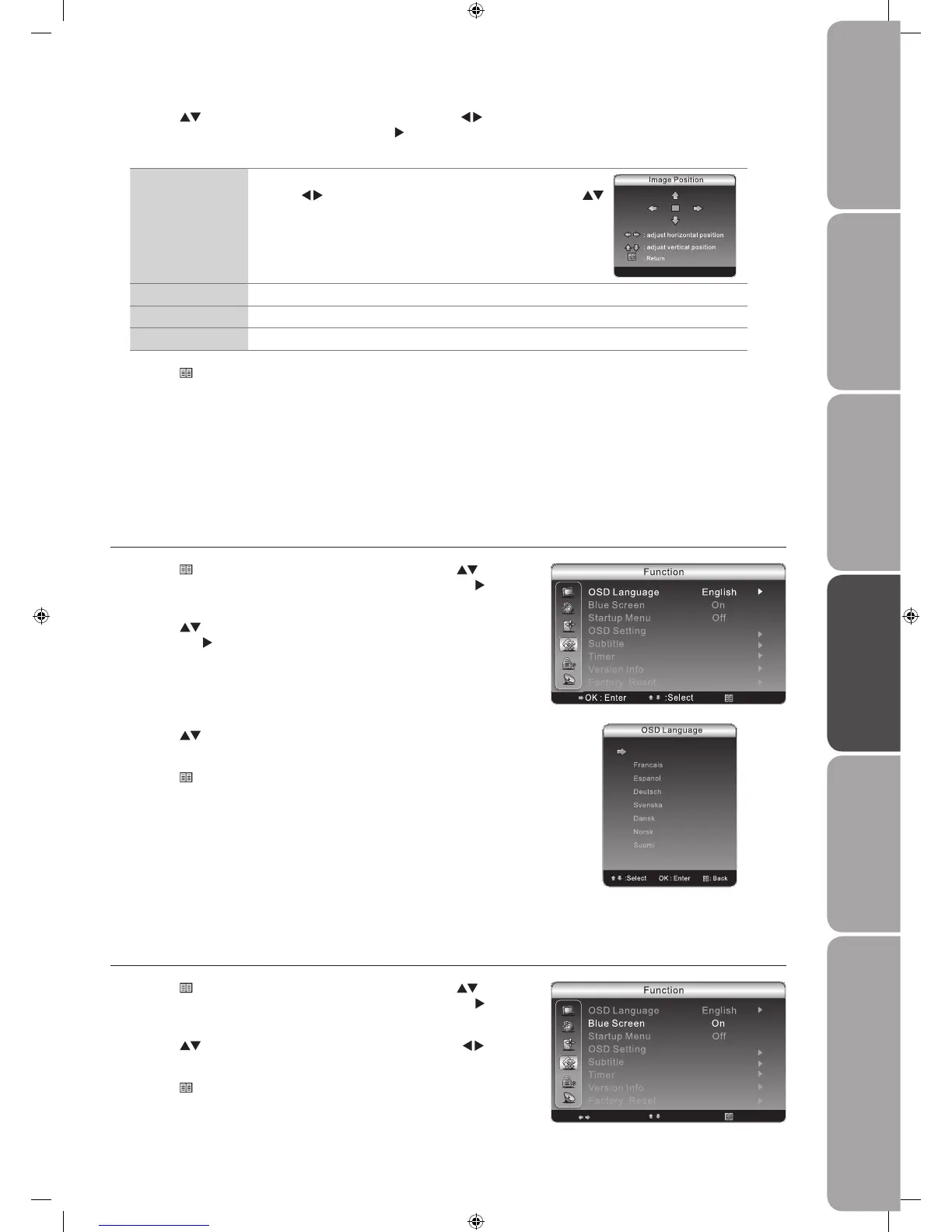
Blue Screen
Allows the blue background to turn On / Off during weak or no signal conditions.
Press the 1.
Menu button to display the main menu. Press the buttons
to select the Function menu and then press the OK button or the
button
to enter the Function menu.
Press the 2.
buttons to select Blue Screen and then press the buttons
to select On / Off.
Press the 3.
Menu button to return back to the previous menu.
Press the 4. Exit button to exit the menu.
Press the 3.
buttons to select your desired language to be displayed on the
OSD menu and then press the OK button to confirm.
Press the 4.
Menu button to return back to the previous menu.
Press the 5. Exit button to exit the menu.
Customising the Function Setting
OSD Language
Allows you to select your desired on screen menu language.
Press the 1.
Menu button to display the main menu. Press the buttons
to select the Function menu and then press the OK button or the
button
to enter the Function menu.
Press the 2.
buttons to select OSD Language and then press the OK
button or the
button to enter the OSD Language menu.
Press the 2.
buttons to select the following options. Press the buttons
to adjust the setting or press the OK button or the
button to enter the
option.
Image Position Adjusts the position of the picture in the window.
Press the
buttons to adjust the horizontal position and the
buttons to adjust the vertical position.
Phase Adjust Controls the signal phase, which can improve focus clarity and image stability.
Clock Adjust Controls the signal clock, which can improve the image stability.
Auto Adjust Allows you to synchronise computer signal automatically.
Press the 3.
Menu button to save the settings and return back to the
previous menu.
Press the 4. Exit button to exit the menu.


 To Next Page