43
Viewing My playlist
When playing a track touch the Directory button to enter the media selection menu.
Repeatedly touch the Back button to return to the ‘Select Music Source’ menu.
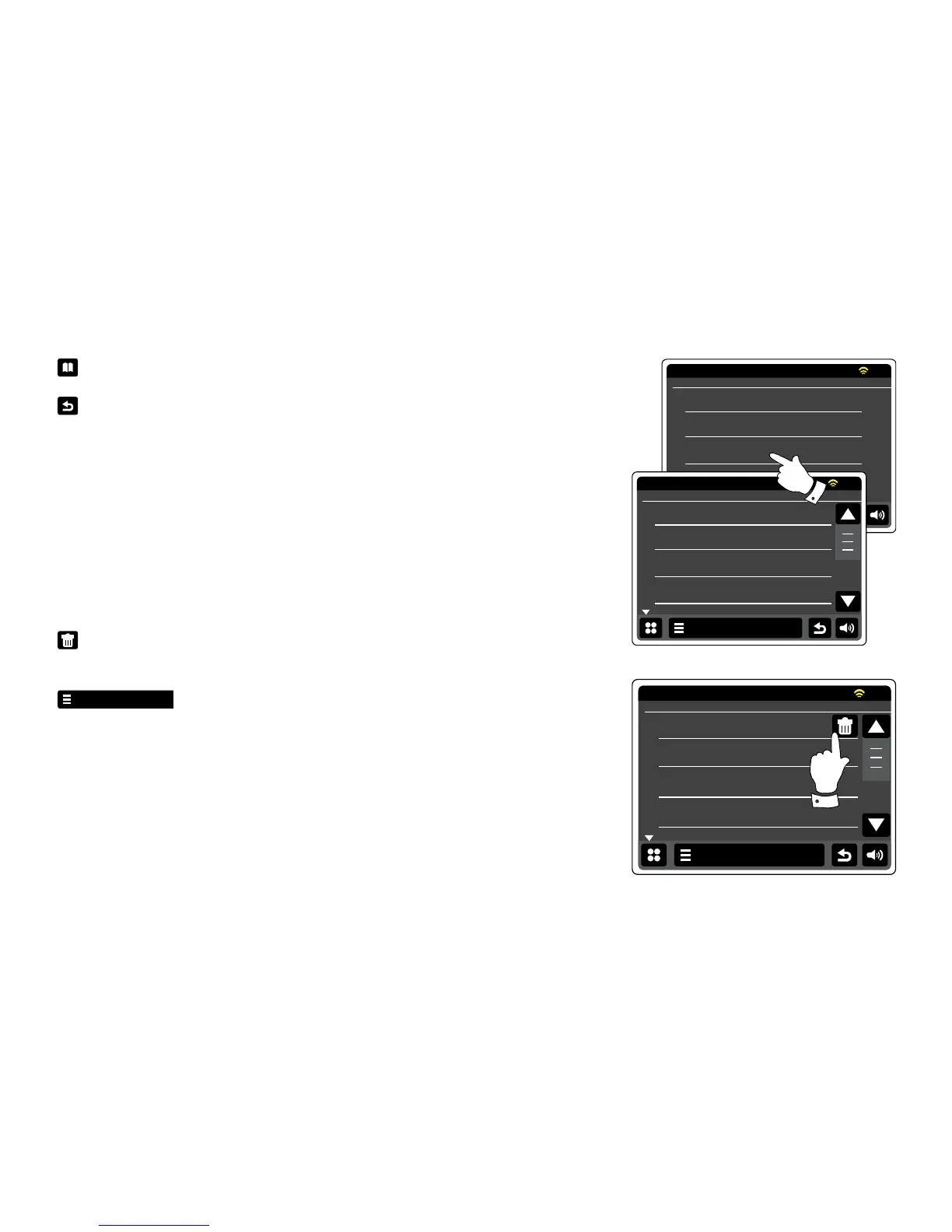
Touch My Playlist to see all of the tracks previously added. You may use the arrows and scroll
bar to scroll through the playlist.
Tracks which are served via UPnP will show their track name and USB tracks will show their le
name.
Erasing a track from the playlist
From the My Playlist menu follow above instructions to nd a track you wish to erase.
Press and hold the track to cause the Bin button to show on the display. Touch the Bin button
to delete, or use the back button to cancel.
Alternatively touch the My Music menu bar to enter ‘My Playlist menu’ and select
Delete from My Playlist then follow above procedure.


 To Next Page