Selectingthe videoinputsource/Labelingthe videoinputsource
Selecting the video input source
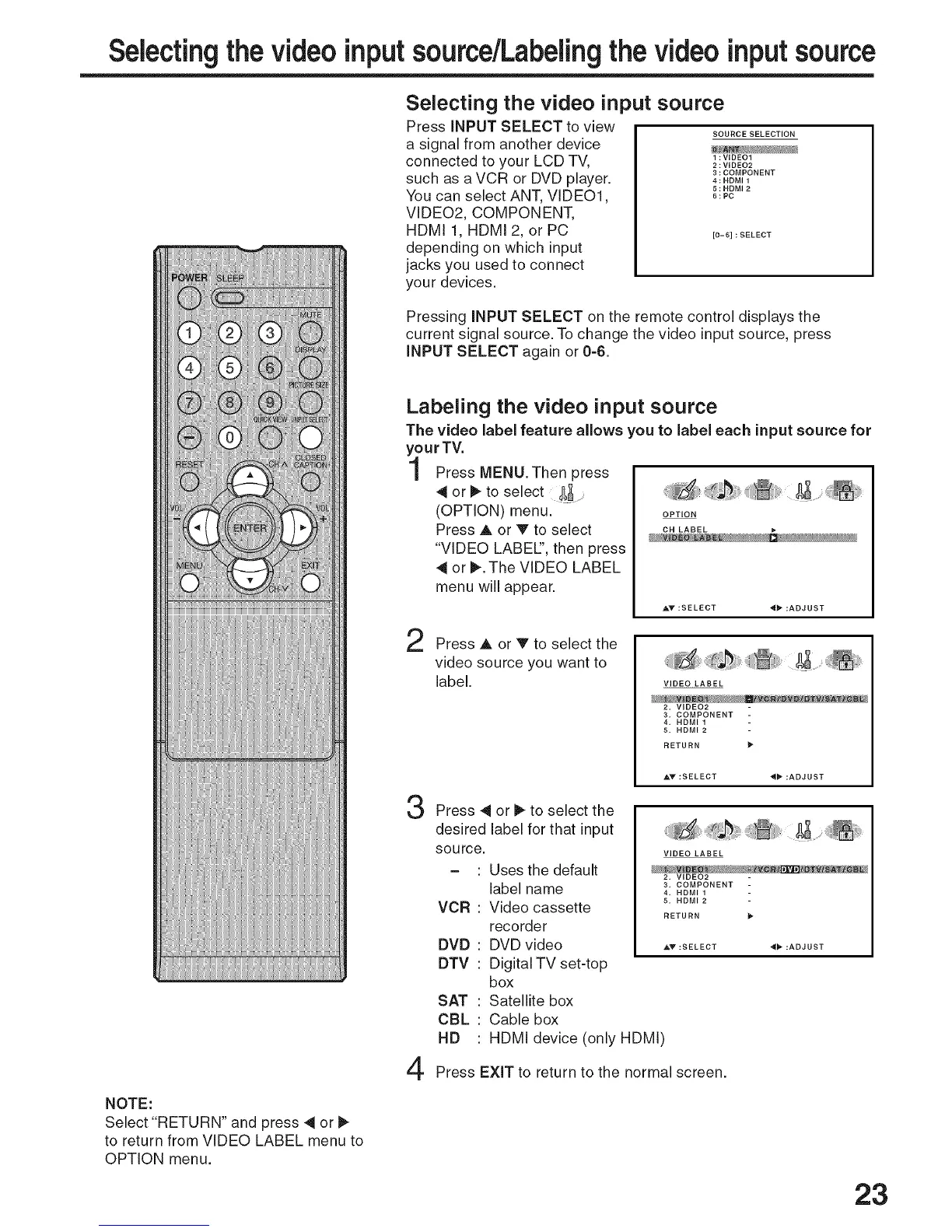
Press iNPUT SELECT to view
a signal from another device
connected to your LCD TV,
such as a VCR or DVD player.
You can select ANT, VIDEO1,
VIDEO2, COMPONENT,
HDMI 1, HDMI 2, or PC
depending on which input
jacks you used to connect
your devices.
SOURCE SELECTION
1:VIDEO1
2:VIDEO2
3:COMPONENT
4:HDMI1
5:HDMI2
6:PC
[0-6] : SELECT
Pressing iNPUT SELECT on the remote control displays the
current signal source. To change the video input source, press
iNPUT SELECT again or 0=6.
NOTE:
Select "RETURN" and press 4 or I_
to return from VIDEO LABEL menu to
OPTION menu.
Labeling the video input source
The video label feature allows you to label each input source for
your TV.
Press MENU.Then press
4 or _ to select
(OPTION) menu. OPTIOM
Press A or V to select CNLABEL _-
"VIDEO LABEl", then press
4 or I_.The VIDEO LABEL
menu will appear.
AY :SELECT 4_ :ADJUST
2
3
4
Press A or V to select the
video source you want to
label. VIDEO LABEL
2, VIDEO2
3. COMPONENT
• HDMI 1
5. HDMI 2
RETURN
AV :SELECT _ :ADJUST
Press _ or I_ to select the
desired label for that input
source.
VCR
DVD
DTV
SAT
CBL
HD
Uses the default
label name
Video cassette
recorder
DVD video
Digital TV set-top
box
Satellite box
Cable box
HDMI device (only HDMI)
VIDEO LABEL
2, VIDEO2
3. COMPONENT
, HDMI. HDMI _
RETURN
AY :SELECT _ :ADJUST
Press EXiT to return to the normal screen.
23



 To Next Page