18
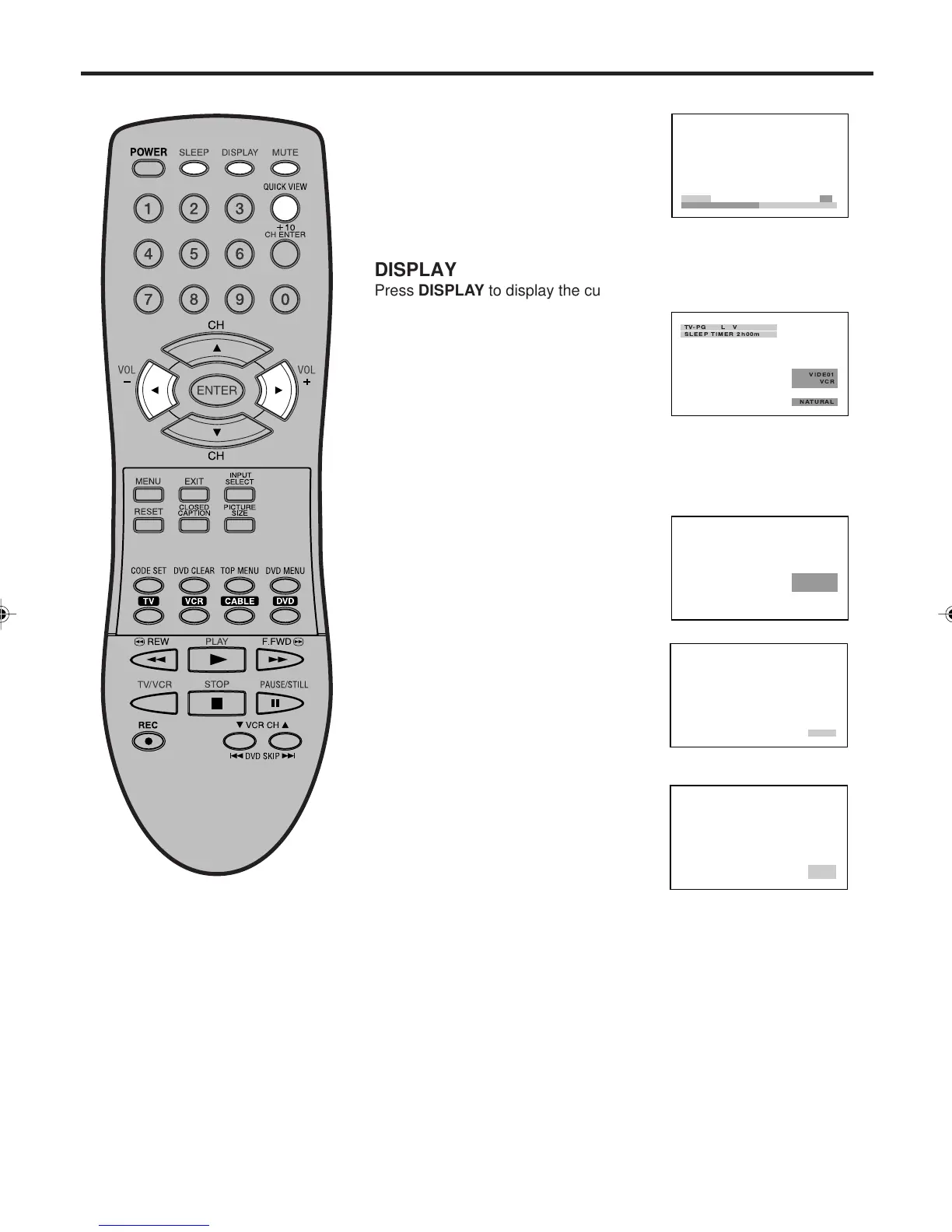
SLEEP
To set the unit to turn off after a preset
amount of time, press SLEEP on the
remote control. The clock will count up 10
minutes for each press of the SLEEP
button (0h00m, 0h10m, ...1h50m, 2h00m).
After the sleep time is programmed, the
display will appear briefly every ten
minutes to remind you that the sleep timer is operating. To confirm
the sleep timer setting, press SLEEP and the remaining time will be
displayed for a few seconds. To cancel the sleep timer, press SLEEP
repeatedly until the display turns to 0h00m.
VOLUME
Adjust the volume level by pressing
VOL + or – . The volume level will be
indicated on the screen by white bars.
As the volume level increases, so do
the number of bars. If the volume
decreases, the number of white bars
also decreases.
QUICK VIEW
This button allows you to go back to the
last input source selected by pressing
QUICK VIEW. Press QUICK VIEW
again to return to the last input source
you were watching.
MUTE
Press MUTE to switch off the sound.
The unit’s sound will be silenced and
“MUTE” will appear on the screen. The
sound can be switched back on by pressing
this button again or VOL + or –.
Display operation
DISPLAY
Press DISPLAY to display the current information on the screen.
• VIDEO mode selected
•Video label (if preset)
• Content rating
• Sleep time (if preset)
• Picture size
Press DISPLAY again to clear the call display.
VOLUME
32
3V03001A_En_p17-23 8/23/05, 16:3218



 To Next Page