32
Sound control adjustment/Turning off the built-in speakers
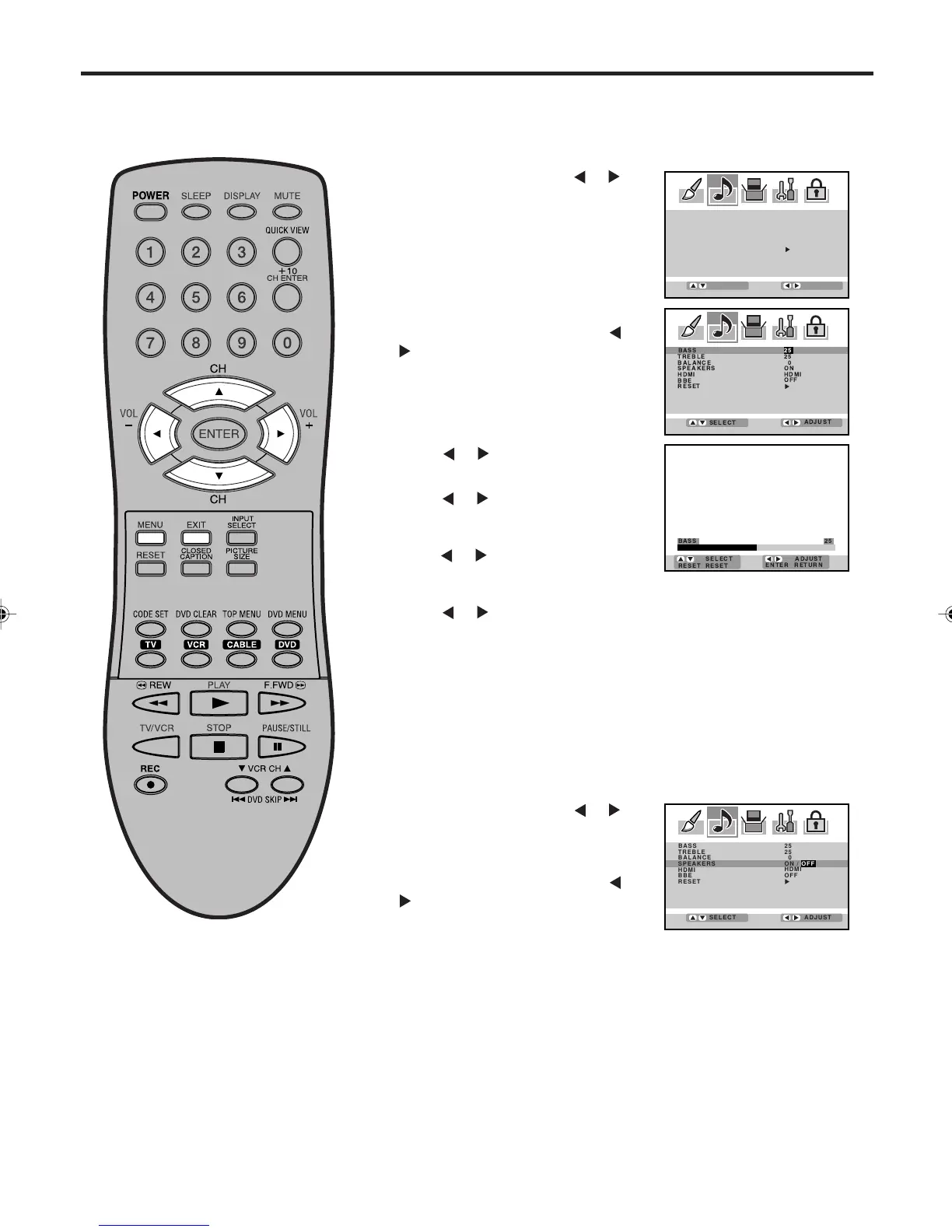
Sound control adjustment
Sound controls are factory preset but you can adjust them indi-
vidually as follows:
BASS:
Press
or to adjust the bass
sound.
TREBLE:
Press
or to adjust the treble
sound.
BALANCE:
Press
or to obtain an equal sound level from both speakers.
Press MENU, then press
or to
select AUDIO menu.
1
4
After your desired setting, press EXIT to return to the normal
screen.
Press ▲ or ▼ to select the item
you want to adjust, then press
or
.
2
Press or to adjust the setting.
3
Turning off the built-in speakers
Use this feature to turn the Plasma Display speakers off when you
connect an audio system (see pages 14).
Press MENU, then press
or to
select AUDIO menu.
1
Press ▲ or ▼ to select
“SPEAKERS”, and then press or
to select “OFF”.
2
To turn on the built-in speakers:
Select “ON” in step 2 above.
Press EXIT to return to the normal screen.
3
ADJUST
SELECT
BASS 25
TREBLE 25
BALANCE 0
SPEAKERS
HDMI
BBE
RESET
HDMI
OFF
ON
BASS 25
TREBLE 25
BALANCE 0
SPEAKERS
HDMI
BBE
RESET
ON
HDMI
OFF
ADJUST
SELECT
BASS 25
TREBLE 25
BALANCE 0
SPEAKERS
HDMI
BBE
RESET
ON / OFF
HDMI
OFF
ADJUST
SELECT
3V03001A_En_p32-back 8/23/05, 16:3332



 To Next Page