34
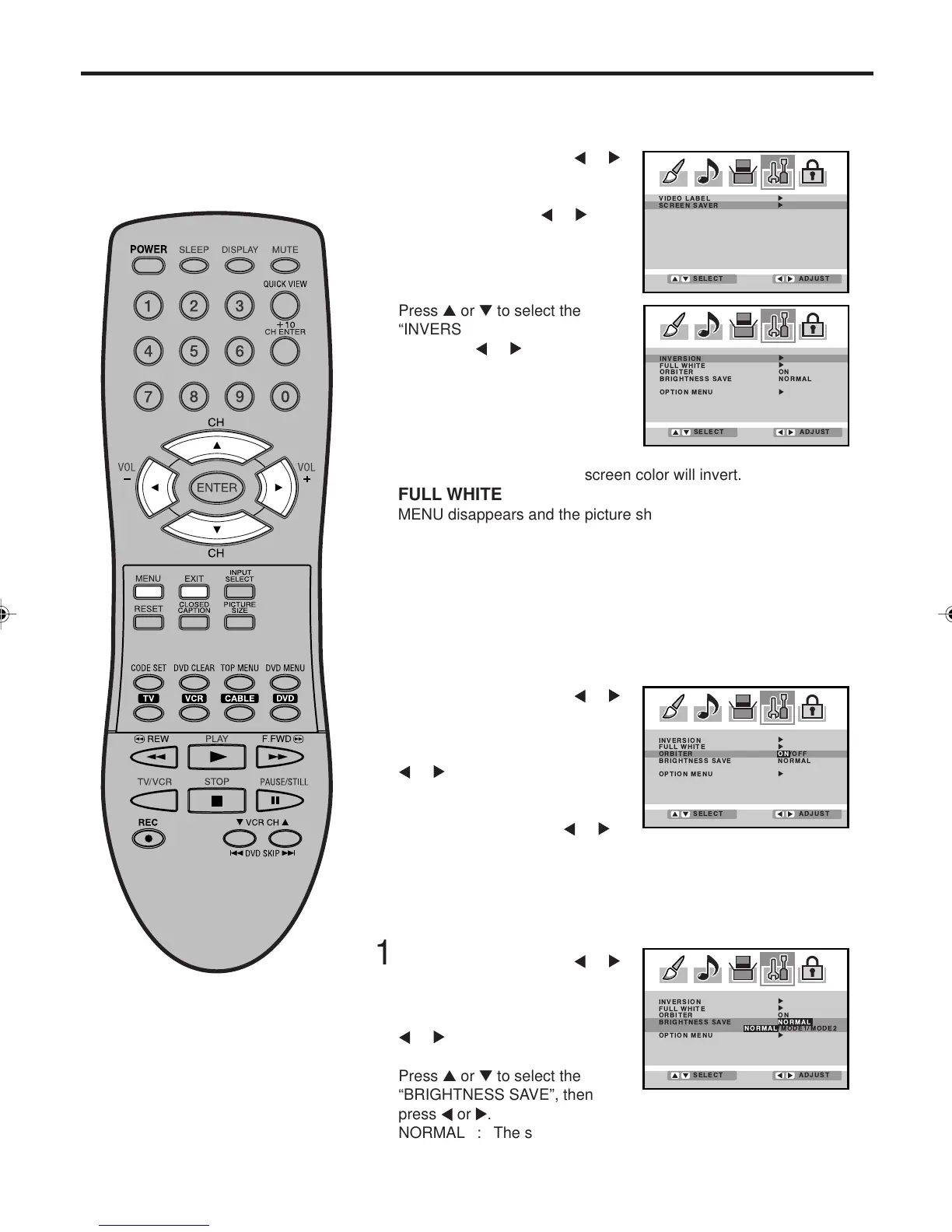
Screen Saver function
When a still picture is displayed
for an extended period of time, a
“ghost” image may permanently
appear on the screen.
Press MENU, then press
or
to select OPTION menu.
Press ▲ or ▼ to select “SCREEN
SAVER”, then press
or .
1
Press ▲ or ▼ to select the
“INVERSION” or “FULL WHITE”,
then press
or .
2
INVERSION
MENU disappears and the screen color will invert.
FULL WHITE
MENU disappears and the picture showing on screen will be
replaced with white screen.
• The screen will return to normal when any button is pressed.
ORBITER
Moves the picture on the screen in small increments continuously to
reduce the image retention of stationary images i.e. channel
identification.logo etc.
INVERSION/FULL WHITE
Assists in preventing retained images on the screen.
BRIGHTNESS SAVE
The brightness of the screen is adjustable.
Press MENU, then press
or
to select OPTION menu.
Press ▲ or ▼ to select
“SCREEN SAVER”, then press
or .
1
Press ▲ or ▼ to select the
“ORBITER”, then press or .
2
Press EXIT to return to the normal screen.
3
Press MENU, then press or
to select OPTION menu.
Press ▲ or ▼ to select
“SCREEN SAVER”, then press
or .
1
Press ▲ or ▼ to select the
“BRIGHTNESS SAVE”, then
press or .
NORMAL : The screen is normal brightness.
MODE1 : The screen will get dim.
MODE2 : The screen will get dimmer.
2
Press EXIT to return to the normal screen.
3
3V03001A_En_p32-back 8/23/05, 16:3334



 To Next Page