31
Resetting your picture adjustment
The RESET function returns your picture quality adjustments to
the following factory settings:
PICTURE PREFERENCE.. sports TINT .........................center (0)
BRIGHTNESS.............center (25) SHARPNESS ...........center (3)
CONTRAST ................... max (50) COLOR TEMPERATURE . cool
COLOR .......................center (25)
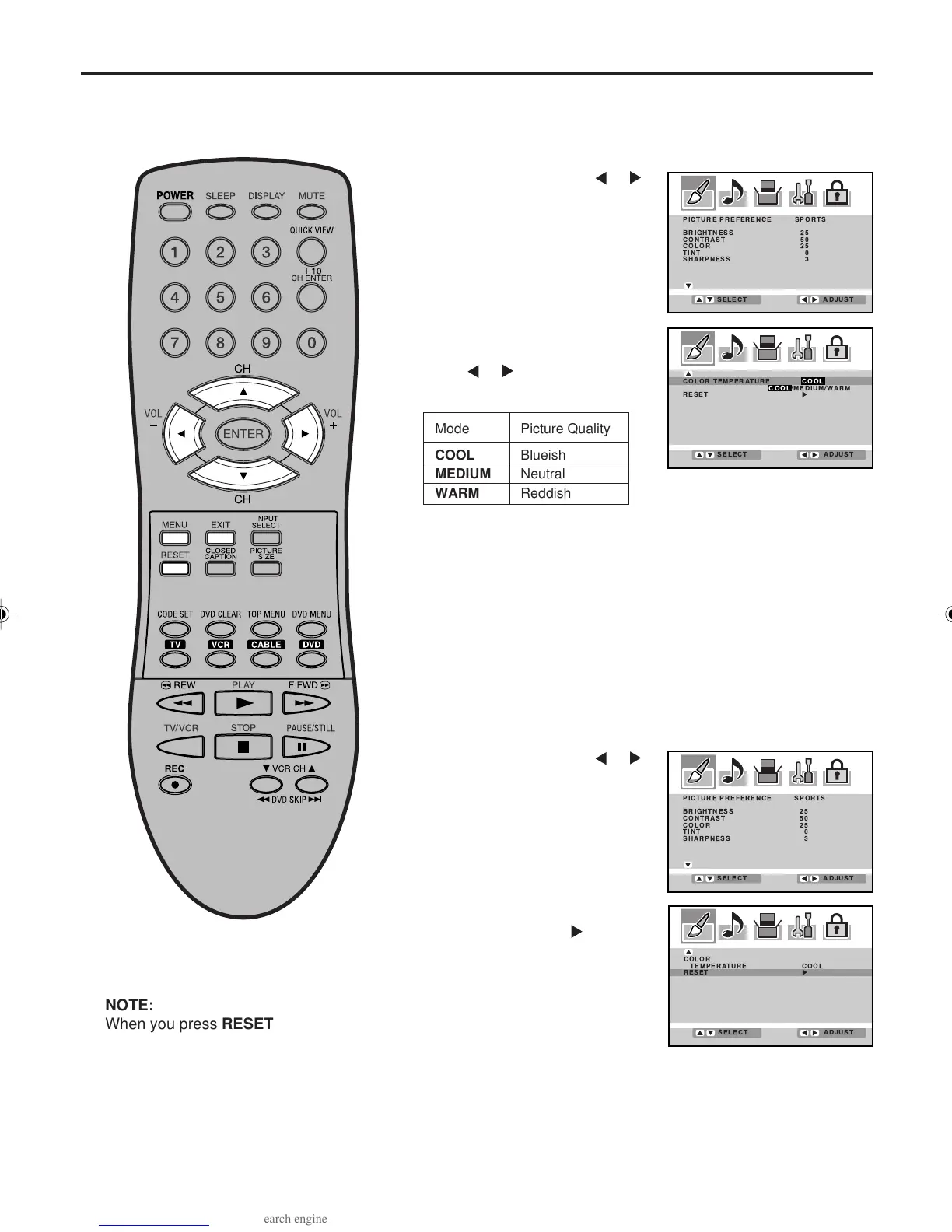
Selecting the color temperature
Change the picture quality by selecting from three preset color
temperatures—COOL, MEDIUM, and WARM:
Press ▲ or ▼ to select “COLOR
TEMPERATURE”.
Press
or to select the mode
you prefer.
Press MENU, then press
or
select PICTURE menu.
1
2
Selecting the color temperature/Resetting your picture adjustment
Press EXIT to return to the normal screen.
3
Press ▲ or ▼ to select
“RESET”, then press
.
Press MENU, then press
or
to select PICTURE menu.
1
2
Mode Picture Quality
COOL Blueish
MEDIUM Neutral
WARM Reddish
NOTE:
When you press RESET in the
PICTURE menu, the picture
adjustments return to the factory
preset levels.
3V03001A_En_p27-31 8/23/05, 16:3331



 To Next Page