35
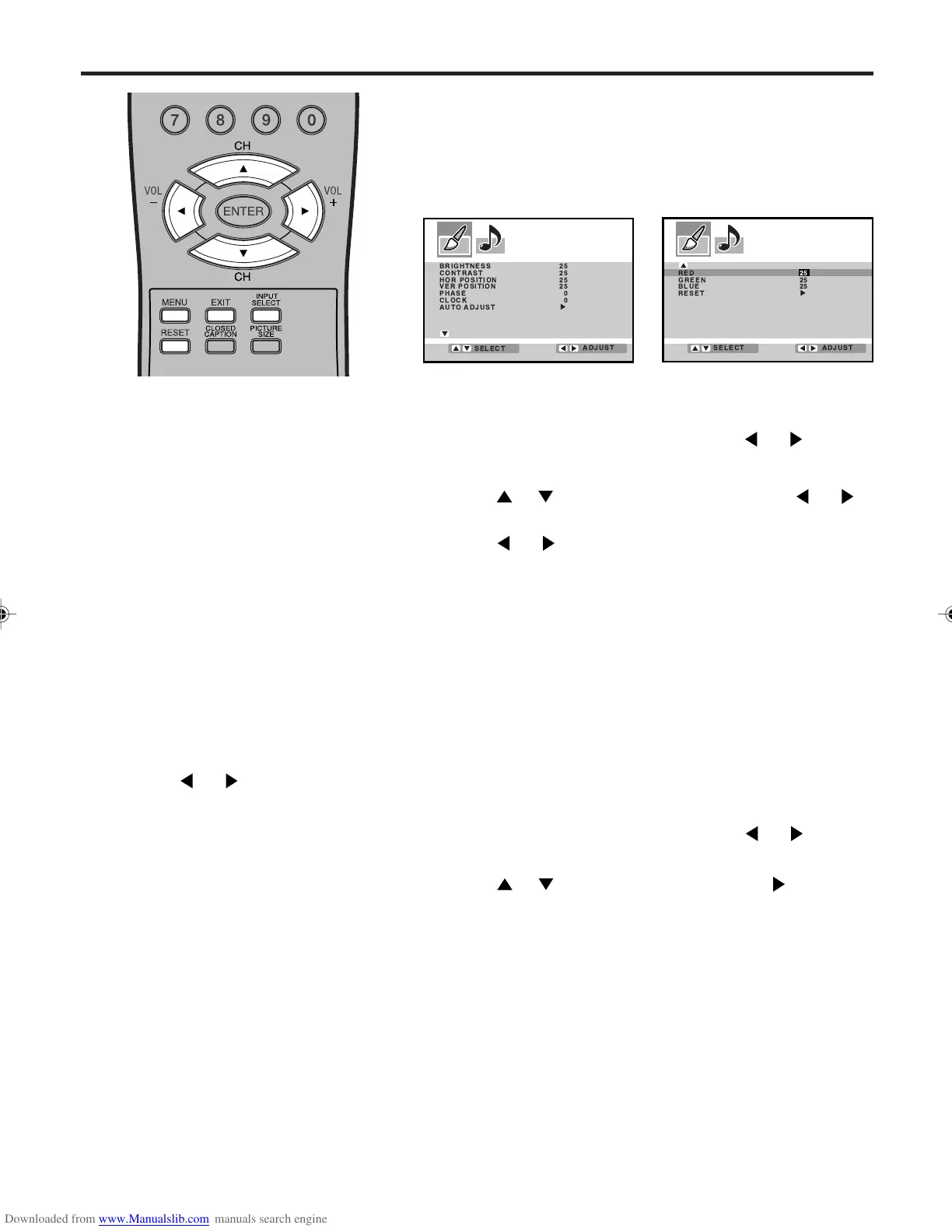
Picture control adjustment in the PC mode
BRIGHTNESS: To adjust the bright-
ness of PC Monitor-screen.
CONTRAST: To adjust the contrast of
PC Monitor-screen.
HOR POSITION: To adjust the
horizontal position of the image on the
PC Monitor-screen.
VER POSITION: To adjusts the
vertical position of the image on the
PC Monitor-screen.
PHASE: This must be adjusted after
the frequency of your PC has been
set to 60hz to optimize picture quality.
(page 15)
CLOCK: To minimize any vertical
bars or stripes visible on the screen
background.
AUTO ADJUST: When you select this
and press
or , the HOR
POSITION and VER POSITION are
adjusted automatically. At the same
time, your adjusted level will be
cancelled. If the result after the
automatic adjustment is not satisfying,
manual correction is possible.
RED/GREEN/BLUE: To adjust the
color temperature of PC Monitor-
screen.
Description about the each
setting option:
NOTES:
• If you wish to change the on-screen
language, follow the steps 1 - 5 on
page 17.
• If no buttons are pressed for more
than approx. 60 seconds, the PC
Monitor Menu-screen will return to
normal Monitor-screen automatically.
• The PC Monitor Menu settings are
not effective for normal mode, or
external input mode.
Example: Adjust the contrast.
1
Press MENU during PC mode, then press or to select
PC PICTURE menu.
2
Press or to select CONTRAST, then press or .
3
Press or to adjust the setting.
The adjustment screen will disappear approx. 60 seconds
after completing an adjustment.
4
Press EXIT to return to the normal screen.
PC Monitor Menu
There are a number of picture and audio settings you can adjust
to optimize the performance of the unit in PC mode.
Press INPUT SELECT repeatedly to select PC mode.
Press MENU. The PC Monitor Menu will appear.
Resetting your picture adjustment in the PC mode
The RESET function returns your picture quality adjustment to the
following factory settings:
1
Press MENU during PC mode, then press or to select
PC PICTURE menu.
2
Press or to select “RESET”, then press .
BRIGHTNESS ........ center (25) RED .................... center (25)
CONTRAST ........... center (25) GREEN ............... center (25)
BLUE .................. center (25)
RED 25
GREEN 25
BLUE 25
RESET
ADJUST
SELECT
3V03001A_En_p32-back 8/23/05, 16:3335



 To Next Page