27
4
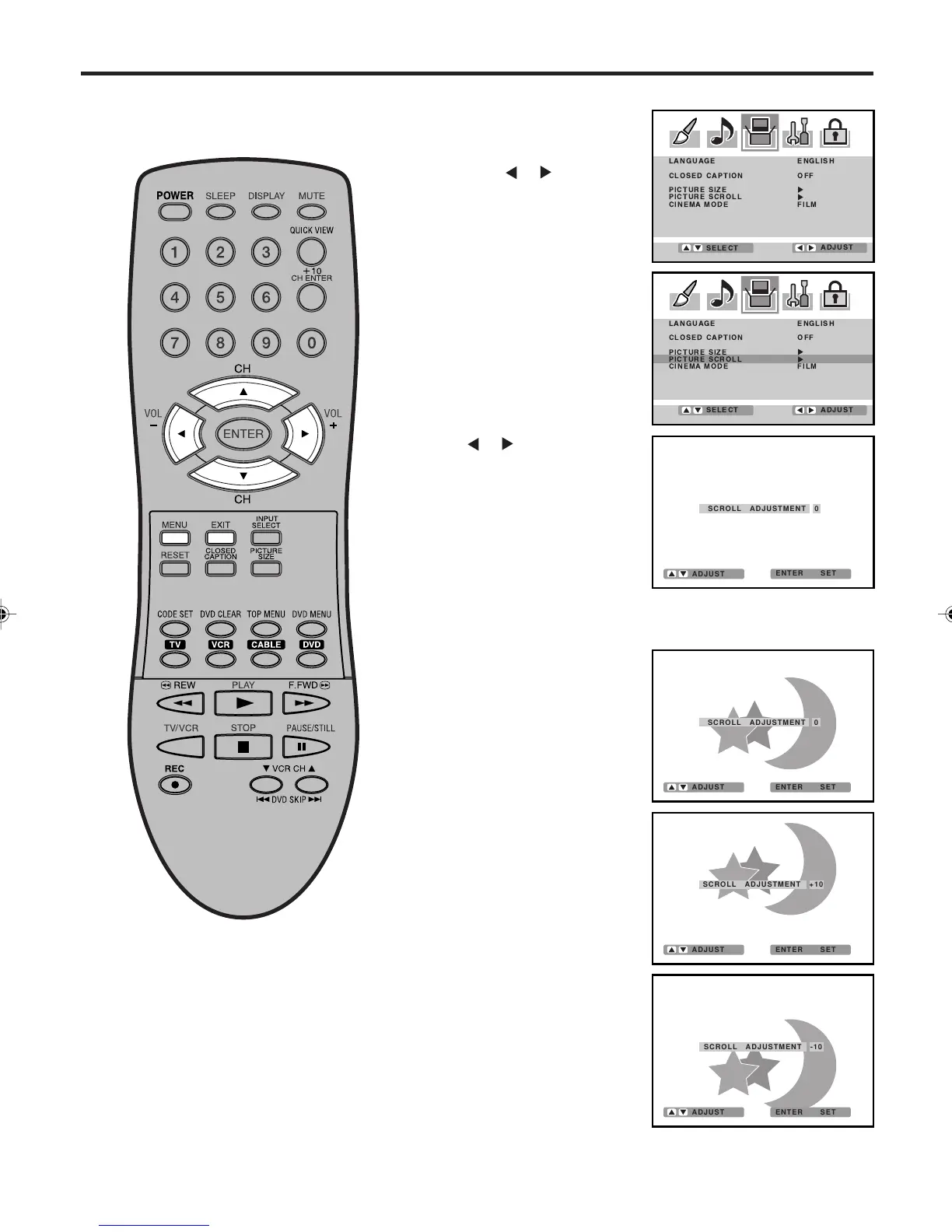
Press ▲ or ▼ to adjust the vertical position of the picture.
Normal (center) position
To raise the picture, press ▲.
To lower the picture, press ▼.
2
3
Press or to display the
SCROLL ADJUSTMENT
mode.
1
Press MENU in CINEMA
WIDE2 or CINEMA WIDE3
mode.
Then press
or to select
SETUP menu.
Press ▲ or ▼ to select
“PICTURE SCROLL”.
You can scroll the picture in
CINEMA WIDE2 and CINEMA
WIDE3
Setting the picture scroll
NOTE:
The scroll amounts are as follows:
• 480i/480p signal source:
CINEMA WIDE1 : Not adjustable
CINEMA WIDE2 : -10 to +10
CINEMA WIDE3 : -10 to +10
5
Press EXIT to return to the normal screen.
SCROLL ADJUSTMENT 0
ENTER SET
ADJUST
SCROLL ADJUSTMENT +10
ENTER SET
ADJUST
ENTER SET
ADJUST
SCROLL ADJUSTMENT -10
ENTER SET
ADJUST
SCROLL ADJUSTMENT 0
3V03001A_En_p27-31 8/23/05, 16:3327



 To Next Page