Polarization Control Unit PCU-110
7-1
Maintenance
7
7-1 Daily Maintenance
Turn off the power and pull out the power cord before cleaning. Use a soft dry cloth
to gently dust the instrument. Do not use chemicals (acetone, alcohol, cleaning uid,
etc), as they may cause damage to the coating. Do not vigorously rub the display, as
damage may result.
7 - 2 Cleaning the Optical Connector
Dust and dirt on the ends of the optical connector(s) found on the PCU-110 can cause
a loss of optical output. Therefore, the connectors should be cleaned regularly. The
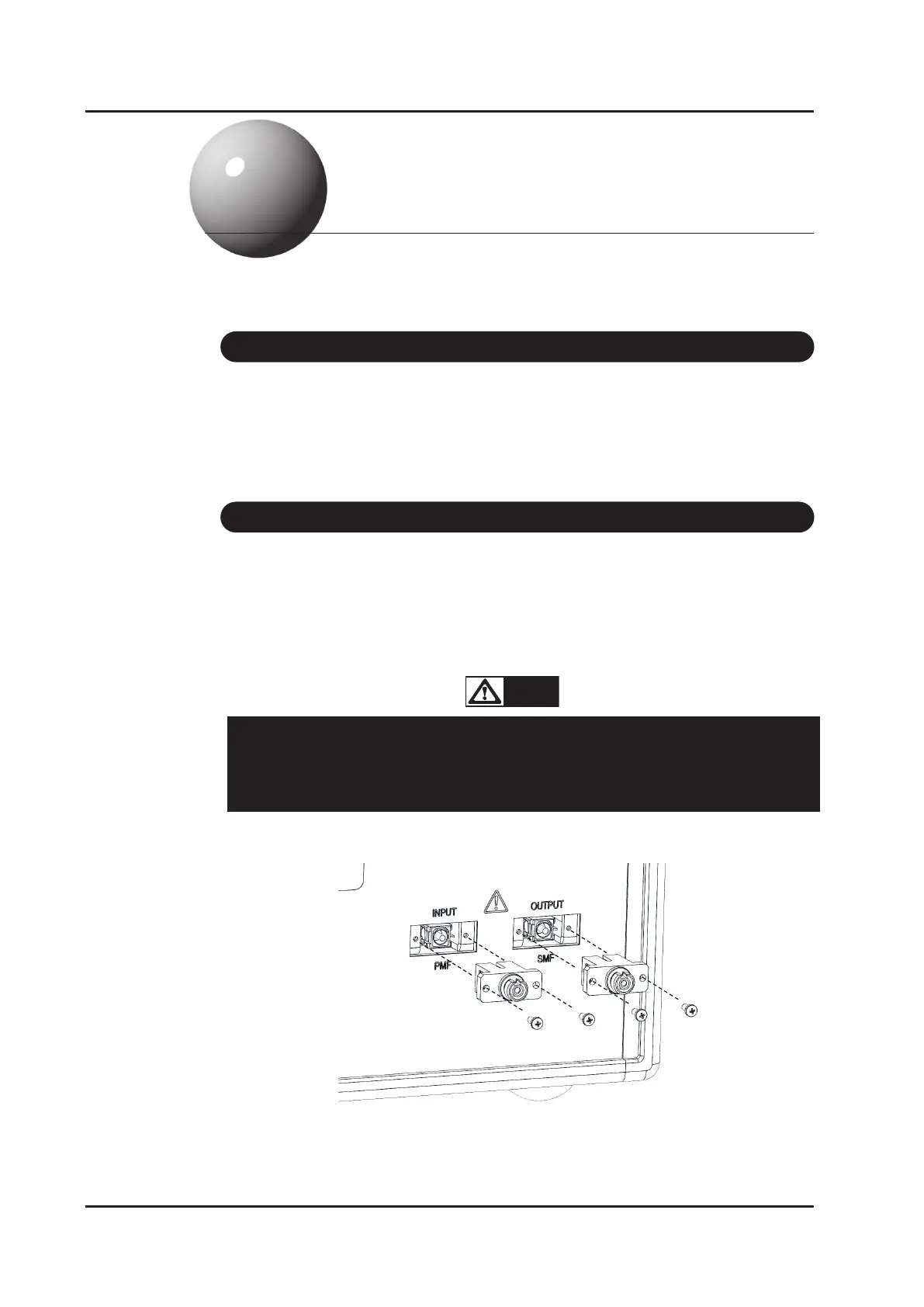
optical adapter connected to the optical connector may be pulled out by removing
xation screws; remove it and clean the end of the optical connector.
DO NOT input light when cleaning the connector.
If high-intensity light is input, there is a risk of visual impairment due to
accidentally looking into the end face, or risk of damage to the end face
due to scorching of the cleaning member.
WARNING!



 To Next Page