D-1034-143a PC5000(E)
DRAWING No. PC5000a 07-0812 2040 6010
1) Application
Frequency of an AC circuit is measured.
2) Measuring ranges
10Hz to 200.00kHz (Auto range)
3) Measurement procedure
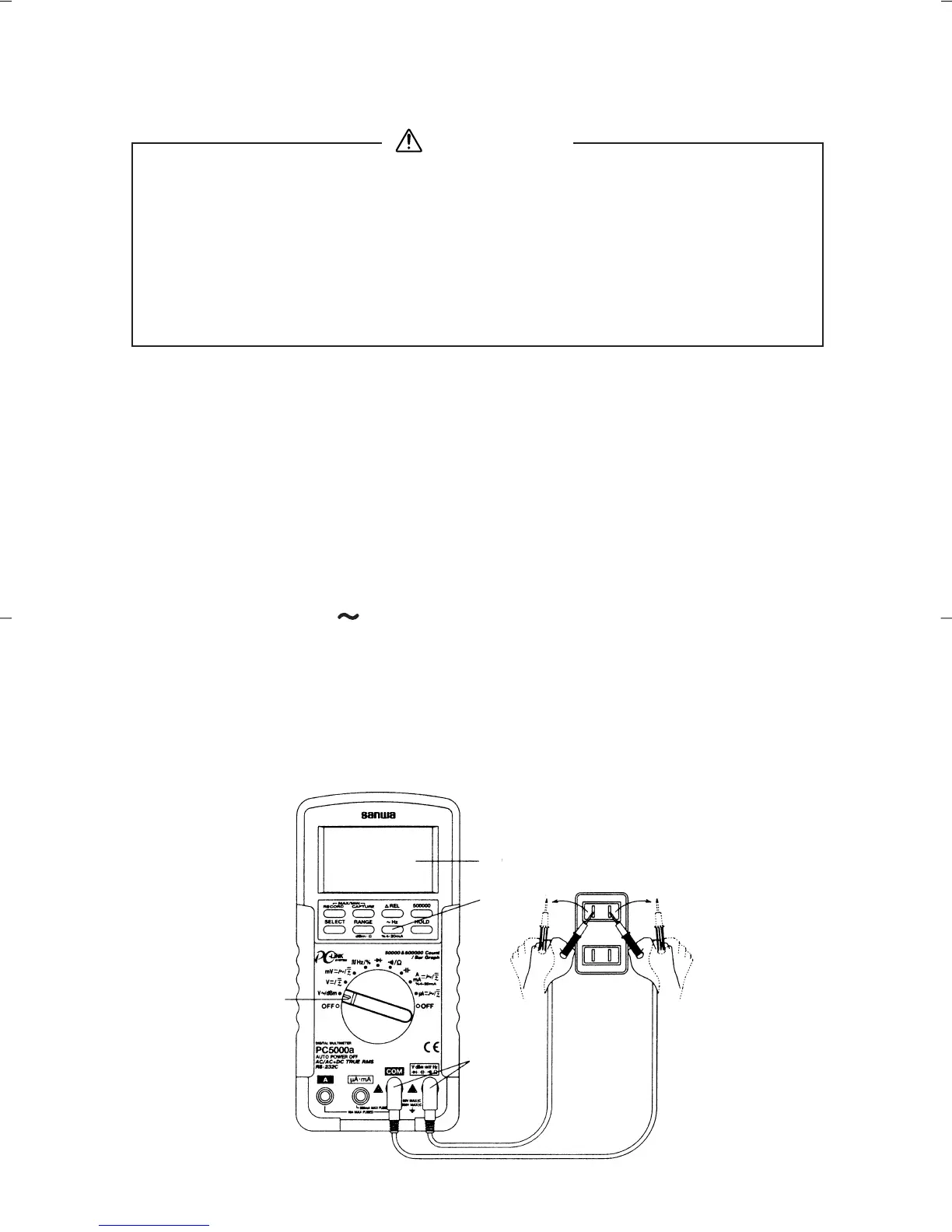
Connect the plug of black test lead to COM measuring input
terminal and plug of red test lead to
Hz measuring terminal.
Set the function switch to 'mV' or 'V' or 'µA' or 'mA' or 'A'.
Press the " Hz" button momentarily to activate or to exit
Hz.
Apply the red and black test pins to an object to measure.
Read the value in the display.
After measurement, release the red and black test pins from
the object measured.
—
16
—
5-3 Line Frequency Measurement
1. Never apply an input signal exceeding the maximum rating
input value.
2. Be sure to disconnect the test pins from the circuit when
changing the function.
3. Always keep your fingers behind the finger guards on the
probe when making measurements.
WARNING


 To Next Page