CONNECTING TO A TV
By connecting the digital camera to a television set, you can view the LCD
monitor display on the TV screen.
Connections
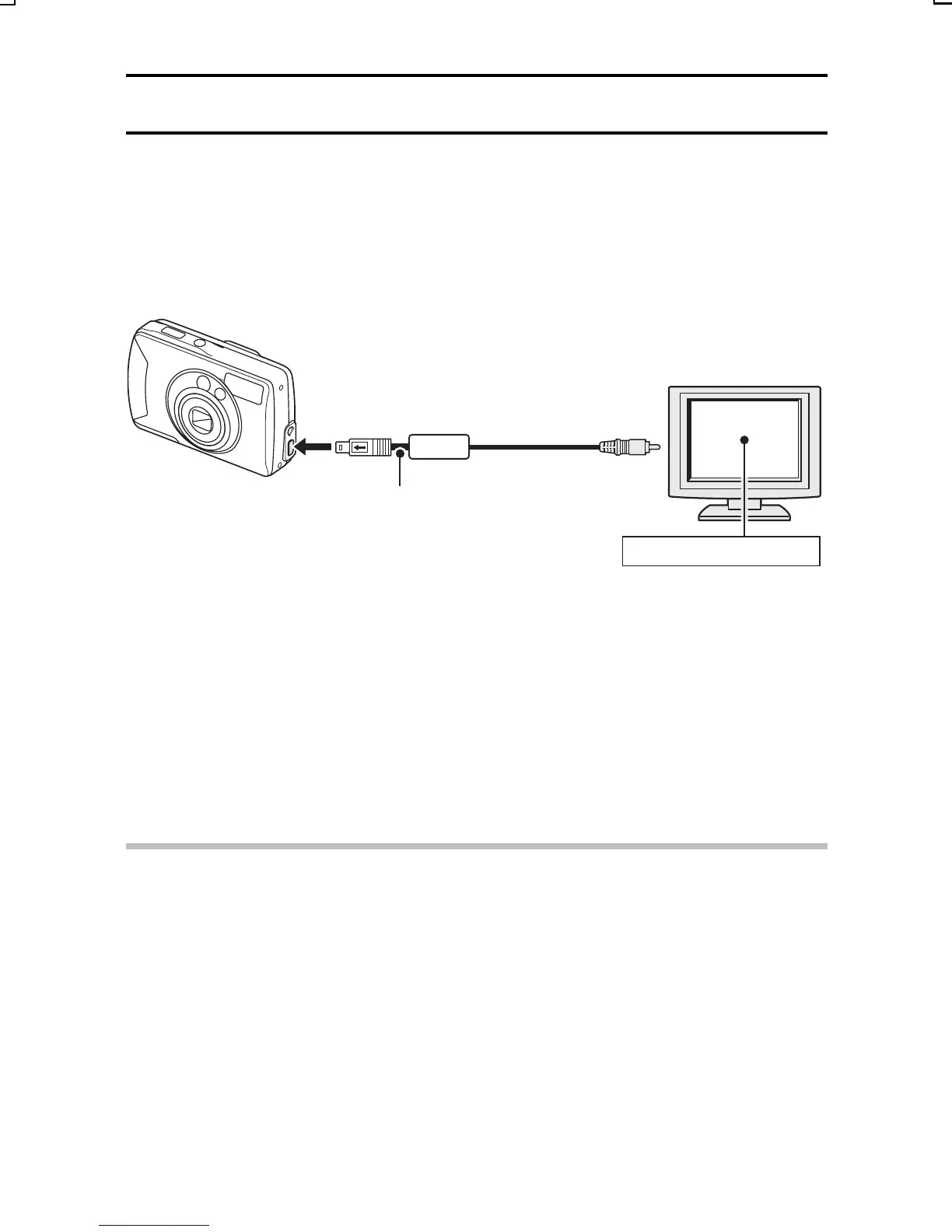
Connect the supplied video cable from the DIGITAL/VIDEO terminal on the
digital camera to the VIDEO input terminal on the TV.
Playback
œ After connecting the digital camera to the television, set the TV input switch
to VIDEO input.
œ When the video cable is connected, no image appears on the camera’s
LCD monitor.
œ The playback method is the same as when viewing images on the LCD
monitor.
CAUTION
œ Do not use excessive force when connecting and disconnecting cables.
œ Sound cannot be played back.
To the DIGITAL/VIDEO terminal
Video cable (supplied)
To the video input terminal
Switch input to VIDEO
SX714/EX, GX, U (VPC-S1 GB) Thu. July, 17/2003
129
English


 To Next Page
 Loading...