32
The Sapling Company, Inc.
1633 Republic Road
Huntingdon Valley, PA 19006
USA
P. (+1) 215.322.6063
F. (+1) 215.322.8498
www.sapling-inc.com
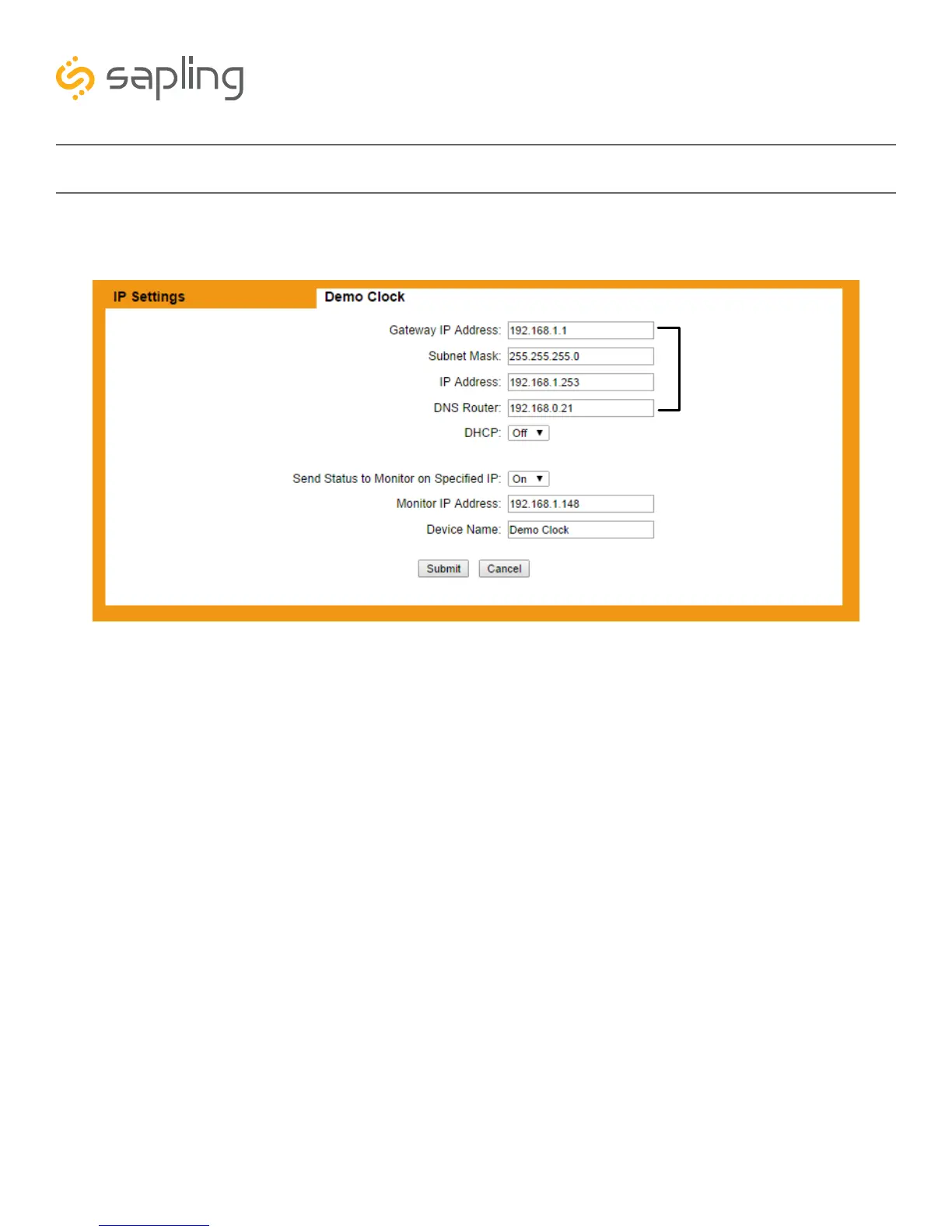
3) Click on the tab labeled “IP”. If you are configuring a static IP address, follow steps 3A-3F. If you are
configuring a DHCP address, skip to step 4.
3A) Confirm that the setting “DHCP” is set to OFF.
3B) Enter a new Gateway IP Address, Subnet Mask, IP Address, and DNS Router Address for your
master clock.
3C) Have your network administrator confirm that all of the other settings comply with your network.
3D) Press the Submit button.
3E) Power down the master clock, wait fifteen seconds, and power it on again.
3F) Access the master clock at the new IP address. If you forgot the new address, repeat step 1 on the
previous page.
Basic Configuration - Web Interface
A
B, C
D



 To Next Page