33
The Sapling Company, Inc.
1633 Republic Road
Huntingdon Valley, PA 19006
USA
P. (+1) 215.322.6063
F. (+1) 215.322.8498
www.sapling-inc.com
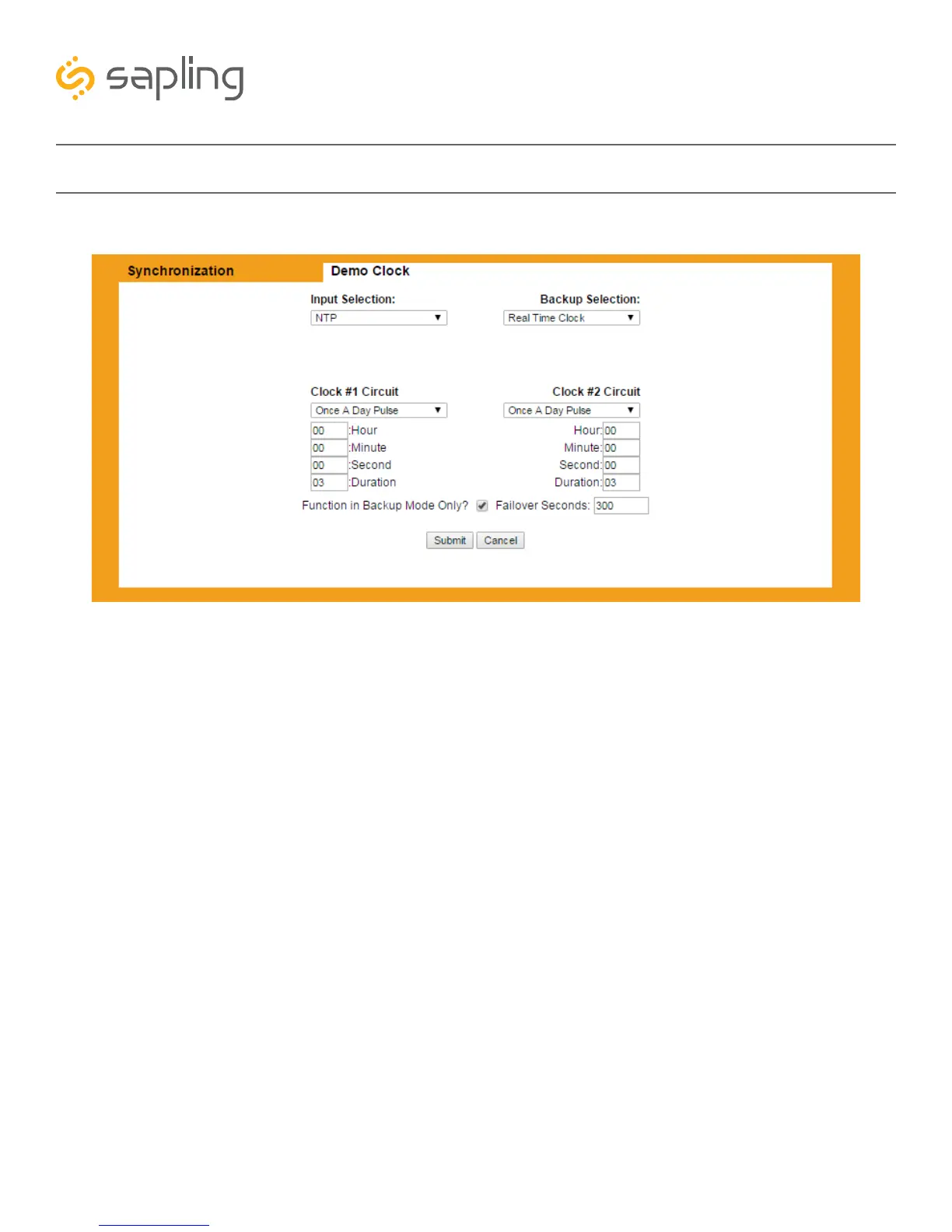
4) Click on the tab labeled Synchronization.
4A) Select your primary input for time data from the drop-down menu on the upper left.
4B) Select your backup input for time data from the drop-down menu on the upper right.
4C) If you are using a sync-wire system as an output, select the synchronization method from the drop
down menus for each clock circuit. Add additional timing data if your system requires it.
4D) Press the Submit button.
Basic Configuration - Web Interface
A B
C
D
C



 To Next Page