1
2
11
The Sapling Company, Inc.
1633 Republic Road
Huntingdon Valley, PA 19006
USA
P. (+1) 215.322.6063
F. (+1) 215.322.8498
www.sapling-inc.com
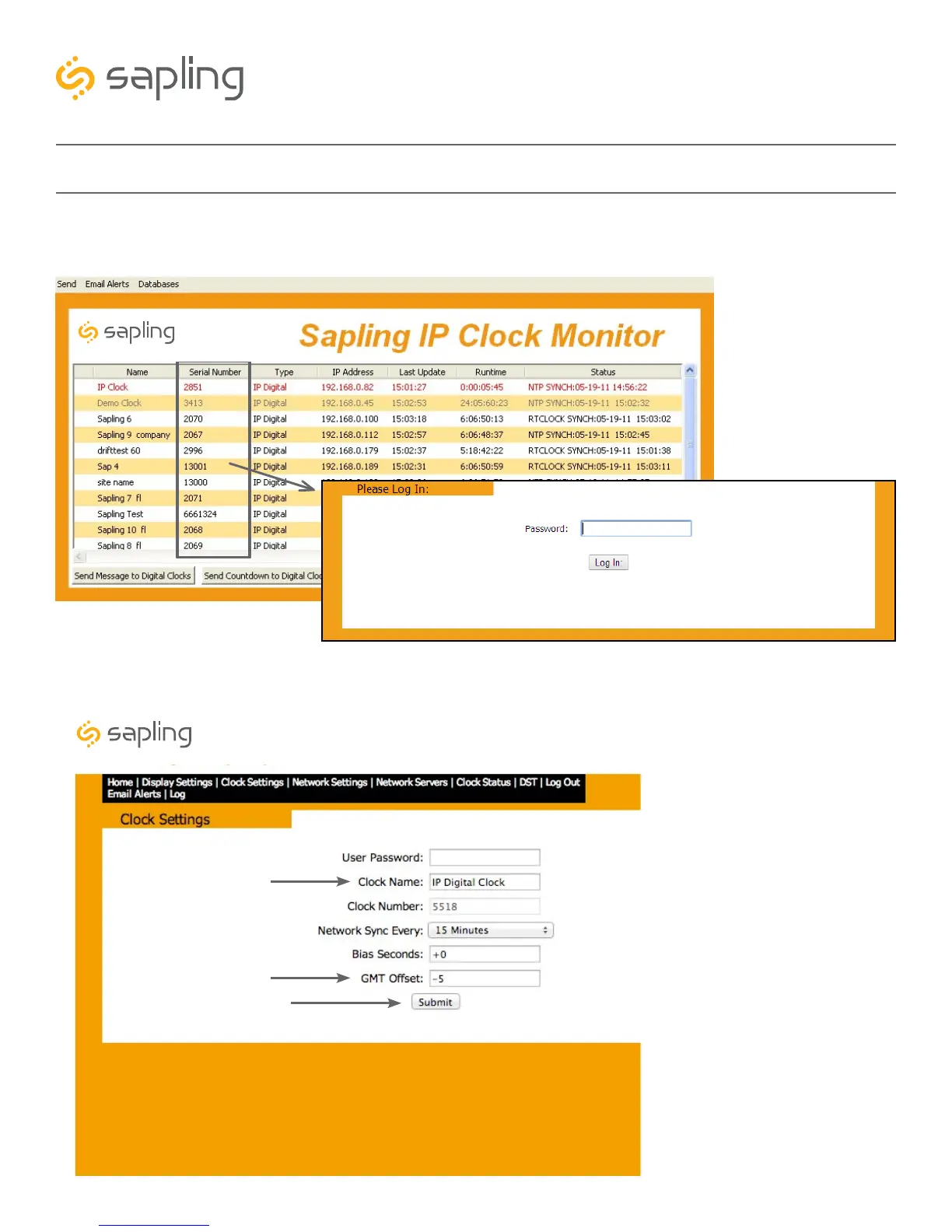
1. Double click on the serial number for the clock being installed. This should take you to the web interface
for that clock. Use the password 6063 to enter.
2. Select the Clock Settings tab, enter an easy-to-identify name for the clock (like the clock’s location),
select the GMT offset for your time zone (for example, New York is -5), and press the submit button.
Before Installation - Quick Start
Synchronized Clock Systems
Synchronized Clock Systems



 To Next Page