8
The Sapling Company, Inc.
1633 Republic Road
Huntingdon Valley, PA 19006
USA
P. (+1) 215.322.6063
F. (+1) 215.322.8498
www.sapling-inc.com
Before Installation - DHCP
If you are accessing an Internet NTP server, Port 123 must be open.
If you wish to be able to access the web interface from a computer that is not on the same subnet, Port 80
must be open.
If you wish to access your clock using a known, unchanging Static IP address, see the next page.
The clock is set to DHCP by default. This means that once the clock is connected to the network, it is
assigned the next available IP address by a DHCP server. If a user wishes to access the web interface while
the clock is in DHCP mode, then there are two ways to find the IP address.
The first is to press and hold both buttons on the front of the clock simultaneously, and release them after
two seconds. This will cause the IP address to appear on the clock display.
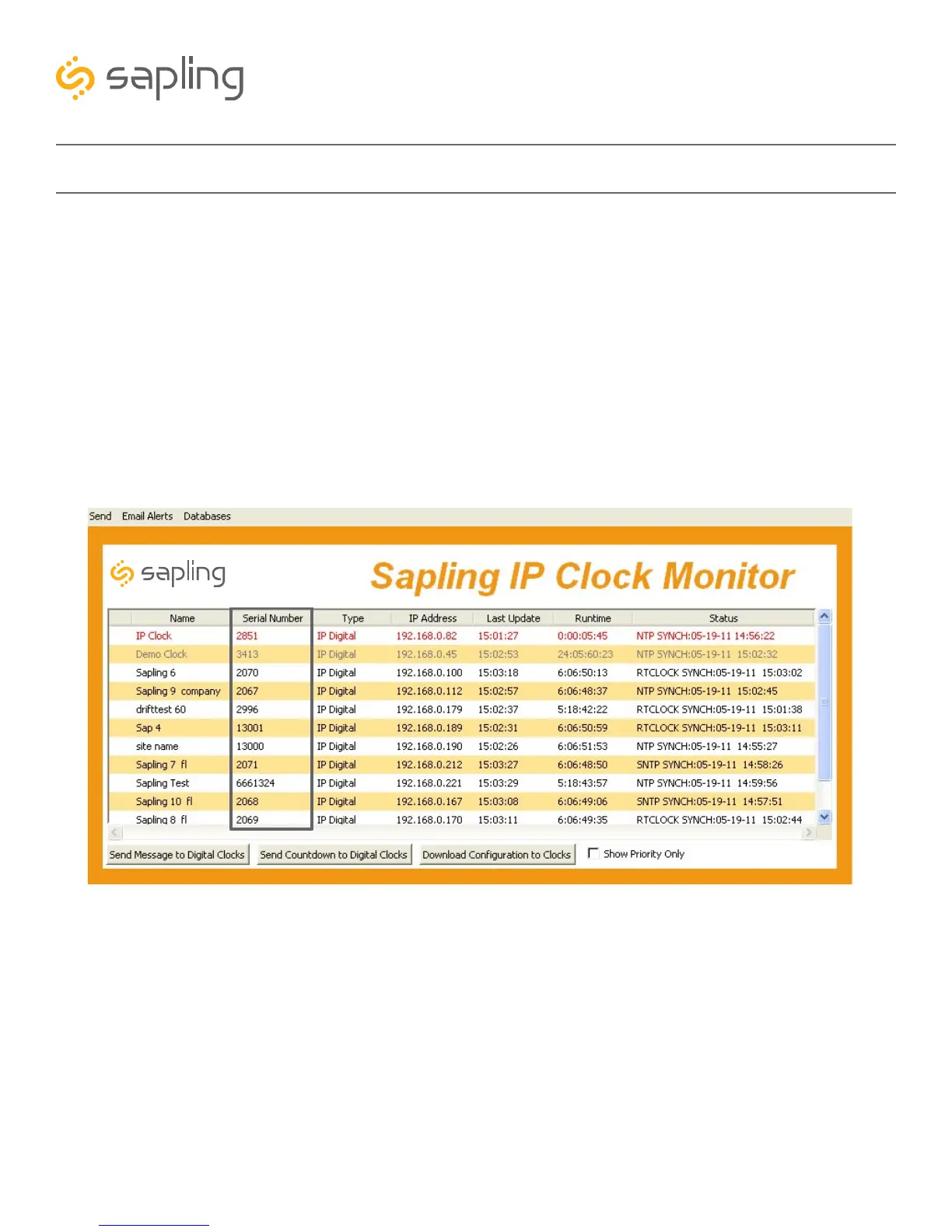
The second method is to use the monitor.exe program:
The clock can then be identified from its serial number, and then double clicked on to enter the web
interface. The serial number of the clock can be found on a sticker attached to the back of the clock
display.
If the user decides to use DHCP, and can confirm that they can access their clock by plugging it into
the LAN with a PoE Injector/Switch, then they may proceed by installing the clock hardware at the
desired location.
Synchronized Clock Systems



 To Next Page