50
The Sapling Company, Inc.
1633 Republic Road
Huntingdon Valley, PA 19006
USA
P. (+1) 215.322.6063
F. (+1) 215.322.8498
www.sapling-inc.com
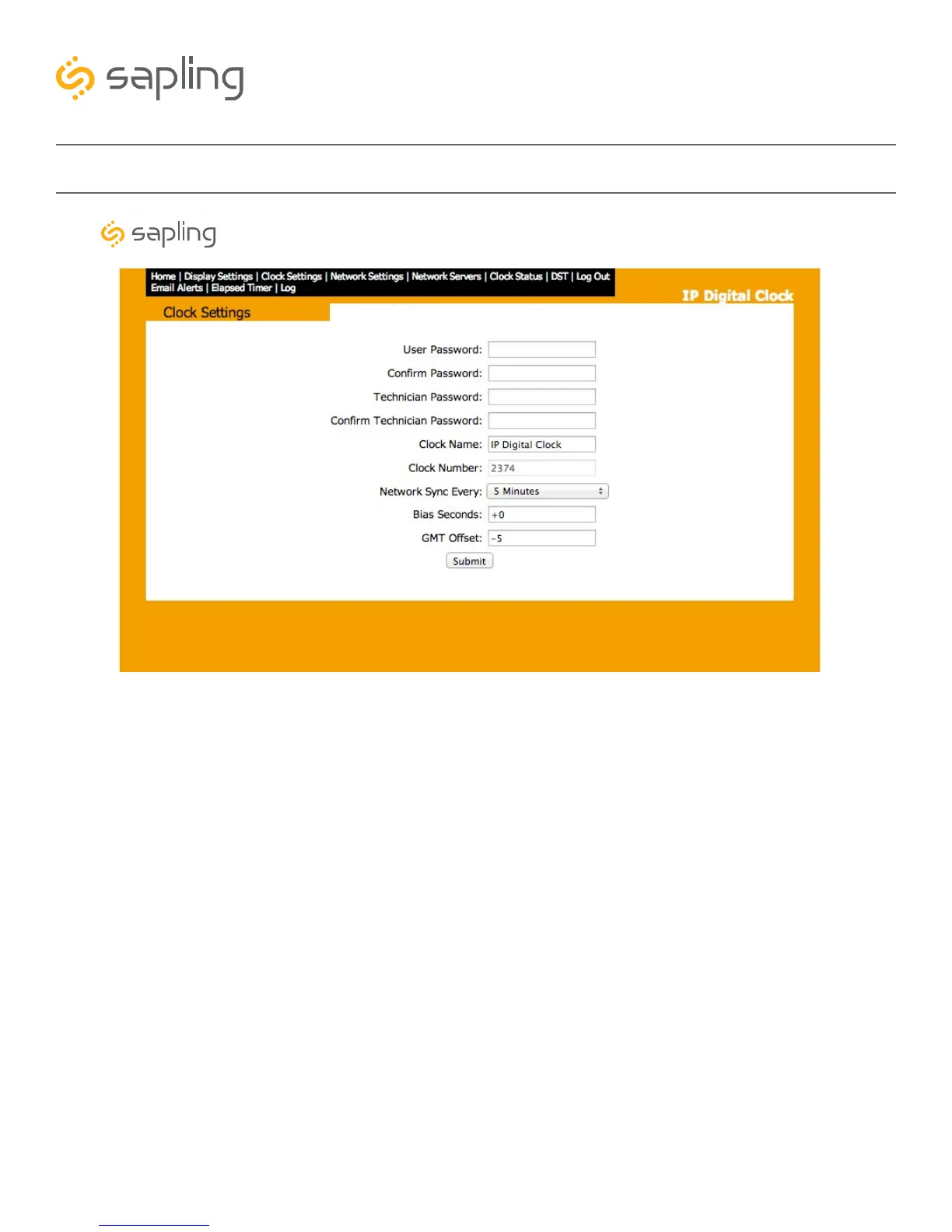
Web Interface - Clock Settings
1. User Password - Allows the user to set up a new password to the web interface. Users may view all
tabs, but cannot change settings. The default user password is 1111.
2. Confirm Password - The new User Password must also be entered here for a change to be made.
3. Technician Password - Allows the user to set up a new password to the web interface. Technicians
may change any setting. The default technician password is 6063.
4. Confirm Technician Password - The new Technician Password must also be entered here for a
change to be made.
5. Clock Name - Allows the user to set a unique name for the clock, so that it can be identified on the IP
monitor. The name must be fewer than 20 characters.
6. Clock Number - Displays the serial number for the clock, so that it can be identified on the IP monitor.
This number cannot be modified.
7. Network Sync Every - Allows the user to select how often the clock should attempt to synchronize
with an NTP server.
8. Bias Seconds - This setting allows the user to alter how much faster or slower the IP clock will run in
relation to synchronized time. The range permits -9999 seconds to +9999 seconds. (This translates to a
range of 2 hours, 46 minutes, and 39 seconds either way, but the time must be entered as a number of
seconds). The clock may be configured to function as part of a Zone Clock through this option.
1
3
5
7
2
4
6
8
Synchronized Clock Systems



 To Next Page