20 SARTORIUS MC 5 Balance Stand 1/94
MC 5
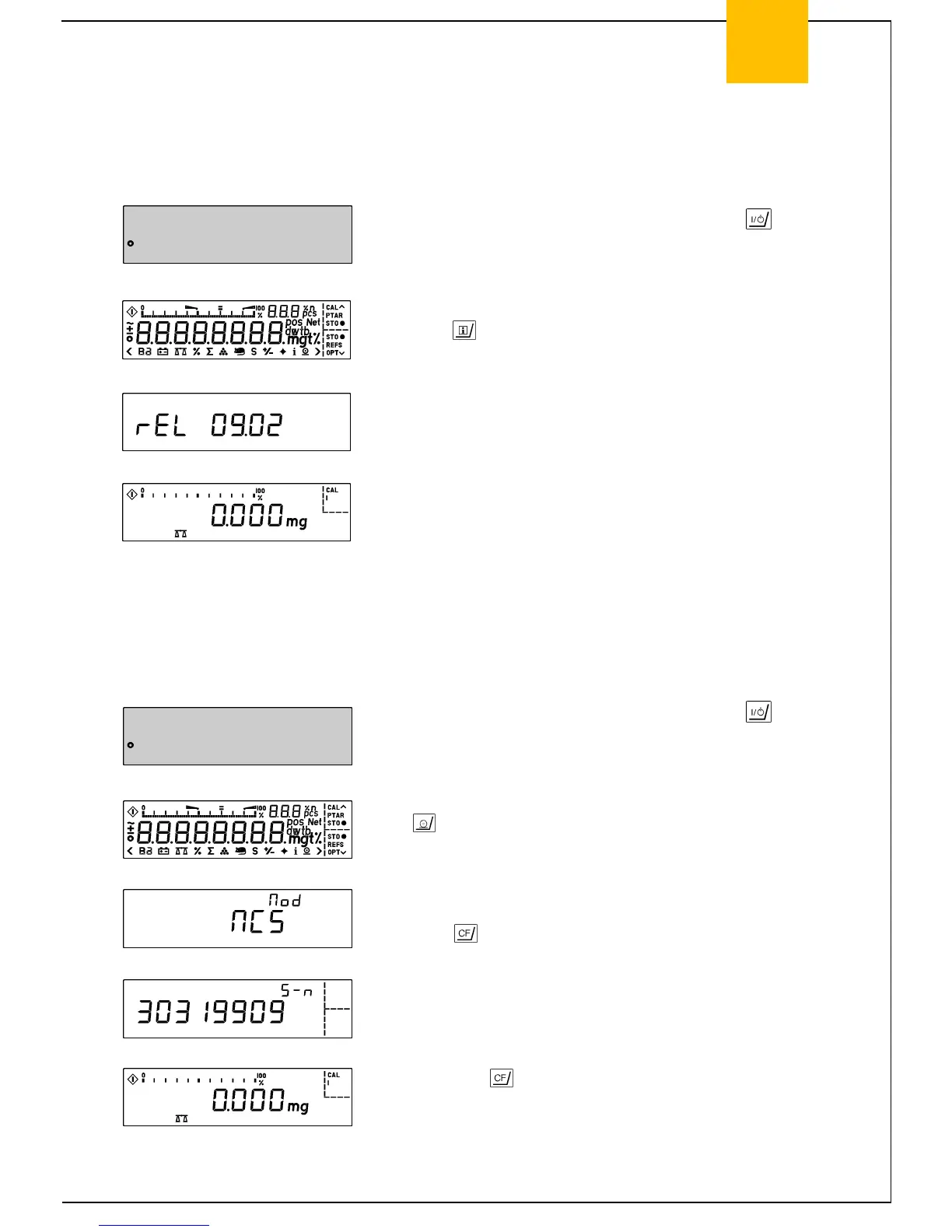
Displaying the Hardware and Software Version of the MC5
Microbalance
- Turn the microbalance off and back on again using the key.
- While all segments are displayed, briefly
press the key.
- The display shown on the left will appear for approx. 3 sec.
- The first two numbers show the hardware generation; the last
two, the software version.
- The balance will then return to its standard weight display mode.
Displaying the Model Name and Serial Number
- Turn the microbalance off and back on again using the key.
- While all segments are displayed, briefly press
the key.
- Model Name:
- Mod MC5 appears in the display shown on the left.
- Press the key.
- Serial Number:
- The serial number of the particular MC5 microbalance is
indicated in the display shown on the left.
- Then press the key, and the balance will return to the
standard weight display mode.



 To Next Page