Section 2. Installation
Page 2-2 PN 9001105 Rev. A SATO M-84PRO
UNPACKING AND PARTS IDENTIFICATION
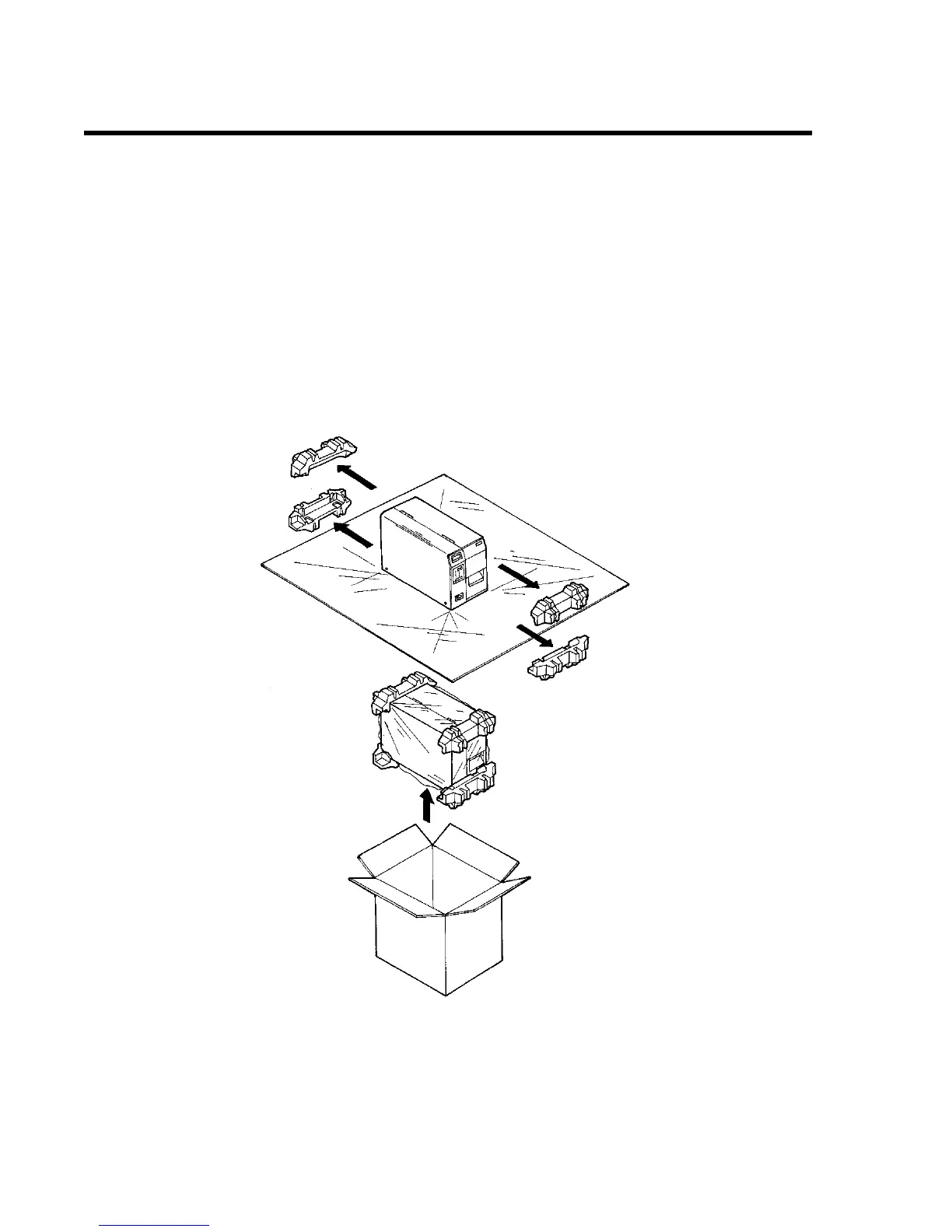
Consider the following when unpacking the printer:
• The box should stay right-side up.
• Lift the printer out of the box carefully.
• Remove the plastic covering from the printer.
• Remove the accessory items from their protective containers.
• If the printer has been stored in a cold environment, allow it to reach room temperature before pow-
ering it on.
• Set the printer on a solid, flat surface. Inspect the shipping container and printer for any signs of
damage that may have occurred during shipping.
NOTE: The following illustrations are representative only. Your printer may not be packed exactly
as shown here, but the unpacking steps are similar.



 To Next Page