EasyManua.ls Logo

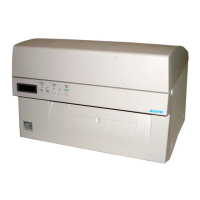
SATO M10e - User Manual

SATO M10e
82 pages
Print Icon
To Next Page IconTo Next Page
Loading...
PN 9001101 Rev. A
M10e
Thermal Transfer Printer
OPERATOR
MANUAL

Other manuals for SATO M10e

Questions and Answers

  • J
    johnhopkinsSep 9, 2025
    Why is the RIBBON LED on my SATO Label Maker on?
    • N
      Nancy KellySep 9, 2025
      The RIBBON LED may illuminate due to: * An empty ribbon supply roll; replenish the ribbon supply. * A ribbon sensor that is out of alignment; realign the ribbon sensor. * A blocked ribbon sensor; clean the ribbon sensor. * The absence of a cardboard core on the ribbon rewind; use a cardboard core on the ribbon rewind.
  • M
    mrochaAug 23, 2025
    Why can't I print from my SATO Printer after startup?
    • B
      Brandon DunnAug 23, 2025
      If your SATO Printer starts up OK but you cannot print, there may be a problem with the interface between the print server and the printer, a problem with the network connection or cabling, or a queue setup problem, a print server setup problem, or other protocol-related problem.
  • A
    allison34Aug 25, 2025
    What to do if SATO M10e Printer still isn’t printing after checks?
    • K
      katherinedickersonAug 26, 2025
      If the SATO Printer still isn’t printing after initial checks, try a Buffer Hex Dump to determine what (if anything) the printer is receiving from your computer.
  • S
    sara65Aug 26, 2025
    What to do if my SATO Label Maker prints light images?
    • S
      Shelley LiAug 27, 2025
      If your SATO Label Maker is producing light images, there are several potential causes: * The labels may be of poor quality; try using thermal transfer compatible stock. * The ribbons may be of poor quality; use genuine SATO ribbons. * The print head energy/darkness might be too low; adjust the darkness control. * The print head pressure might be insufficient; use the correct head pressure position. * The ribbon may not be matched to the label stock; select a better-suited carbon ribbon. * There may be foreign material on the print head; clean the head and platen. * The print head alignment may be off; align the print head. * The print speed may be too high; reduce the print speed setting.
  • M
    Madison ReynoldsAug 28, 2025
    What causes image voids on my SATO Label Maker?
    • K
      Kayla HolmesAug 28, 2025
      Image voids on your labels can result from several issues: * Poor quality labels: Use thermal transfer compatible stock. * Poor quality ribbons: Use genuine SATO ribbons. * Ribbon not matched to label stock: Check with media suppliers. * Damaged electronics: Replace the circuit board. * Damaged platen: Replace the platen.
  • D
    Donald WeaverSep 22, 2025
    What to do if SATO Label Maker has no label drive?
    • M
      Michael LeeSep 22, 2025
      If there is no label drive, replace or tighten the timing belts.
  • T
    Thomas RobertsSep 16, 2025
    What to do if SATO Label Maker has backlight but no words on display?
    • S
      Sergio JohnsonSep 16, 2025
      The most common failure is the ribbon cable has fallen out or not seated fully into connector. Verify that the cable and connector are properly seated.
  • D
    dunnsonyaSep 18, 2025
    What does it mean if ON LINE LED is not on SATO Label Maker?
    • M
      Michael TranSep 18, 2025
      If the ON LINE LED is not illuminated, check if the LABEL, RIBBON, or ERROR LEDs are on and clear any error conditions. Alternatively, the printer memory state might be illegal, in which case you should cycle the power switch off and back on.
  • E
    Erica GardnerSep 7, 2025
    What to do if the SATO Label Maker's POWER LED is not on?
    • D
      daniellebowersSep 7, 2025
      If the POWER LED is not illuminated, consider the following: * Check that the AC power cable is properly connected to both the printer and the AC outlet. * The main power fuse may be defective; replace the fuse. * The power supply itself might be defective; test the power supply and replace it if necessary.
  • M
    Michael AdamsSep 4, 2025
    What does it mean when my SATO M10e Printer beeps and shows an error after a job?
    • K
      Kevin RomeroSep 4, 2025
      If the SATO Printer displays an error message on the LCD and only beeps after sending a job, there may be some inconsistencies with the Baud Rate, Parity, Data Bits, or Stop Bits in relation to your host computer.

SATO M10e Specifications

General IconGeneral
Print TechnologyThermal Transfer / Direct Thermal
Print Resolution203 dpi (8 dots/mm)
Ribbon TypeWax, Wax/Resin, Resin
Maximum Print Width4.09 inches (104 mm)
ConnectivityUSB, Serial, Ethernet
Memory32 MB SDRAM
Operating System CompatibilityWindows, Linux
Supported Barcode TypesCode 39, Code 128, UPC-A, UPC-E, EAN-8, EAN-13, ITF-14, Codabar, MSI, PDF417, Data Matrix, QR Code
Supported Media TypesRoll
Media Thickness0.0025 to 0.008 inches (0.06 to 0.2 mm)
Ribbon Width1.57 to 4.33 inches (40 to 110 mm)
Dimensions12.6 inches
Power RequirementsAC 100-240V, 50/60 Hz
Operating Temperature41°F – 104°F (5°C – 40°C)
Storage Temperature-4 to 140°F
Humidity25% – 85% RH, non-condensing (Operating)

Related product manuals