Section 7. Label Sheet Commands
Page 7-4 PN 9001101 Rev. A SATO M10e
Label Format
COMMAND STRUCTURE <ESC>_N,aa,bb
aa
bb
=
=
Field number, 01-99
Row Count, 01-99
Example: <ESC>_N,01,04
Placement: Following the <ESC>_F start command
Default: aa=01, bb=01
COMMAND FUNCTION To specify the layout of a small label.
PRINTER INPUT <ESC>A
<ESC>A106363060<ESC>PD,600,1020,0,0
<ESC>_F
<ESC>_N,01,04<ESC>V100<ESC>H200<ESC>L0202<ESC>XMABCD
<ESC>_N,02,07<ESC>V200<ESC>H200<ESC>L0202<ESC>B103200*11111*
<ESC>_N,03,02<ESC>V100<H>H400<ESC>L0202<ESC>XM22
<ESC>_D,01,AAAA<ESC>_D,02,*22222*<ESC>_D,03,22<ESC>_Q,1
<ESC>_D,01,BBBB<ESC>_D,02,*33333*<ESC>_D,03,33<ESC>_Q,2
<ESC>_D,01,CCCC<ESC>_D,02,*44444*<ESC>_D,03,44<ESC>_Q,4
<ESC>Z
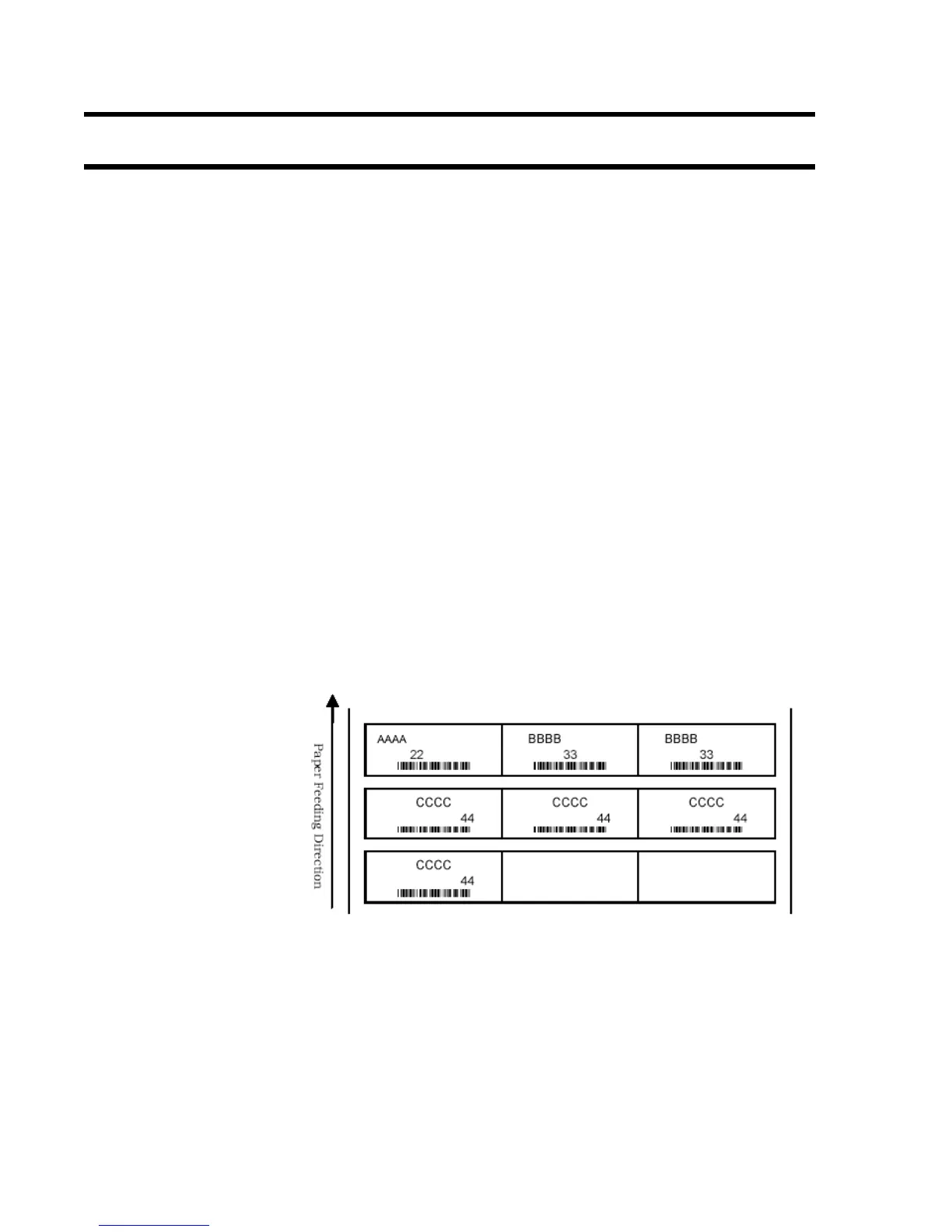
PRINTER OUTPUT The printer will print 1 label defines by the first <ESC>_N command, 2 labels
defined by the second and 4 labels defined by the third.
Special Notes
1. The selectable range for format setting <ESC>_N is limited to characters
and linear bar codes.
2. Specify number of small labels to be printed in the <ESC>_Q Small Label
Print quantity command.
3. Do not specify the register command after the Label Start command
<ESC>_F as the printing shall not operate properly.



 To Next Page