Section 2. Installation
Page 2-8 PN 9001101 Rev. A SATO M10e
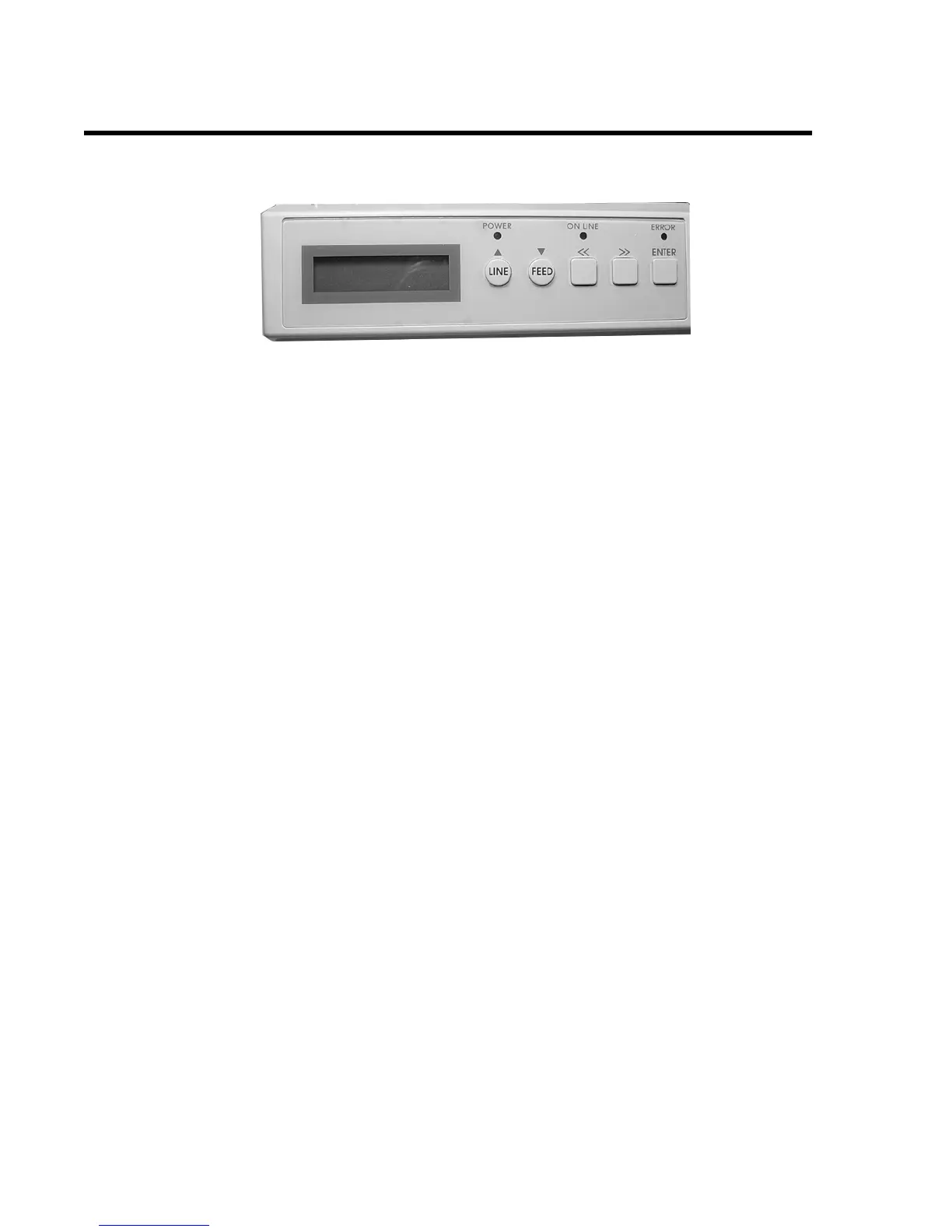
OPERATION PANEL
.
LCD Display 2 Line x 16 Character display.
POWER LED Illuminated when power is applied.
ERROR LEDs Illuminated when errors have occurred.
ON-LINE LED Illuminated when printer is On-Line.
LINE Key Switches the printer On-Line or Off-Line. It can also be used as a
Pause function key to stop label during the printing process. Also
used as an UP cursor control.
FEED Key To feed one blank label. When On-Line the printer will print
another copy of the last label. Also used as a DOWN cursor
control.
RIGHT CURSOR >> To move the cursor to the right.
LEFT CURSOR << To move the cursor to the left
ENTER Selects setting



 To Next Page