Saia-Burgess Controls AG
User Manual Standby System │ Document 27-645 │ Edition ENG 02 │ 2017-04-26
Creating a Standby System Project in PG5
Diagnostic
2-3
2
3. Congure the standby system
When OK is pressed to create the device, Project Manager creates the primary
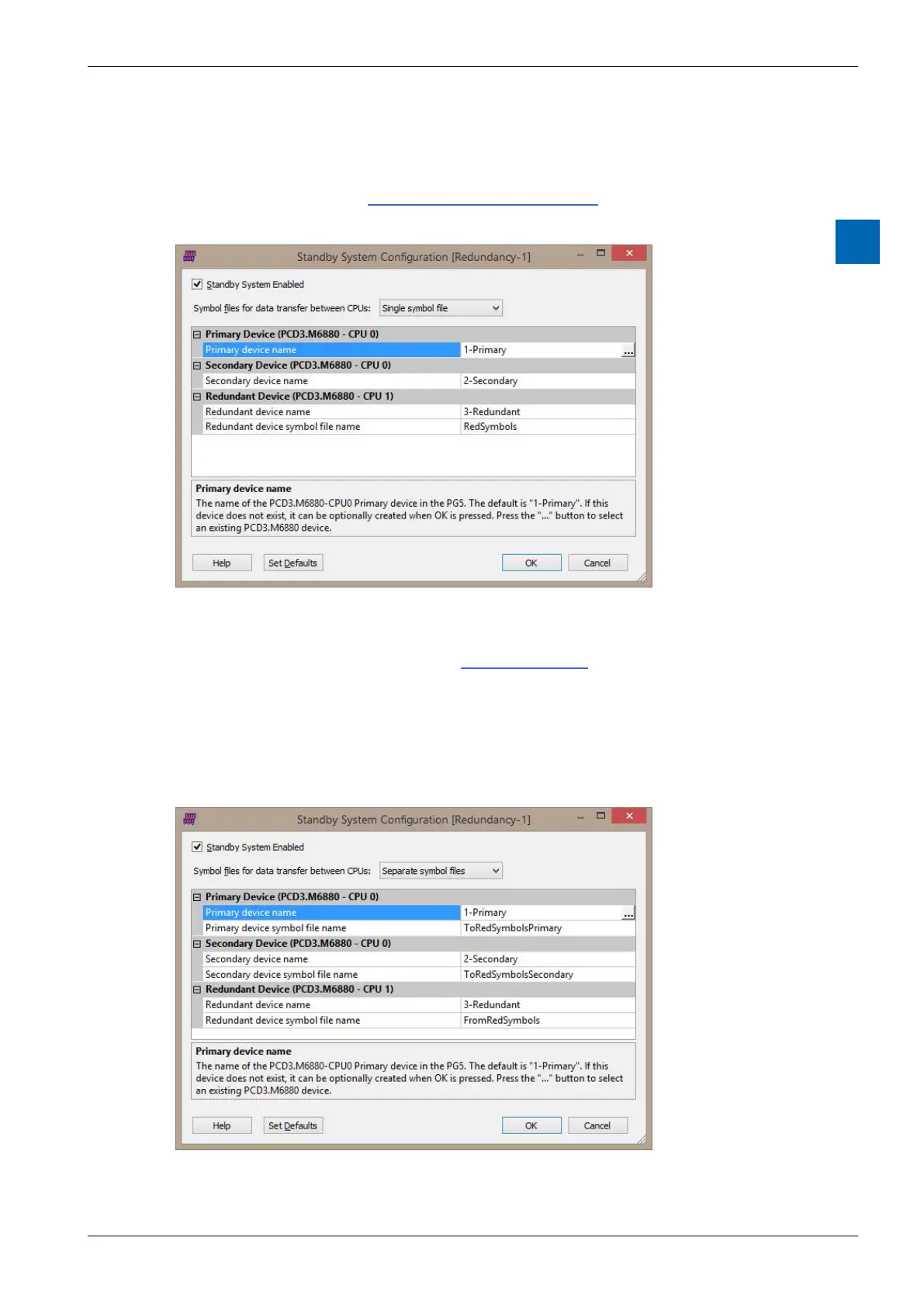
device, then displays the dialog box with the default
CPU0 and CPU1 on the Primary and Secondary devices. These media are also
transferred between the devices, see Media Exchange.
According to the application, you may want to use separate “to” and “from”
ToRedSymbolsPrimary.sy5, ToRedSymbolsSecondary.sy5 and FromRedSymbols.
sy5.
You can leave the settings as their defaults, or change the device names or



 To Next Page