Section 1 - Introduction
Page 8
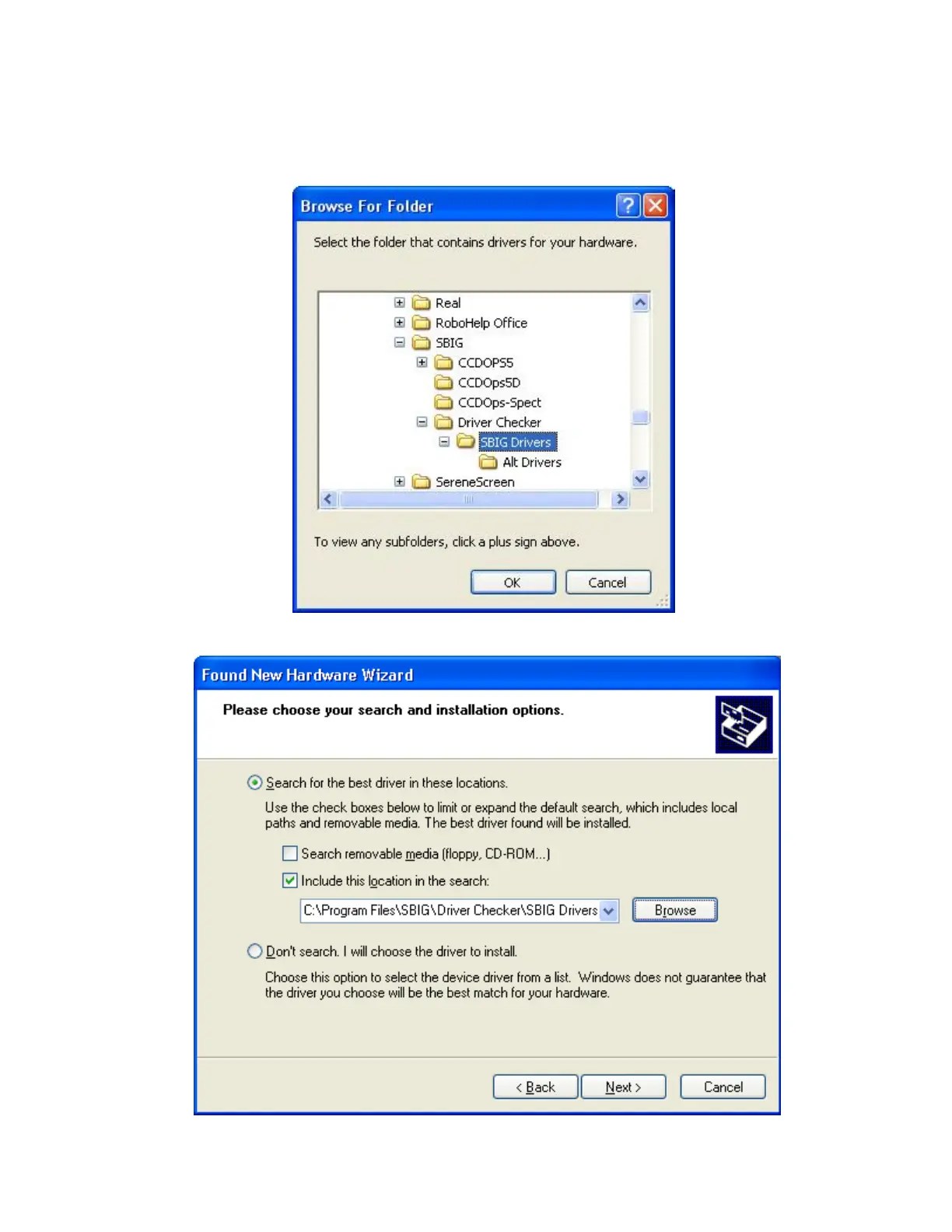
directory. Expand each section by clicking on the “
+
” next to the name. For example scroll
to the top and click the “+” next to My Computer, then click the “+” next to C:, etc. Finally
click on the
SBIG Drivers
folder to select it (it will turn blue as shown below) then click
OK
.
You’ll then be back in the Found New Hardware Wizard. Click the
Next
button.


 To Next Page