Section 1 - Introduction
Page 4
o Works with all 32-bit Windows OS (95/98/Me/NT/2000/XP).
o Version 5 (Gold Icon) can co-exist with Version 4 (Black Icon).
o Focus Mode Dialog has big numbers for peak brightness to aid focusing.
o Added 1xN, 2xN and 3N readout modes to ST-7/8/9/10/1001
o Magnified preview in crosshairs window
o Sharpen preview in contrast dialog.
o Dockable Icon bar.
1.1. Getting Started.
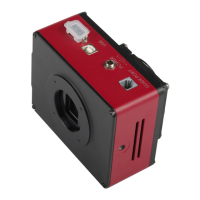
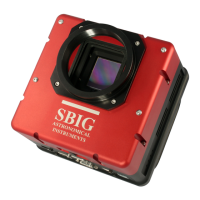
This manual describes the ST-7XE/XME, ST-8XE, ST-9XE, ST-10XE/XME and ST-2000XM/XCM
CCD Camera Systems from Santa Barbara Instrument Group. The first section contains USB driver
installation instructions. The USB driver installation process must be completed by anyone
installing an SBIG USB camera for the first time on a particular computer. If you wish to run your
SBIG USB camera from more than one computer, you must go through the USB driver installation
process for each computer you intend to use.
For users new to the field of CCD Astronomy, Sections 2, 3 and 4 offer introductory material
about CCD Cameras and their applications in Astronomy. Users who are familiar with CCD
cameras may wish to skip section 2 and browse through sections 3 and 4, reading any new material.
Thoroughly experienced SBIG customers may wish to jump right to the separate Software
Manual, which gives detailed and specific information about the SBIG software. Sections 5 and 6
offer hints and information about advanced imaging techniques and accessories for CCD imaging
that you may wish to read after your initial telescope use of the CCD camera. Finally, section 7 may
be helpful if you experience problems with your camera, and the Appendices provide a wealth of
technical information about these systems.
1.2. Installing the USB Drivers for the First Time
If you are installing an SBIG USB camera for the first time use this section to walk you through the
driver installation process. To operate the camera you must first install camera control software
onto your computer or laptop. Your camera comes with two programs: CCDOPS from SBIG and
CCDSoftV5, which was jointly written by Software Bisque and SBIG. CCDSoftV5 is a very
comprehensive program that incorporates many of the camera control functions of CCDOPS.
However, because we use CCDOPS solely to develop and test our cameras we are able to post more
frequent updates for CCDOPS at our web site for free download. You can use either program to
control the camera but we suggest starting with CCDOPS to install the USB drivers and to make
sure everything is working properly and then move to CCDSoftV5 when you are more familiar
with the operations of the camera. Follow the instructions below to install and run the CCDOPS
software and display and process sample images found at our web site.
Please follow these directions IN SEQUENCE. Do not connect the camera to the PC or turn it on
until instructed to do so below. USB drivers can be difficult to install if you don’t follow the
instructions.


 To Next Page