Section 1 - Introduction
Page 13
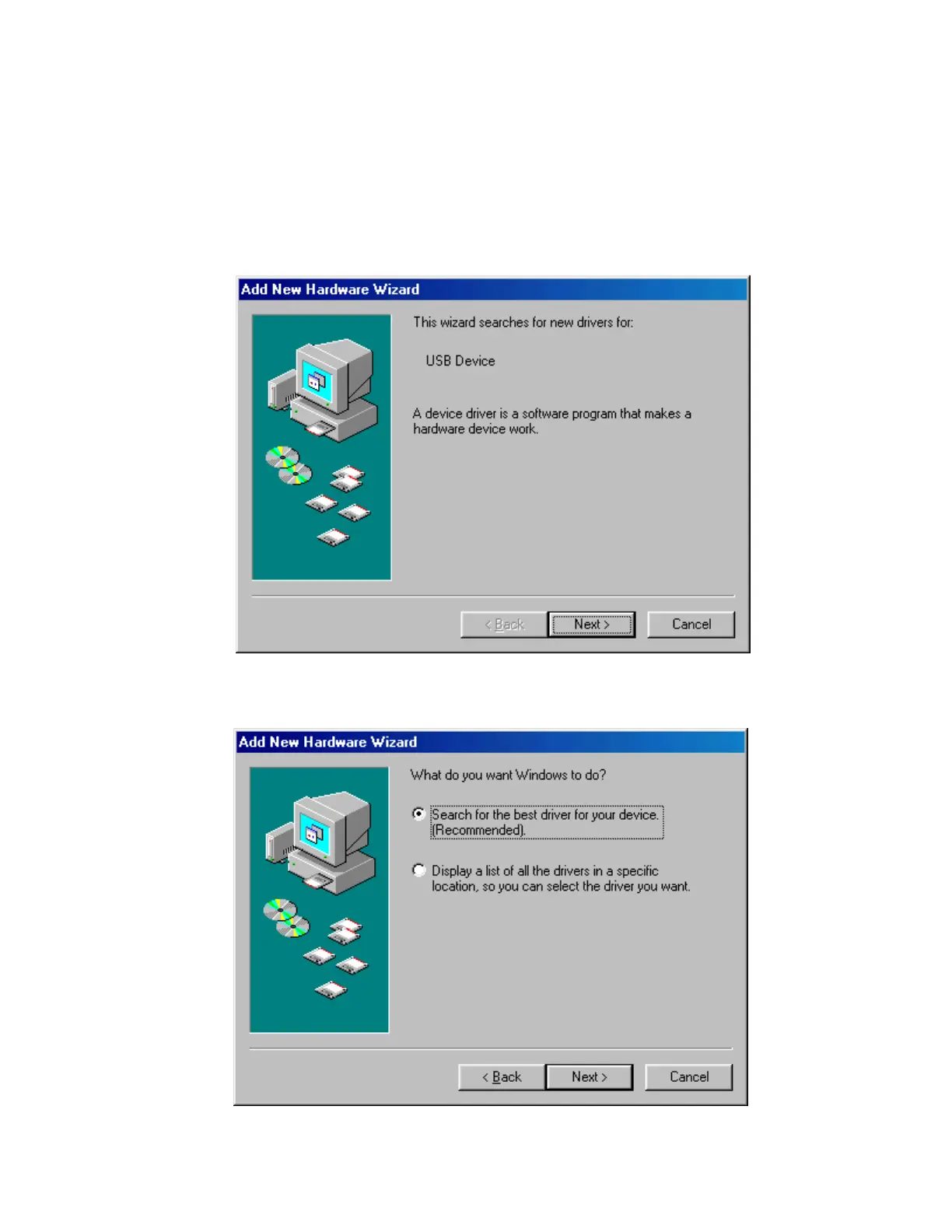
1.2.2.2. Add New Hardware Wizard for Window 95/98/Me Users
1. With the camera disconnected from the computer, plug in the power to the camera and if
your power supply has a power switch turn on the power to the camera.
2. Plug the camera into the computer with the supplied USB cable. The computer will then
present you with the Found New Hardware Wizard shown below:
Click the
Next
button.
3.
Click “
Search for the best driver..
” then click the
Next
button as shown below:


 To Next Page