Section 3 - At the Telescope with a CCD Camera
Page 36
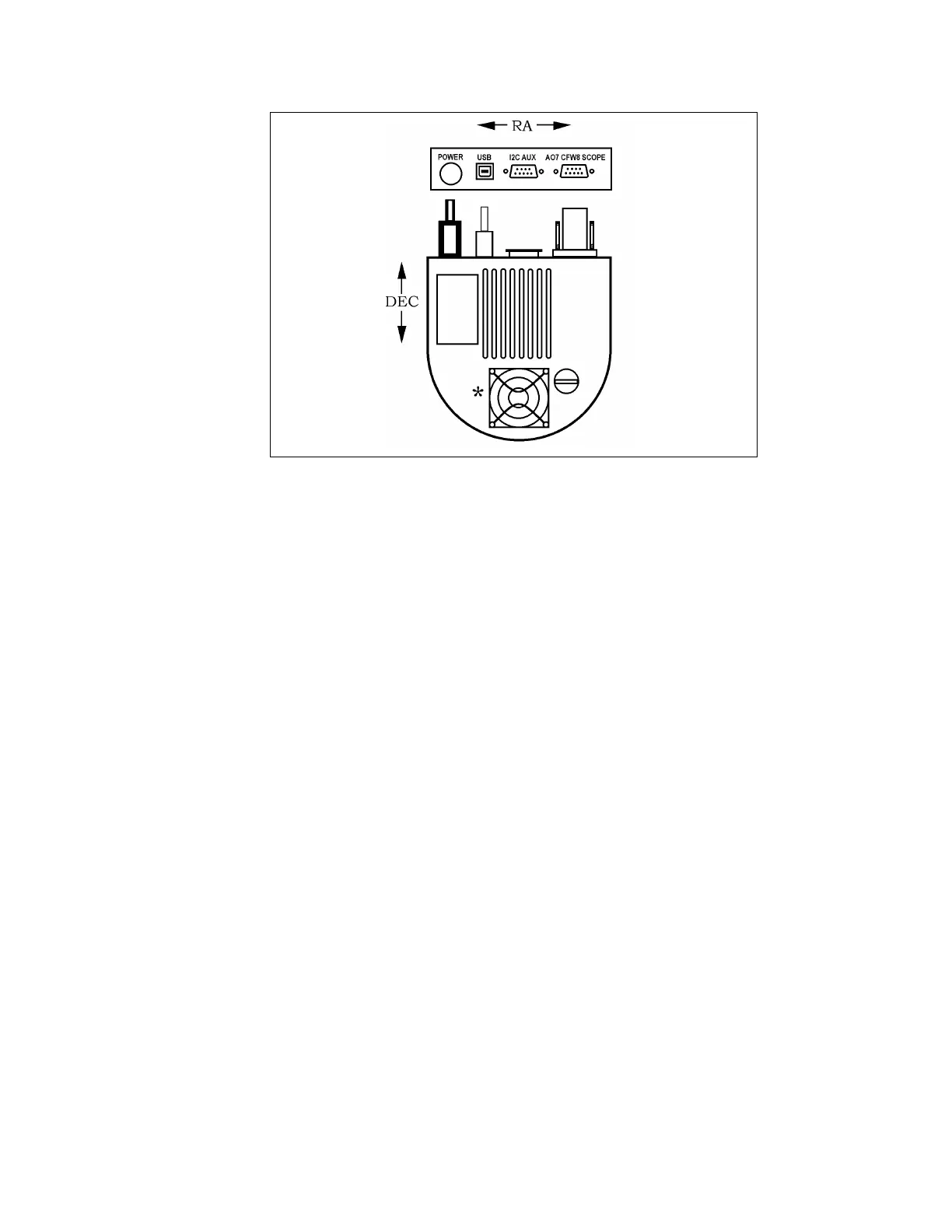
Figure 3.1 Orientation of the Optical Head Viewed from Back.
(Pixel 1,1 is at the upper left in this view)
3.3. Establishing a Communications Link
After setting up the software and the camera as described in the previous sections, using
CCDOPS software, establish a link to the camera by clicking on the “Establish Comm Link”
command from the Camera menu. If the software is successful the "Link" field in the Status
Window is updated to show the type of camera found. If the camera is not connected, powered
up, or the USB port has not yet been properly selected, a message will be displayed indicating
that the software failed to establish a link to the camera. If this happens, use the
Communications Setup command in the Misc menu to configure the CCDOPS software for the
USB. Then use the Establish COM Link command in the Camera Menu to establish
communications with the camera.
Note: It is not necessary to have a camera connected to your computer to run the software and
display images already saved onto disk. It is only necessary to have a camera connected
when you take new images.
Once the COM link has been established you may need to set the camera's setpoint temperature
in the Camera Setup command. The ST-7XE, ST-8XE, ST-9XE, ST-10XE, ST-10XME and ST-
2000XM power up regulating to whatever temperature the CCD is at, which in this case will be
the ambient temperature. Use the Camera Setup command and choose a setpoint temperature
approximately 30°C below the ambient temperature. Type in the setpoint, set the temperature
control to active, and hit ENTER.
3.4. Focusing the CCD Camera
Focusing a CCD camera can be a tedious operation, so a few hints should be followed. Before
using the software to focus the camera the first time you should place a diffuser (such as scotch
tape or ground glass) at the approximate location of the CCD's sensitive surface behind the


 To Next Page