Section 1 - Introduction
Page 11
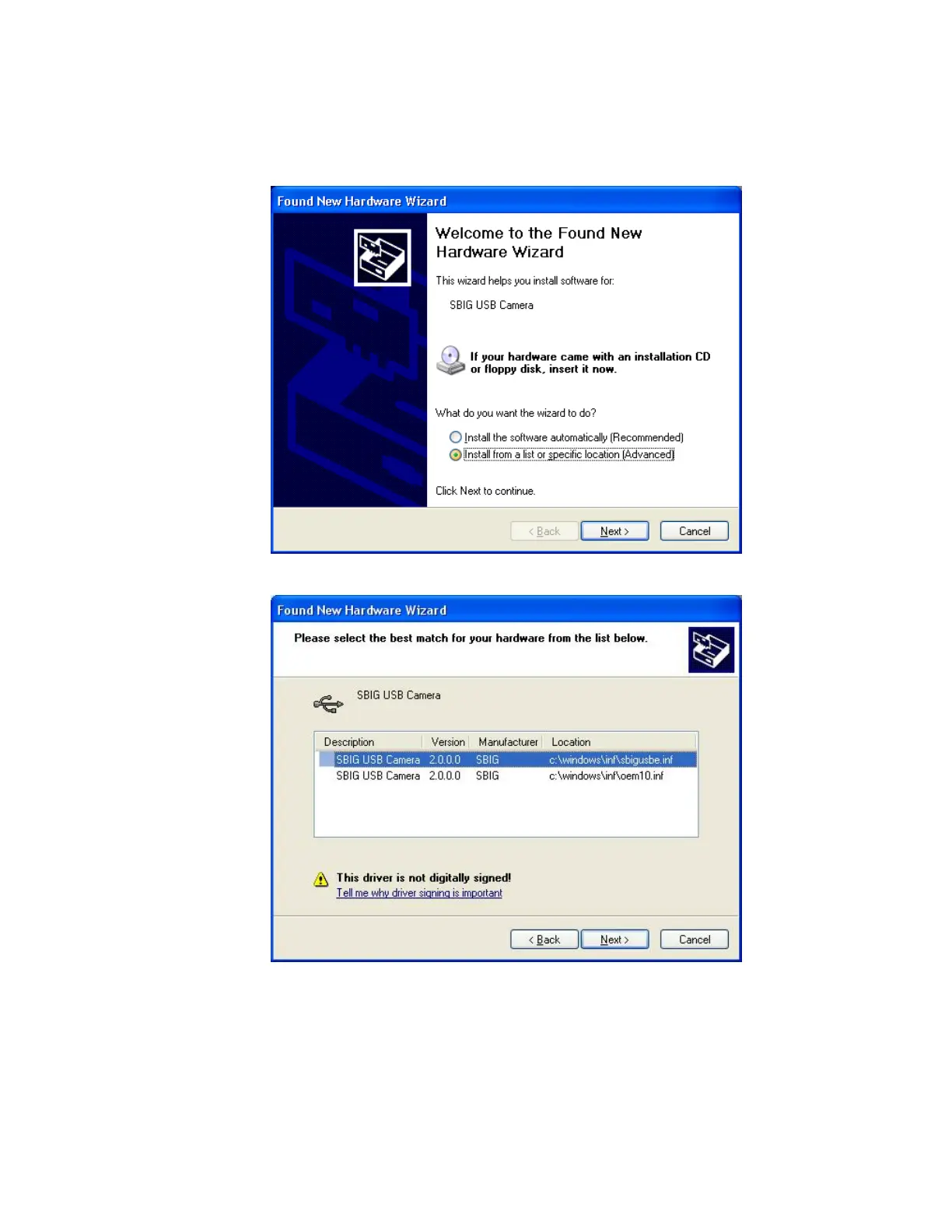
8. Again you will be presented with the Found New Hardware wizard for the SBIG USB
Camera driver as shown in the dialog below. Repeat steps 3 through 7 for this driver just
like you did before.
9. At one point you may be presented with the following dialog:
Select the top entry and hit the
Next
button. When you’re all done if you open the
System
Control Panel
from the
Start Menu
, select the
Hardware
tab then click the
Device Manager
button and finally expand the
Universal Serial Bus Controllers
section at the bottom you
should see the SBIG USB Camera entry as shown below:


 To Next Page