Section 1 - Introduction
Page 15
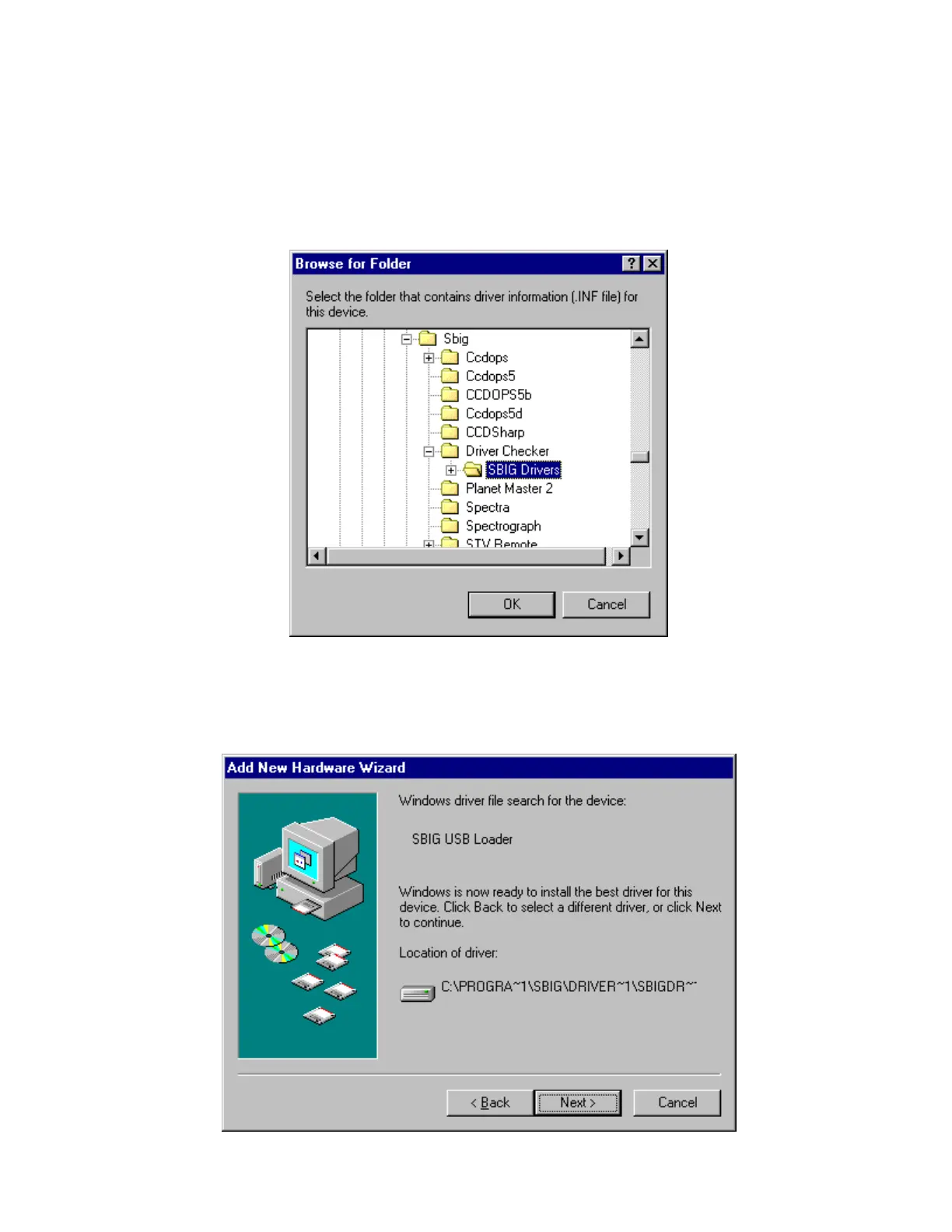
5. Navigate through the Browser window to the
My Computer\C:\Program Files\SBIG\Driver Checker\SBIG Drivers
directory as shown below. Expand each section by clicking on the “+” next to the name.
For example scroll to the top and click the “+” next to My Computer, then click the “+” next
to C:, etc.:
Click on the
SBIG Drivers
folder until it is highlighted as shown above then click the
OK
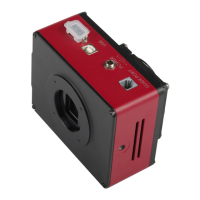
button. This will get you back to the dialog shown above in step 4 but with the location
filled out. Click the
Next
button.
6.
You’ll see the dialog below. Click the
Next
button.


 To Next Page