Section 1 - Introduction
Page 20
5.
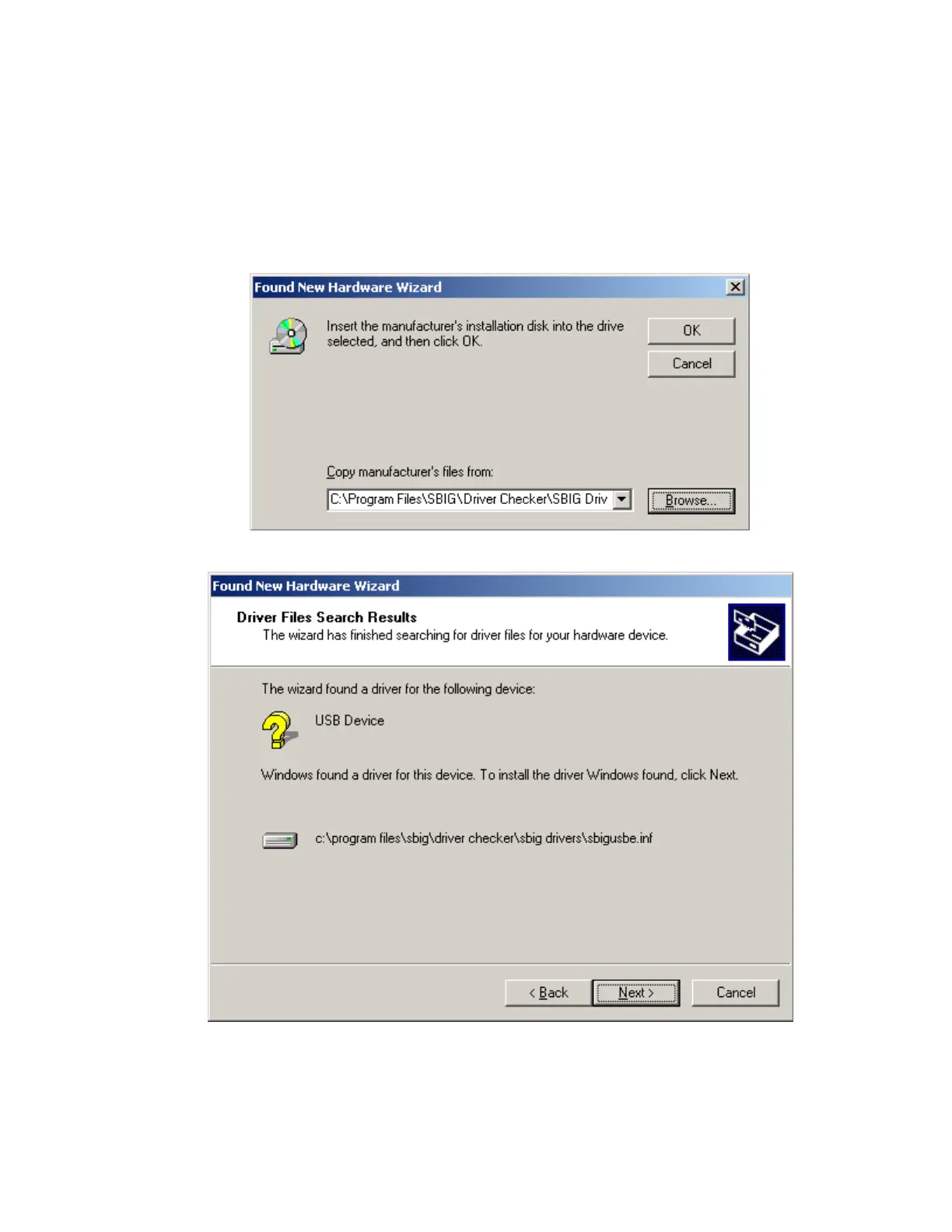
As shown below click the Browse button then navigate to the
My Computer\C:\Program Files\SBIG\Driver Checker\SBIG Drivers
directory. Expand each section by clicking on the “+” next to the name. For example scroll
to the top and click the “+” next to My Computer, then click the “+” next to C:, etc. Click on
the
SBIG Drivers
folder to highlight it then Click
OK
in the Find File dialog then click
OK
back at the New Hardware Wizard.
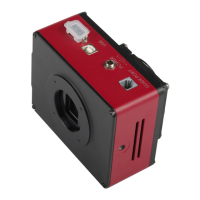
6. Windows will find the driver and present you with the dialog below:
Click the
Next
button.


 To Next Page